

Introduction
Any website owner love to see the website log details like how many user are
logged, locations of user the graphical representation of user's activity
throughout entire websites. Actually there are couples of way to create such
projects. Website owner also can see the server log file to get such information
but log file is very-very low level activity tracker because we can't see there
the graphical representation of value. For such work GOOGLE ANALYTICS is very
cool. Let's implement it for our domain.
Perquisite
We should have the following things:
- Google Account
- Personal Domain Name
- Hosting Server
I am including screenshots here because it is very easy to implement.
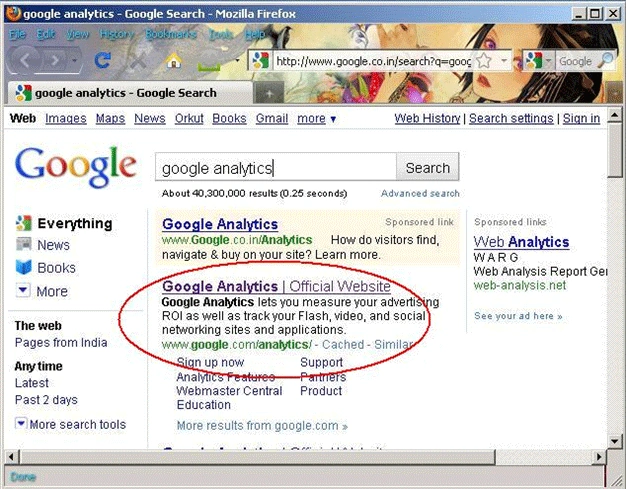
In above image we are opening a GOOGLE web page www.google.com/analytics/
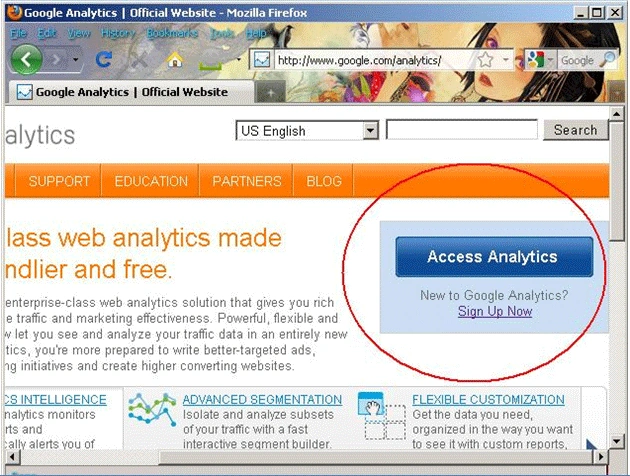
In above image, we are opening our account which is already been created as given below also.
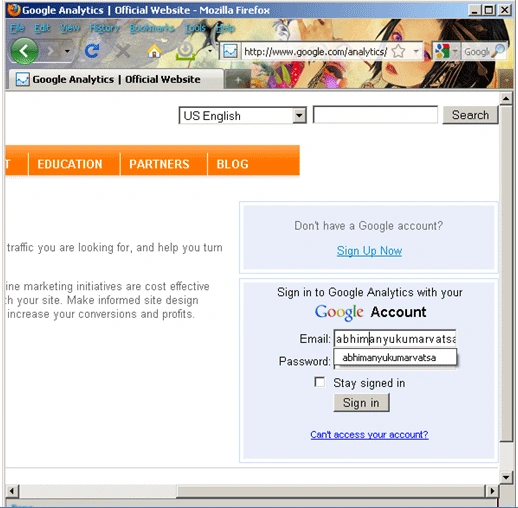
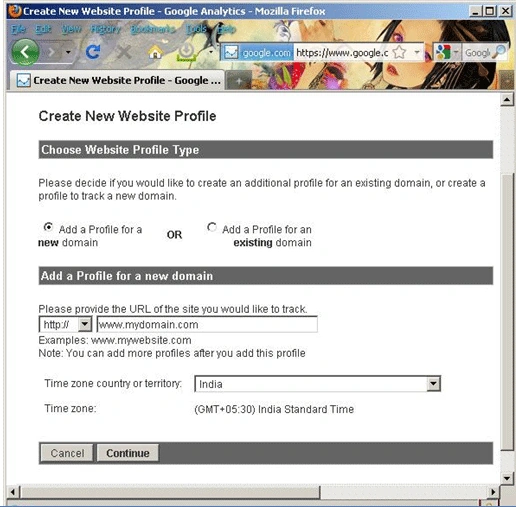
In above image, I am choosing 'Add a Profile for a new domain' because I have already created but you will have different screen if you are at very first. Click on Continue after selection.
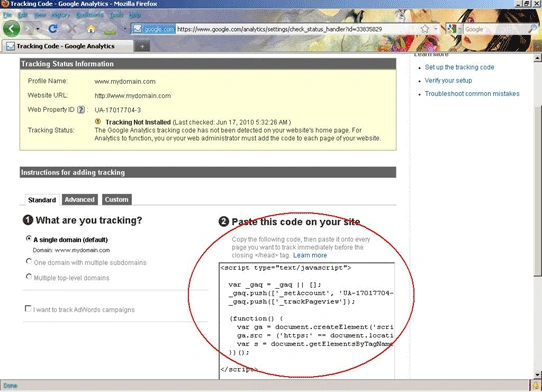
In above image, GOOGLE will generate some JavaScript code which we have to use in our website in the <head> section. If you are using MasterPage in website then you must paste this in MasterPage only.
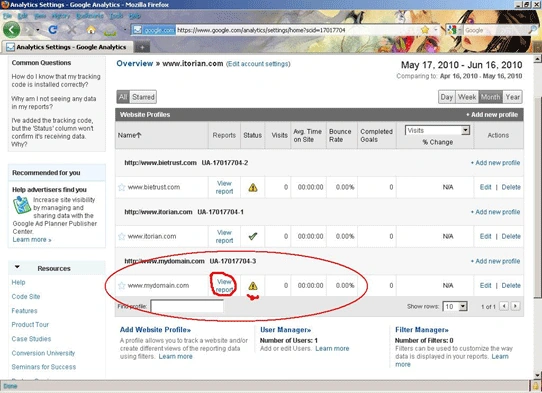
In above image, all the domain names are listed which I have been created. Now to see the statistics of your website visits globally, you have to click on 'View report'.
NOTE:
In the coming article I will show you how to track the user activities in database including and that article will include recording activities such as what pages were visited as well as what actions were performed. When first arrives at any page the activity log might add an entry like "Visiting the User Profile page." After updating his e-mail address, the activity log might record, "Changed e-mail address from [email protected] to [email protected]." Such usage tracking offers a deeper level of analysis than is possible with log files or online visitor statistic tools. Instead of data that report total number of visitors or how the average user is interacting with the site, user activity tracking can provide a very detailed view of how a particular individual is using the application and what actions he is performing while signed on to the site.
HAVE A HAPPY CODING!
anil babuPosted Aug 14, 2012, 12:38 AM
give me complete google analytics using asp.net as soon as possible