

Steps to do:
- First of make a new Silverlight Windows Phone project and save given location
- Now (if not yet done) download the Windows Phone 7 toolkit from the Codeplex website and save in your hard drive.
- Add a reference to Microsoft.Phone.Controls.Toolkit.dll in your application like image 1.
Now add a namespace on .xaml page or add this Microsoft.Phone.Controls.Toolkit.dll in toolbox when drag and drop control on page this namespace should add automatically.
xmlns:toolkit="clr-namespace:Microsoft.Phone.Controls;assembly=Microsoft.Phone.Controls.Toolkit"
<toolkit:DatePicker HorizontalAlignment="Left" Margin="149,219,0,0"
Name="txtPostedOn" VerticalAlignment="Top" Width="325"
Height="55" FontFamily="Verdana"
FontSize="13.333" Foreground="#FFDA4D4D" />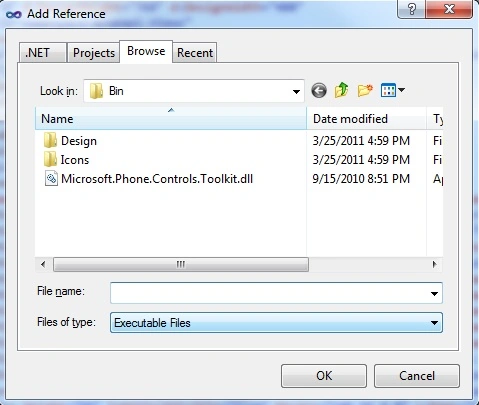
Image 1.
Image 2.
After adding control on page it looks like this. When click on control this window should open.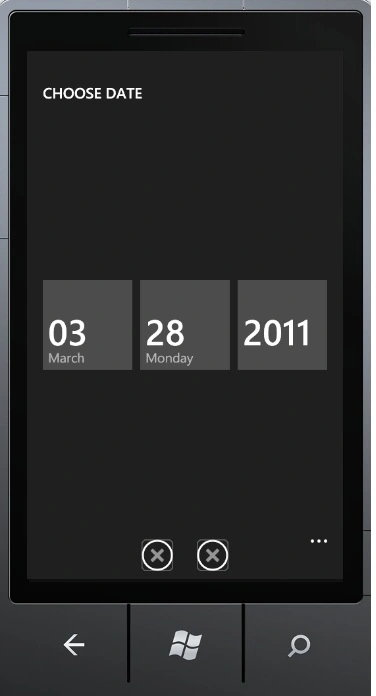
Image 3.
Here you can select Month, Day and year by clicking on these rectangles like this. You can scroll top and bottom.
Note - These cross icon images shows left one is for done and right icon for cancel.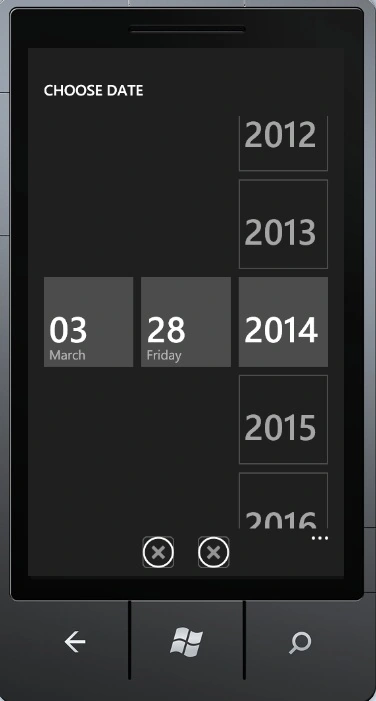
Image 4.
When you are done with this click on the Done icon.
Image 5.
Saber ShaikhPosted May 16, 2015, 5:49 AM
Super it`s Use Full
Mahesh ChandPosted Mar 28, 2011, 11:36 PM
Nice!