
Many of you have probably heard about Yammer. For those who don't know, Yammer is an enterprise social network that was acquired by Microsoft on June 25th, 2012.
SharePoint Newsfeed is the primary social experience in Office 365, but now organizations have a choice. You can switch your Enterprise Social Collaboration setting to Yammer, and make Yammer your primary experience.
Step 1
Login into Office 365 and click the Admin tab and select Settings as shown below: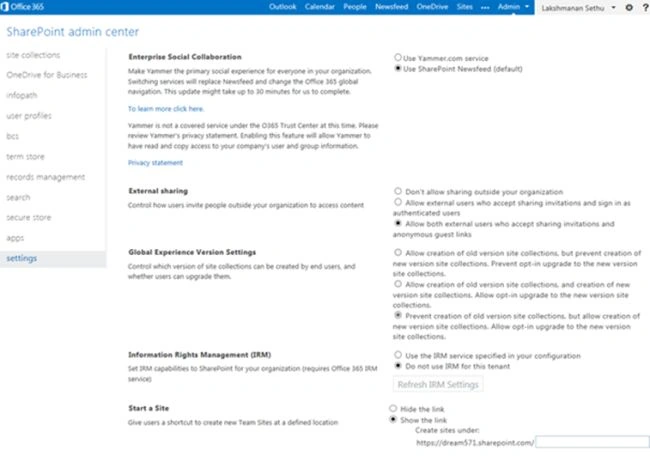
Step 2
Change the option to “Use yammer.com service” and click Save.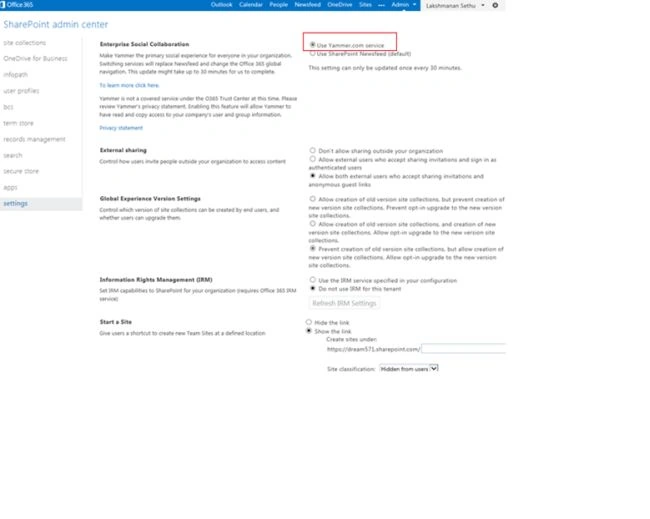
Step 3
The SharePoint News Feed has been changed to “Yammer”.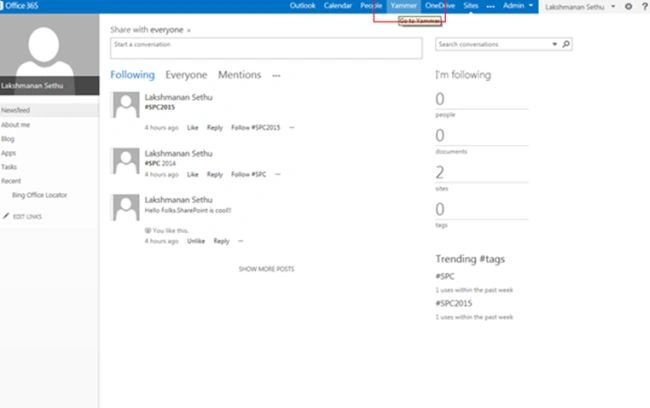
Step 4
Click on Yammer and create a Yammer account. The following 4 screenshots depicts the account creation.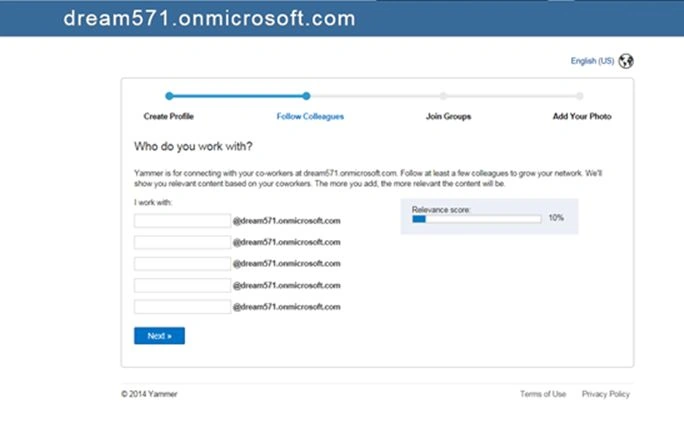
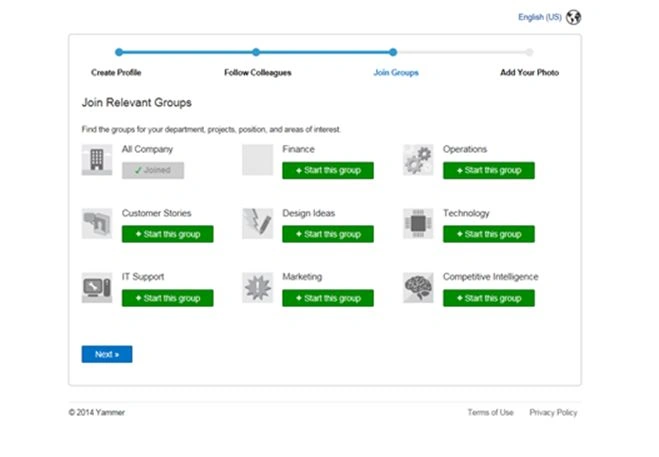
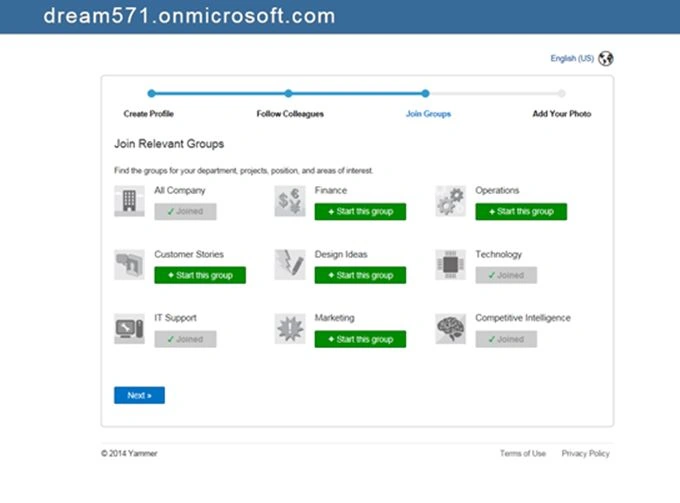
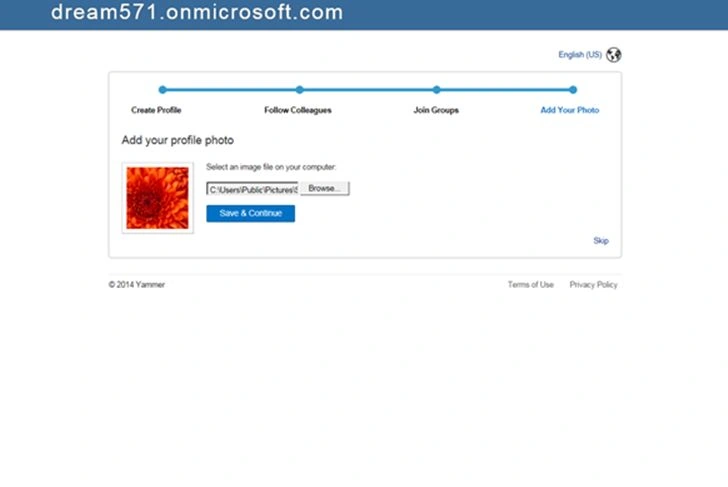
Step 5
Provide updates in Yammer. In this example, the sample update is “Hi from Yammer”.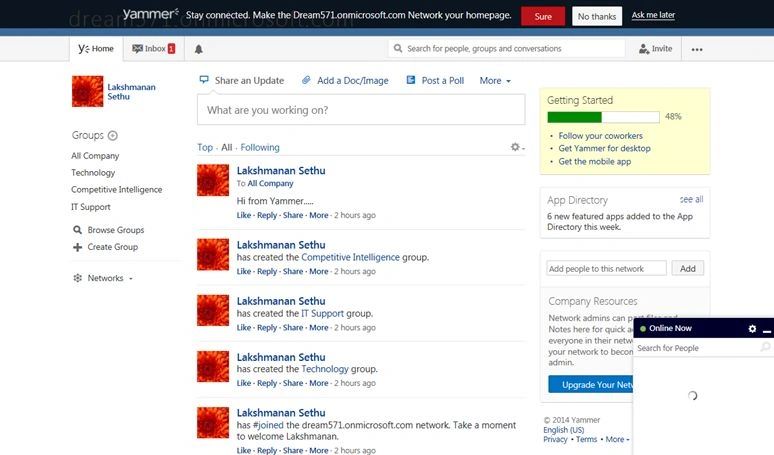
Step 6
Now that Yammer Account is integrated with the SharePoint 2013. Click on the Yammer Tab and it will take you directly to your Yammer feeds.
P.S. It will take almost 30 minutes to show the Yammer feeds after configuration.
Yammer Integration With SharePoint 2013 Online
Thia article describes Yammer integration with SharePoint 2013 Online.


Kaviya BalasubramanianPosted May 22, 2014, 2:26 AM EDT
ya
Lakshmanan Sethu SankaranarayanPosted May 22, 2014, 1:37 AM EDT
Hi Kaviya, Do you want to create group from sharepoint?
Kaviya BalasubramanianPosted May 21, 2014, 11:18 PM EDT
Hi Lakshmanan thanks for the post.. Can we create a group programmatically in yammer?
Lakshmanan Sethu SankaranarayanPosted Mar 10, 2014, 12:53 AM EDT
Mahesh. Thanks for your inspiring words. I will try to make it for sure.
Mahesh ChandTOP 10Posted Mar 7, 2014, 6:03 AM EST
Lakshmanan, are you coming to the Annual Conference? I would love to talk about this more. There are some big opportunities around this Office 365, Yammer and Power BI.
Mahesh ChandTOP 10Posted Mar 7, 2014, 6:00 AM EST
This is interesting. I just started looking into Power BI and Yammer integration is one of they things Office 365 now integrates. Very cool stuff.