
Create First Name, Last Name and Middle Name column of Type single line text
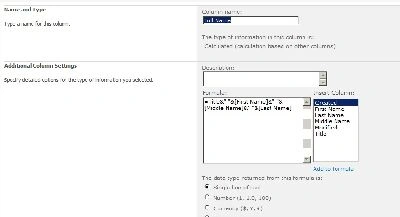
Create a Calculated column Full Name
Copy and paste the formula
=Title&" "&[First Name]&" "&[Middle Name]&" "&[Last Name]
Now the List Entries will appear as below:

In SharePoint, we can concatenate Text column. For example, you can display first name, last name and middle name after concatenation.
 DevSocialUpcoming · 3rd editionAI Agents ConferenceDec 1–3, 2026Live onlineFree to attend5days leftRegisterMembers onlyeBook · SharePointSharePoint Online And Office 365 AdministrationDownload now
Write a blog post and earn +250 SHARP when it is approved.
Write a blog
Join the conversation! Your thoughts help the community grow.