

State management Technique is a process by which we maintain the state & page into over multiple request for the same of different page.
- Cookies in Asp.Net: There are Two types of cookies in Asp.Net|
- Session Cookie/Non persistence Cookie.
- Persistence Cookie.
- protected void btnclick_click (object sender,Event args e)
- {
- HttpCookie M1 = new Httpcookie["userinfo"];
- M1["name"] = textbox1.text;
- M1["email"] = textbox2.text;
- Responce.cookies.Add("M1");
- Responce.redirect("webform2.aspx");
- }
- protected void Page_Load (object sender,Event args e)
- {
- HttpCookie M1 = Request.cookies["userinfo"];
- if(Cookie ! = null)
- lable1.text = M1["name"] ;
- lable2.text = M1["email"];
- }
- Query String Management System
For more Detail About Cookie Click here:On WebForm 2- On WebForm 1
- {
- protected void btnclick_click (object sender,Event args e)
- Responce.Redirect ( "webform2.aspx?username+" + textbox1.text + "& useremail + " textbox2.text);
- }
- protected void Page_Load (object sender,Event args e)
- {
- lable1.text = Request.querystring [ "ussername"];
- lable2.text = Request.querystring [ "usseremail"];
- }
- Session State Management System:On WebForm 2
- On WebForm 1
- {
- protected void btnclick_click (object sender,Event args e)
- Session [ "username"] = textbox1.text;
- Session [ "useremail"] = textbox2.text;
- }
- protected void Page_Load (object sender,Event args e)
- {
- if ( Session["username"] ! = null)
- {
- lable1.text = Session [ "username"].ToString;
- }
- if ( Session["useremail"] ! = null)
- {
- lable2.text = Session [ "useremail"].ToString;
- }
- }
- Application State Management SystemOn WebForm 2
- On WebForm 1
- {
- protected void btnclick_click (object sender,Event args e)
- Application [ "username"] = textbox1.text;
- Application [ "useremail"] = textbox2.text;
- }
- protected void Page_Load (object sender,Event args e)
- {
- lable1.text = Application [ "username"].ToString();
- lable2.text = Application [ "useremail"].ToString();
- }
- View State/Hidden Field Management System:
It is used to maintain the state of controls during Page Post Back and if we save any Control value or anything in View state we can access those value through out the page whenever it require for that check.
For more Detail About Cookie Click here And For Session Click here
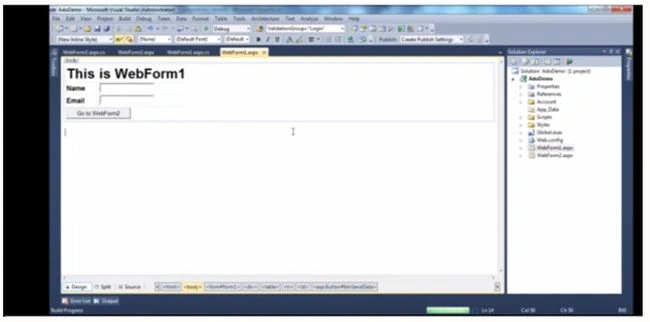
On the Web Form 1
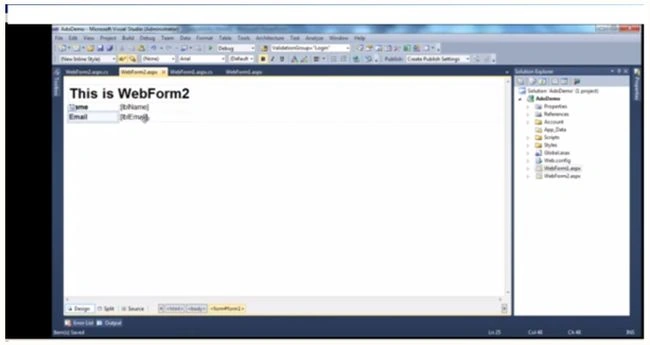
On the Web Form 2
You can on my blog_munesh
Munesh SharmaPosted Oct 16, 2014, 12:16 AM
refer this... http://www.aspdotnet-suresh.com/2010/10/session-timeout-problem-in-aspnet.html
Munesh SharmaPosted Oct 16, 2014, 12:15 AM
you can set you session time in web config file..
Munesh SharmaPosted Oct 16, 2014, 12:14 AM
By default our websites session timeout is 20 mins
Sharath kumarPosted Oct 15, 2014, 4:02 PM
hai munesh ,nice article can you say me what us session time out time is?