

Requirements
- Filezilla FTP
- Azure Account
- Internet
- System
Introduction
Azure Web app Service is one of the Cloud Services.
Azure Web Service makes it easy to deploy the Web Applications and the database in the Azure Cloud. In Azure, the Web app is created. Afterwards, go to the Filezilla FTP software to deploy PHP Web app to the Cloud.
The open source PHP language SI supports Azure Cloud. Azure is one of the easy ways of hosting the Web apps in the Cloud.
Filezilla is used for hosting Web apps in the Azure Cloud
The steps, given below, help to create the PHP Azure Web app and host PHP Web apps and databases.
Steps
- Go to Azure portal
- Create the Web app Services.
- Create PHP Application
- Download the Filezilla software
- Host the Web app via Filezilla FTP.
Go to portal.azure.com(sign in).

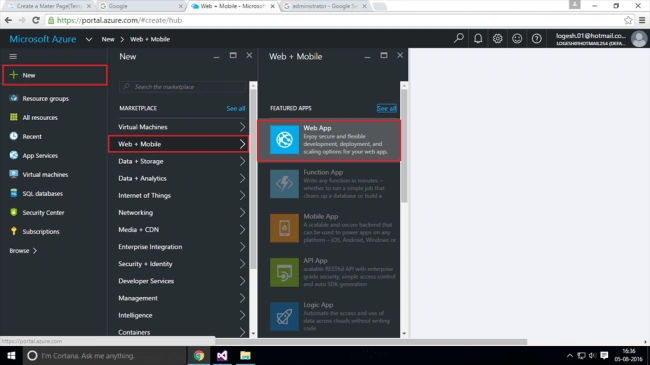
Click New.
Select Web+Mobile.
Select Web app.
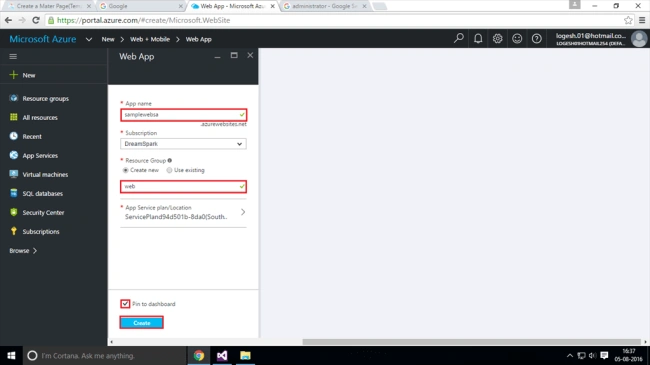
Give a Webapp name uniqe(Ex:sample).
Give a Webapp name uniqe(Ex:sample).
Resource group name uniqe(Ex:web).
Next Create.
Go to Notification (Deployments succeeded).
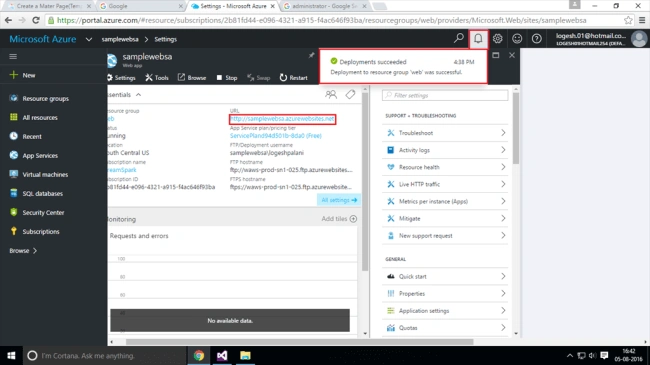
Go to the Browser.
Go to Notification (Deployments succeeded).
Go to the Browser.
Type Webapp address.

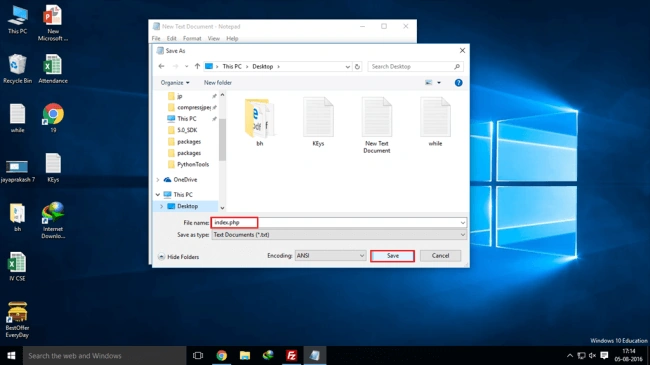
Write PHP code from Notepad ((Ex:hello world).
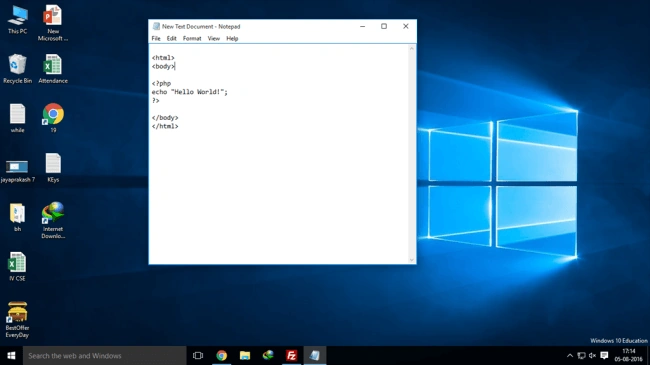
Save from the desktop(Ex:index.php)(index is default page in PHP).
Go to Azure portal.
Write PHP code from Notepad ((Ex:hello world).
Save from the desktop(Ex:index.php)(index is default page in PHP).
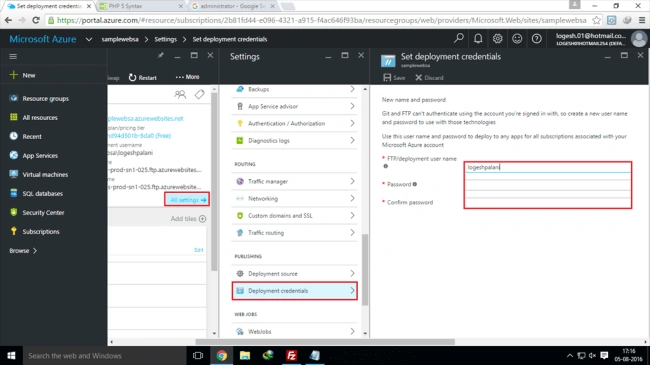
Go to Azure portal.
Select your Webapp.
Go to all the settings.
Select deployement credentials.
Give username and password.
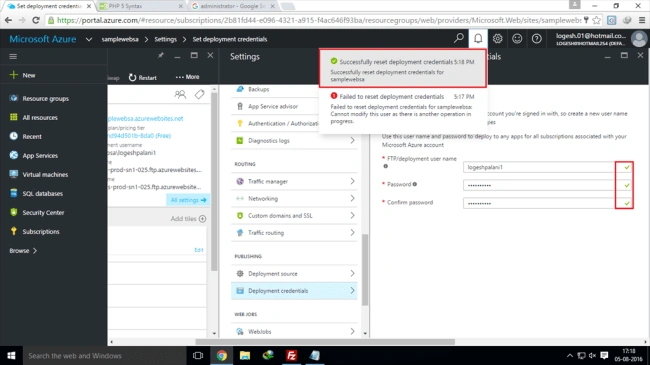
Go to Notification(successfully reset deployement credentials).
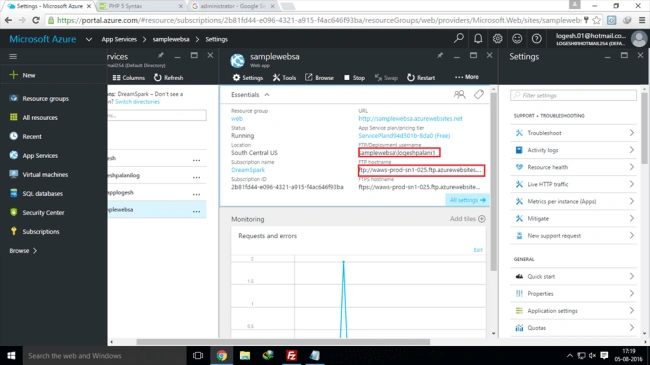
Go to your Webapp.
Go to Notification(successfully reset deployement credentials).
Go to your Webapp.
See your app details (FTP host name and FTP Deployment username).
Download Filezilla FTP client software.
Next, copy and paste FTP host name and FTP Deployment username from Filezilla tool.(required)
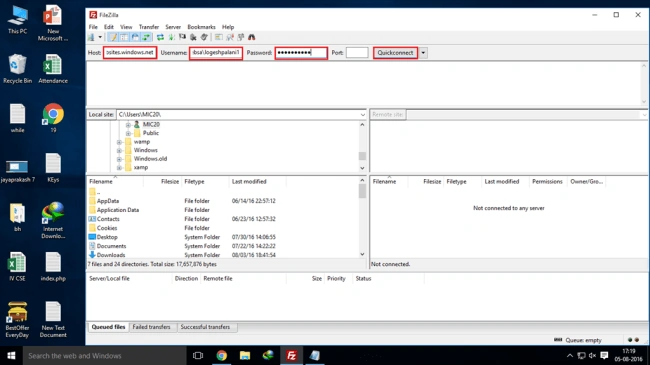
After quick connect, go to the site folder.
Next, move your project to site folder.
Go to Azure portal. Select your Webapp URL and run it.
Join the conversation! Your thoughts help the community grow.