
This demonstration displays 'HelloWorld' text as the content text of web page, heading text, and sets the title of the page using AngularJS. To create an Agular application, we need AngularJS library, AngularJS module, AngularJS controller, AngularJS model and an HTML file.
For AngularJS library, download AngularJS library from this link http://AngularJS.org. Click the Download link on the main page and ensure that the Stable and Uncompressed options are checked. You can select an unstable (prerelease) version, get a minified version, or use a content distribution network (CDN), but for this write-up, I am going to use a local copy of the uncompressed library. Save the file as angular.js wherever you want.
Now, create a folder and save it with a name as 'HelloWorld', save it wherever you want. In this folder, create a .js file and name it 'index.js'. In this .js file, we are going to create AngularJS module, controller, and model.
This document has been composed with the free HTML editor which can be accessed here. Use it every time for document editing.
- var app=angular.module("hellowapp",[]);
- app.controller("hwcontroller",function($scope){
- });
Scope
- The scope is the binding part between the HTML (view) and the JavaScript (controller).
- The scope is an object with the available properties and methods.
- The scope is available for both the view and the controller.
- $scope.title="My First Angular App";
- $scope.header="Learning Angularjs";
- $scope.content="My First Hello world app in Angularjs"
- <!DOCTYPE html>
- <HTML ng-app="hellowapp" ng-controller="hwcontroller" >
- <script src="angular.min.js"></script>
- <script src="index.js"></script>
- <TITLE> {{title}}</TITLE>
- <BODY border="1">
- <h1>{{header}}</h1>
- <hr/>
- {{content}}
- </BODY>
- </HTML>
Below this HTML opening tag, we have taken reference of AngularJS library file and index.js file and in title opening and closing tag, we can see code '{{title}}', it is AngularJS expression for displaying content of title model. It is one-way model binding in AngularJS library.
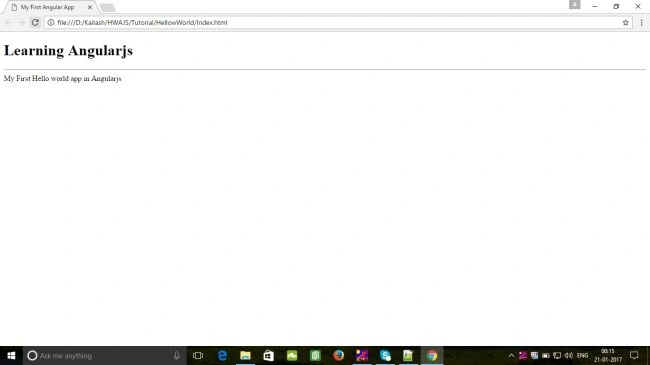
Save the HTML file again and open in the browser and see the result. You can run it in any browser because AngularJS supports all types of browsers. if you would have done properly the demonstration, you will get the result like below image.
Summary
Hope this article will help you. Happy coding!
Join the conversation! Your thoughts help the community grow.