
Introduction
Here we will create a list
using different tags in HTML5. Tags with descriptions are given in the below table. We
will use them to create list.
| Tag | Description |
| <ul> | Used For defining a unordered list. |
| <ol> | Used for defining an ordered list. |
| <li> | Used for defining an item in list. |
| <dl> | Used for defining a list. |
| <dt> | Used for defining an item in a definition list. |
| <dd> | Used for describing the item of a list. |
The <ul> tag
<ul> is used for unordered list. We use <li>
tag for defining an item in the list. We create a list using <ul> tag. We write the
following code:
- <!DOCTYPE HTML>
- <html>
- <body>
- <ul>
- <li>Tea</li>
- <li>Coffee</li>
- <li>Milk</li>
- </ul>
- </body>
- </html>
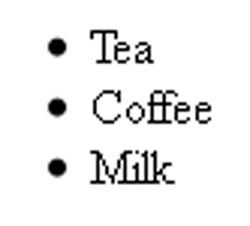
We can change bullets style by using type
attribute as below code:
- <!DOCTYPE HTML>
- <html>
- <body>
- <ul type="circle">
- <li>Tea</li>
- <li>Coffee</li>
- <li>Milk</li>
- </ul>
- </body>
- </html>
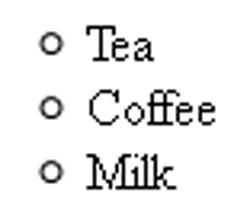
We can also use type="square" for
bullets style as square.
The <ol> tag
- <!DOCTYPE HTML>
- <html>
- <body>
- <ol>
- <li>Tea</li>
- <li>Coffee</li>
- <li>Milk</li>
- </ol>
- </body>
- </html>
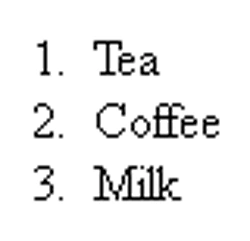
We can change the character style of the ordered list.
List for different style is given below:
| Type | Description |
| i | For lower roman style |
| I | For upper roman style |
| A | For capital alphabets style |
| a | For small alphabets style |
Now, we use one from the above list by writing
below code:
- <!DOCTYPE HTML>
- <html>
- <body>
- <ol type="i">
- <li>Tea</li>
- <li>Coffee</li>
- <li>Milk</li>
- </ol>
- </body>
- </html>
Now the output will look like as below:
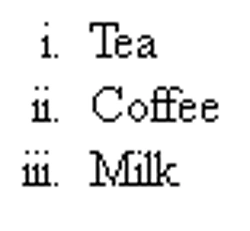
The <li> tag
This tag is used with <ol> or <ul>.
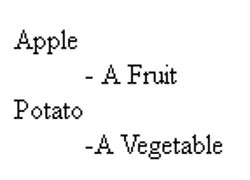
The <dl>,<dt> and <dd> tag
Now we write the following code:
- <!DOCTYPE HTML>
- <html>
- <body>
- <dl>
- <dt> Apple </dt>
- <dd>- A Fruit </dd>
- <dt> Potato </dt>
- <dd>-A Vegetable </dd>
- </dl>
- </body>
- </html>
Join the conversation! Your thoughts help the community grow.