
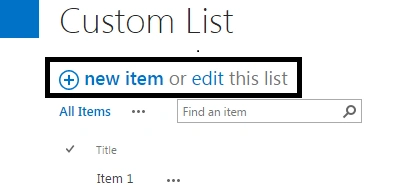
In this blog, we will see how to hide a "New Item" label from a custom list in SharePoint Office 365. We often get a requirement stating, "The new button should be hidden from the list". So, how we do it?
- Open the list.
- Edit the page.
- Add Script Editor web part.
- Paste the code below and click on OK.
Code- <style type="text/css">
- #Hero-WPQ2
- {
- display:none;
- }
- </style>
- Save the page.
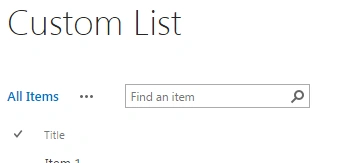
- The New Item/edit section will disappear from the list.
Keep Reading and Keep Learning !!


mohana chandraPosted Feb 23, 2021, 10:50 AM EST
What about the new view created? if i want to hide even for the new view
kalu singh raoPosted Jul 26, 2016, 9:48 PM EDT
Nice share