
Here I have written the code to create random Password/Number using uppercase, lowercase, digits, and special characters.
.Net provides the class Random , which has three methods - Next, NextBytes, and NextDouble.
.Net provides the class Random , which has three methods - Next, NextBytes, and NextDouble.
- Next()- Next method returns a random number.
- NextBytes()-NextBytes returns an array of bytes filled with random numbers.
- NextDouble()- returns a random number between 0.0 and 1.0.
I have used NextDouble.
Use
We can use this random password for One Time Password (OTP) or Temporary Password.
Code written in Console Application
Use
We can use this random password for One Time Password (OTP) or Temporary Password.
Code written in Console Application
- //Libraries
- using System;
- using System.Collections.Generic;
- using System.Linq;
- using System.Text;
- using System.Threading.Tasks;
- namespace PasswordPractice {
- class PasswordCreate {
- //Tis function is making the Random Password
- public string makeRandomPassword(int length) {
- string UpperCase = "QWERTYUIOPASDFGHJKLZXCVBNM";
- string LowerCase = "qwertyuiopasdfghjklzxcvbnm";
- string Digits = "1234567890";
- string allCharacters = UpperCase + LowerCase + Digits;
- //Random will give random charactors for given length
- Random r = new Random();
- String password = "";
- for (int i = 0; i < length; i++) {
- double rand = r.NextDouble();
- if (i == 0) {
- password += UpperCase.ToCharArray()[(int) Math.Floor(rand * UpperCase.Length)];
- } else {
- password += allCharacters.ToCharArray()[(int) Math.Floor(rand * allCharacters.Length)];
- }
- }
- Console.WriteLine(password);
- Console.ReadLine();
- return password;
- }
- static void Main(string[] args) {
- //User Input
- Console.WriteLine("Enter length of password");
- string len = Console.ReadLine();
- PasswordCreate n = new PasswordCreate();
- //Call the method in main method
- n.makeRandomPassword(Convert.ToInt32(len));
- }
- }
- }
Output of Given Code
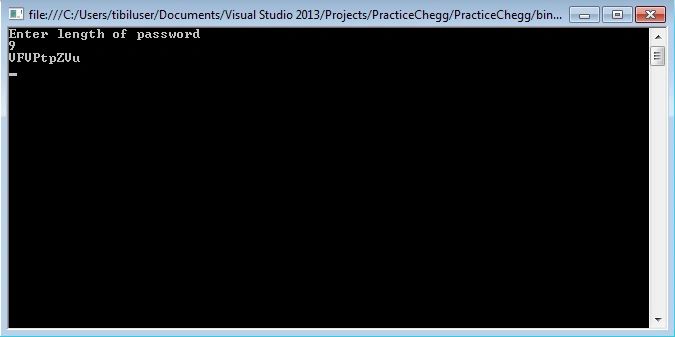
I have uploaded the same as an attachment. Please download and make changes accordingly.
I have uploaded the same as an attachment. Please download and make changes accordingly.


Adnan BashirPosted Aug 30, 2020, 3:07 AM EDT
How to create a strong password in c#
Rajesh KumarPosted Jul 18, 2018, 10:39 PM EDT
Nice article..............
Avnish KumarPosted Mar 30, 2018, 2:25 AM EDT
Nice article .....
Gajendra JangidPosted Feb 2, 2018, 2:26 AM EST
Nice article.....keep it up...
Sagar Pandurang KapPosted Jan 4, 2018, 12:59 AM EST
Superb Article .Thanks for Sharing....