
Just follow the below steps to enable Intellisense in Sql Server 2008.
Step 1:Just make sure, Intellisense is enabled.
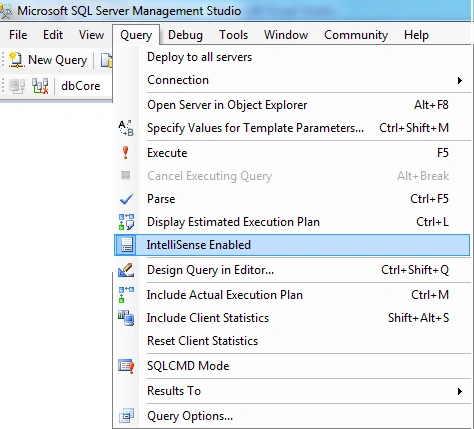
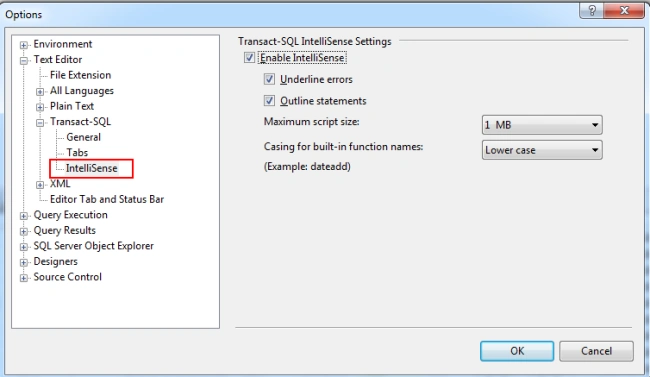
Step 2:Go to Tools -> options. Then enable the intellisense as shown
below.
Step 3:After enabling intellisense, just start to type your view, table
name etc.
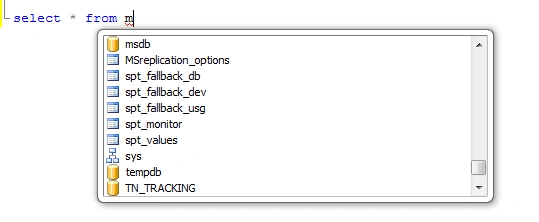
Note: It takes table or views with in the selected database.
Step 4:Options: Just change the casing to upper, but only for built in
function.
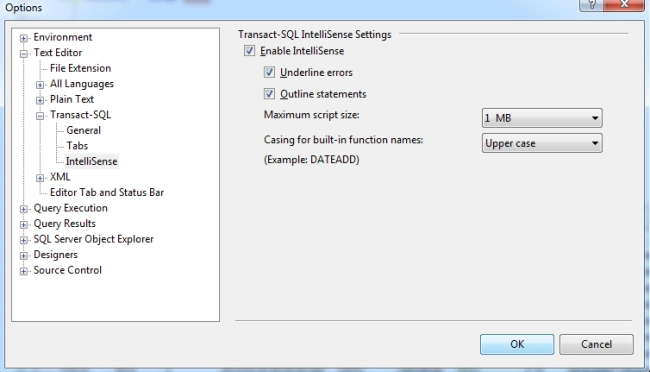
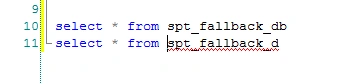
Step 5:If the “Underline errors” checked to true in the above image, if
your object name is wrong it highlight with read underline.
Step 6:Reference Link:


nikhil sreeniPosted Jun 21, 2012, 9:38 PM EDT
Thanks
Lajapathy ArunPosted Jun 20, 2012, 11:32 PM EDT
Thanks to all for reading this :)
Chirag SolankiPosted Jun 20, 2012, 11:05 PM EDT
thx
Anil KumarPosted Jun 20, 2012, 10:10 AM EDT
Nice posting,keep it up!
Jean PaulTOP 100Posted Jun 20, 2012, 6:45 AM EDT
Oh! That was a cool hidden feature. Thank You for sharing my friend.