

Please refer to the following article for the basics:
In this blog we will see,
- What is module and what is a controller
- How to create a module and controller
- How it works
What is Module and how to create it?
- Module is a kind of Main () method in AngularJS which contains controllers, services, directives etc.
- Module in AngularJS can be created by using following syntax.
- Module is used with ng-app.

A Module can be dependent on another module like ngRoute, ui.bootstrap.
What is a controller and how to create a controller?
- Controller is a function which defines the data for view to display.
- It can retrieve data from the database by calling a service. Controller is used with ng-controller.
- The syntax to create controller is,

$scope is an object to which the data is attached and it is then retrieved and displayed.
Here message is attached to $scope object. So in the Html page which is using this controller by using double curly braces {{message}} the message will be displayed.
The controller needs to be registered with a module like this

Complete Code for Creating Module, Controller and registering Controller with Module is,
- varmyApp = angular.module("myModule", [])
- varmyController = function ($scope) {
- $scope.message = "Welcome to angular JS";
- };
- myApp.controller("myController", myController);
- varmyApp = angular
- .module("myModule", [])
- .controller("myController", function ($scope) {
- $scope.message = "Welcome to angular JS";
- });
Step 1
Download Angular.JS file from AngularJS.org.
Step 2
Create a website in Visual Studio. Add Angular.js file in it.
Find the below screenshots for reference.
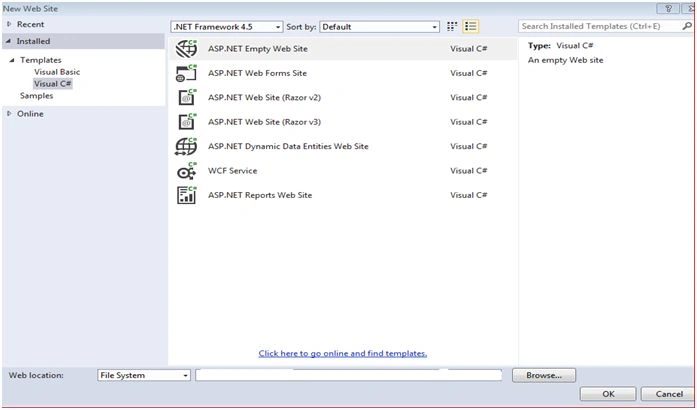

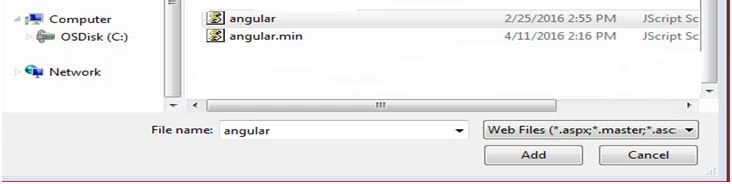
- Now add one html page and just drag and drop angular.min.js in your HTML page. It will look like this.
- <head>
- <scriptsrc="Scripts/angular.js"></script>
- </head>
- Now add one Javascript file and just drag and drop angular.js in your JS file. It will look like this.
- /// <reference path="angular.js" />
- Following is the code for the Javascript file .
- varmyApp = angular.module("myModule", [])
- .controller("myController", function($scope)
- {
- var employee = {
- firstName: "rekha",
- lastName: "Kulkarni",
- gender: "f→emale",
- };
- var country = {
- Name: "India",
- Capital: "delhi",
- };
- // Attaching to $scope Object
- $scope.message = "Welcome to angular JS";
- $scope.country = country;
- $scope.employee = employee;
- });
- Following is the code for html file.
- <!DOCTYPEhtml>
- <html xmlns="http://www.w3.org/1999/xhtml">
- <head>
- <script src="Scripts/angular.js"></script>
- <script src="Scripts/JavaScript.js"></script>
- </head>
- <body ng-app="myModule">
- <div ng-controller="myController">
- {{message}}
- <br/>
- <br/>
- </div>
- <hr/>
- <div ng-controller="myController">
- <div>
- Country Name: {{country.Name}}
- <br/>
- <br/> Country Capital: {{country.Capital}}
- </div>
- <hr/>
- <div>
- Employee FirstName :{{employee.firstName}}
- <br/> Employee LastName :{{employee.lastName}}
- <br/> Gender :{{employee.gender}}
- </div>
- </div>
- </body>
- </html>
- The result of the program is:

Join the conversation! Your thoughts help the community grow.