In the following example we are
creating a Connection, Command, and DataReader
that return a subset of rows from the Sales.Customer
table
in AdventureWorks database.
C#
using System;
using System.Data.SqlClient;
classProgram
{
staticvoidMain(string[] args)
{
string connectionString = "Data Source=localhost;Integrated security=SSPI;Initial Catalog=AdventureWorks;";
string sqlSelect = "SELECT TOP 5 CustomerID, AccountNumber FROM Sales.Customer";
SqlConnection objConn = new SqlConnection(connectionString);
// Create the command and open the connection
SqlCommand objcommand = new SqlCommand(sqlSelect, objConn);
objConn.Open();
// Create the DataReader to retrieve datausing (SqlDataReader CustomerReader = objcommand.ExecuteReader())
{
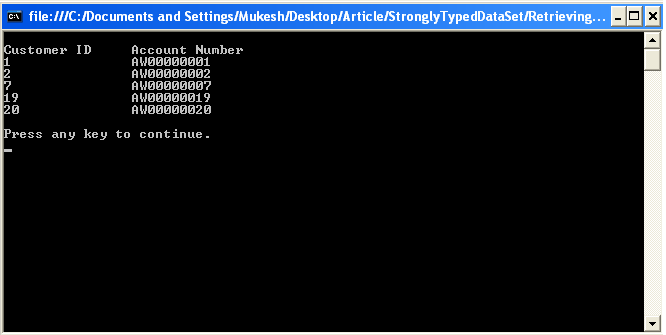
Console.WriteLine("\nCustomer ID \tAccount Number");
while (CustomerReader.Read())
{
// Output fields from DataReader row
Console.WriteLine("{0}\t\t{1}", CustomerReader["CustomerID"], CustomerReader["AccountNumber"]);
}
}
objConn.Close();
Console.WriteLine("\nPress any key to continue.");
Console.ReadKey();
}
}
A
DataReader provides a way of reading a
forward-only stream of rows from a data source. You create a DataReader by calling the ExecuteReader() method of the Command object. The method has two overloads that both return DataReader objects:
I have over 7+ years of experience working with Microsoft technologies. I have earned my Microsoft Certified Technology Specialist (MCTS) certification. I'm a highly motivated self-starter with an aptitude for learning new skills quickly.


Join the conversation! Your thoughts help the community grow.