

Please refer my previous article to learn more about SharePoint Designer 2013 Workflows.
In this blog you will see how to use “Replace Substring in String “action in SharePoint Designer 2013.
Description:
Replaces a particular substring with another substring.
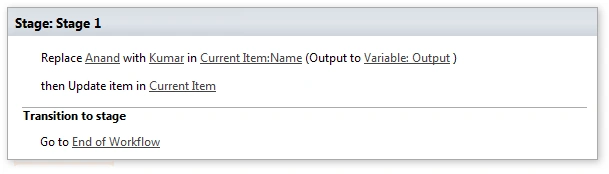
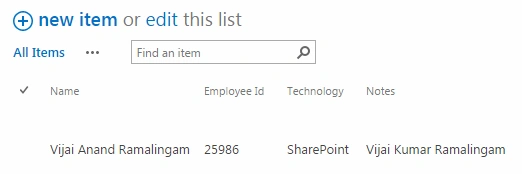
In this example, I am trying to replace a substring “Anand” with “Kumar” in “Name” field and storing the output in “Output” string variable and updating the current item “Notes” field to display the updated value.
Workflow Design:
Result:
DigiOz MultimediaPosted May 31, 2018, 3:03 PM
What if the character you are trying to replace is a SPACE and you want to replace it with an empty string? So changing "Foo Bar" to "FooBar"?
Jacob RobinsonPosted Jun 30, 2015, 2:48 AM
Nice Blog..