

MigrationTool Sharegate has a special reporting services feature, which can provide more information about the OnPrem & Cloud Environment.
Key Reporting Features.
Key Reporting Features.
- Site Collection Size
- No of SubSites.
- Workflows Present
- Checked out Files.
- Files having no version.
- Large List
- Custom Master Pages/ List
- Custom Access Enabled etc.,
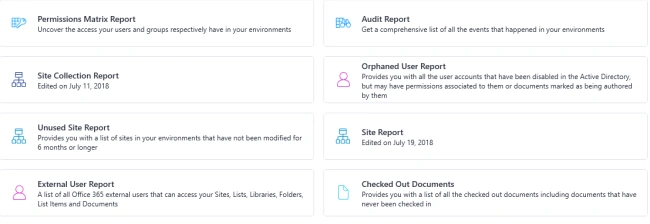
This blog is about how to capture the Site Level Information and workflows information using the Sharegate reporting services.
Site Level Report Generation
Site Level Report Generation
Reporting - Site Report

Select the Required Columns such as Sub Site Count, Created Date.

Click Save & Continue

Select the Target - Navigate

Search for the Site

Run Report


The Data can be exported to Excel & validated.
This Site Level Report doesn't consist of Workflows information. We need to choose the List Level Reporting Options for fetching the workflow information.
List Level Reporting Services

List Columns Selection- Remove the Filters (-)

Select the Target Site for which you need a report.
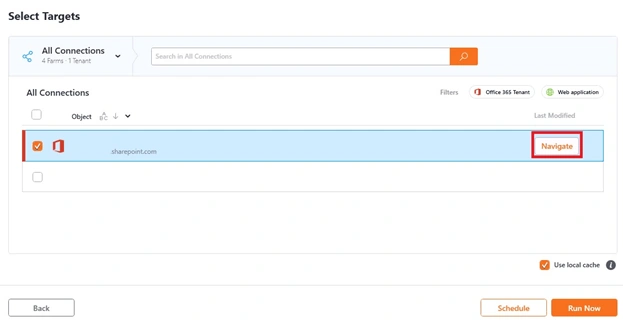
Search for the Site Collection or Site
Target List Library Selection - Run Now.

Sample Report Screen, The Report can be exported to Excel file also.

Advantages
- We can clear & complete information about the OnPrem & Office 365 Sites.
- Won't work for Moss 2007 Sites/ Site Collections.
- We can't find InfoPath related information.
- We can't find how many workflows there are, only we can check whether the list is having workflows or not.
There is an option called inventory which can provide more information about the site collections as well sub-site with a number of workflow counts associated with the site.

Join the conversation! Your thoughts help the community grow.