

Many times we find issues when connecting to the SQL Server. It gives us the message “SQL Server is not able to connect to local host” as per the given below screen.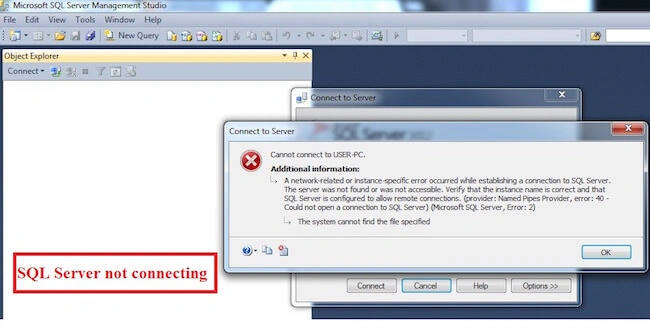
To fix this issue, the step is simple.
Go to Start->Run->Services.msc.
Once the Services are open, select SQL Server and start it, as per the given screenshot, given below:
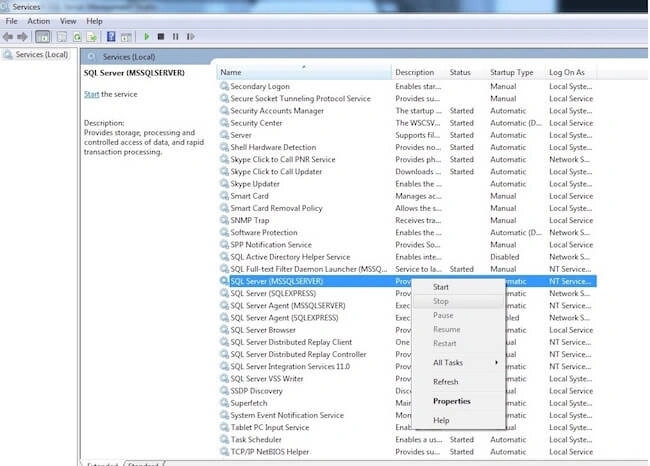
Once you do it, SQL server will be up and running again.
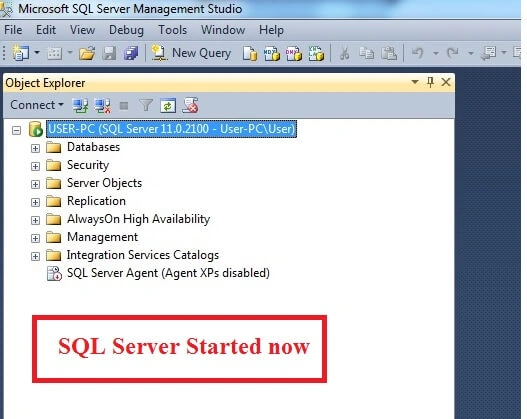
SQL Server sometimes stops because of some problem. These steps help to make it up. Thanks for reading.
SubashPosted Sep 7, 2016, 9:03 AM
Nice yes are right me too face many times thanks
Manas MohapatraPosted Aug 3, 2016, 5:23 AM
Thank you Pradeep. I have encountered this error couple times in my development
Joginder BangerPosted Aug 3, 2016, 3:10 AM
Hello dear i faced this type of problems many time, lot's of reason are there when this type of problem occur but yes one reason you solve it. Thanks