
OK, I have an SQL Query that gets data from tables and diplay it. The query is:
C#
using (SqlConnection conn = new SqlConnection(connString))
{
    string sqlQuery = "SELECT * FROM tblObiectiv t1 JOIN tblCladire t2 ON t1.OID = t2.OID JOIN tblLocatie t3 ON t2.CID = t3.CID ORDER BY t1.Obiectiv";
    using (SqlCommand cmd = new SqlCommand(sqlQuery, conn))
    {
        cmd.CommandType = CommandType.Text;
        SqlDataAdapter da = new SqlDataAdapter(cmd);
        conn.Open();
        DataSet ds = new DataSet();
        da.Fill(ds);
        DataList8.DataSource = ds.Tables[0];
        DataList8.DataBind();
        conn.Close();
    }
}
and display with
Code
                ' />


                ' />


                ' />


                ' />


                ' />
but the result is displayed like
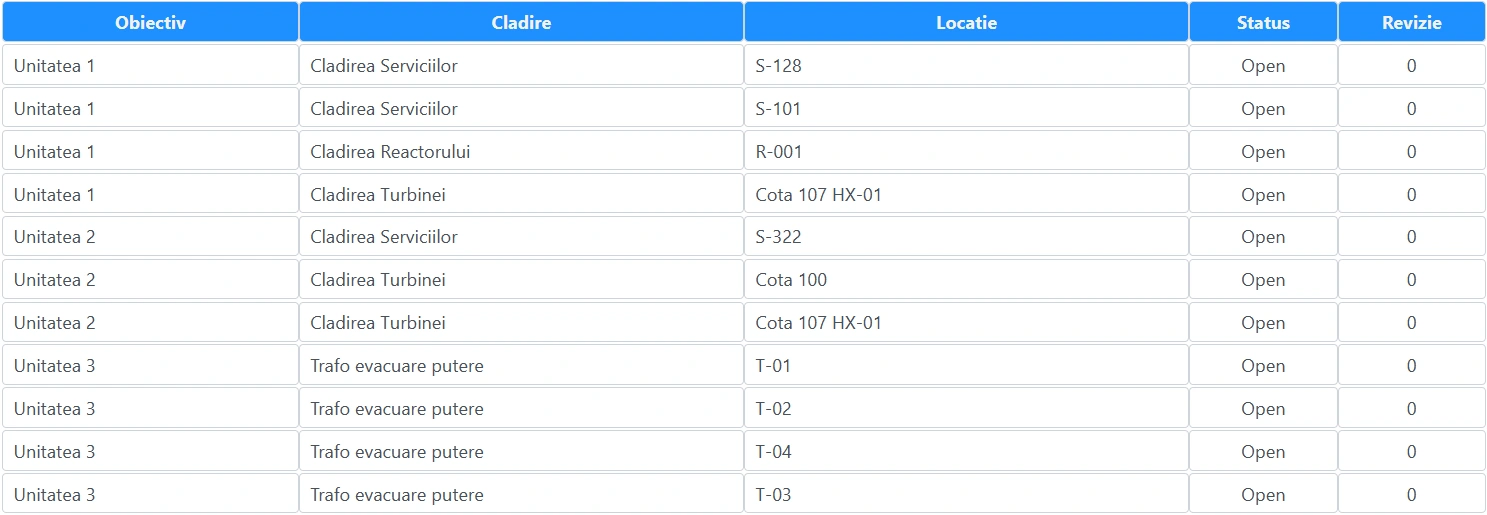
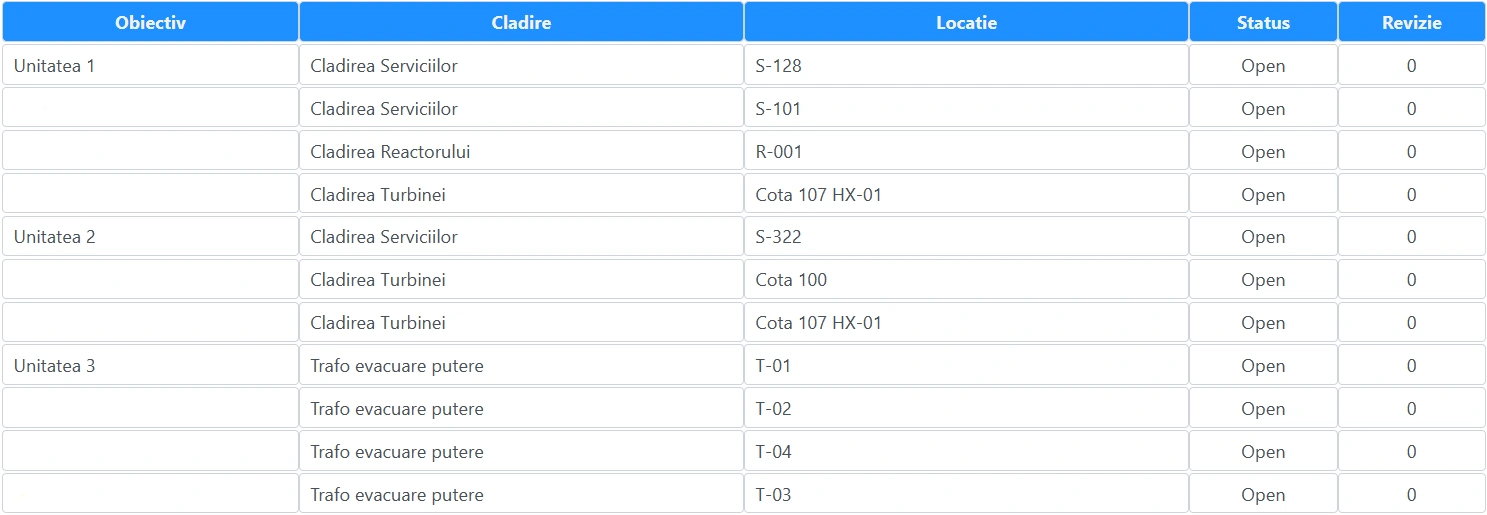
and I want to be like







Prasad RaveendranRank #320 · 7.8K reputationPosted Oct 15, 2023, 2:32 PM EDT
Remove the
Within the
Now, in your C# code-behind, you will need to handle the logic for grouping the data and dynamically controlling the display of the "Obiectiv" values to match the format you provided. You can use a placeholder to conditionally display the "Obiectiv" value only when it changes.
Here's an example of how you can achieve this:
string previousObiectiv = null;

protected void DataList8_ItemDataBound(object sender, DataListItemEventArgs e)
{
    if (e.Item.ItemType == ListItemType.Item || e.Item.ItemType == ListItemType.AlternatingItem)
    {
        DataRowView drv = (DataRowView)e.Item.DataItem;
        string currentObiectiv = drv["Obiectiv"].ToString();
        Label txtObiectiv = (Label)e.Item.FindControl("txtObiectiv");
        PlaceHolder phObiectiv = (PlaceHolder)e.Item.FindControl("phObiectiv");

        if (currentObiectiv != previousObiectiv)
        {
            txtObiectiv.Text = currentObiectiv;
            phObiectiv.Visible = true;
        }
        else
        {
            phObiectiv.Visible = false;
        }

        previousObiectiv = currentObiectiv;
    }
}
Make sure to set the
OnItemDataBoundevent of your DataList control to theDataList8_ItemDataBoundmethod in your code-behind.This code checks if the "Obiectiv" value has changed compared to the previous row and controls the visibility of the "Obiectiv" value accordingly. This way, it creates the grouped format you are looking for.
Marius VasileRank #785 · 2.9K reputationPosted Oct 16, 2023, 1:01 AM EDT
Thank you Prasad, I will try it today. If I want to add another category let's say for Cladire, I should have the same approach?
Marius VasileRank #785 · 2.9K reputationPosted Oct 16, 2023, 12:25 PM EDT
So, I used, as you mentioned
and...it works like a charm. Now I have to work on a second grouping, by Cladire
Thank you Prasad!
Marius VasileRank #785 · 2.9K reputationPosted Oct 16, 2023, 12:35 PM EDT
And indeed worked for second grouping by
and
string previousObiectiv = null;
string previousCladire = null;
protected void DataList8_ItemDataBound(object sender, DataListItemEventArgs e)
{

    if (e.Item.ItemType == ListItemType.Item || e.Item.ItemType == ListItemType.AlternatingItem)
    {
        DataRowView drv = (DataRowView)e.Item.DataItem;
        string currentObiectiv = drv["Obiectiv"].ToString();
        Label txtObiectiv = (Label)e.Item.FindControl("txtObiectiv");
        PlaceHolder phObiectiv = (PlaceHolder)e.Item.FindControl("phObiectiv");

        if (currentObiectiv != previousObiectiv)
        {
            txtObiectiv.Text = currentObiectiv;
            phObiectiv.Visible = true;
        }
        else
        {
            phObiectiv.Visible = false;
        }

        previousObiectiv = currentObiectiv;


        string currentCladire = drv["Cladire"].ToString();
        Label txtCladire = (Label)e.Item.FindControl("txtCladire");
        PlaceHolder phCladire = (PlaceHolder)e.Item.FindControl("phCladire");

        if (currentCladire != previousCladire)
        {
            txtCladire.Text = currentCladire;
            phCladire.Visible = true;
        }
        else
        {
            phCladire.Visible = false;
        }

        previousCladire = currentCladire;
    }
}
Thanks again