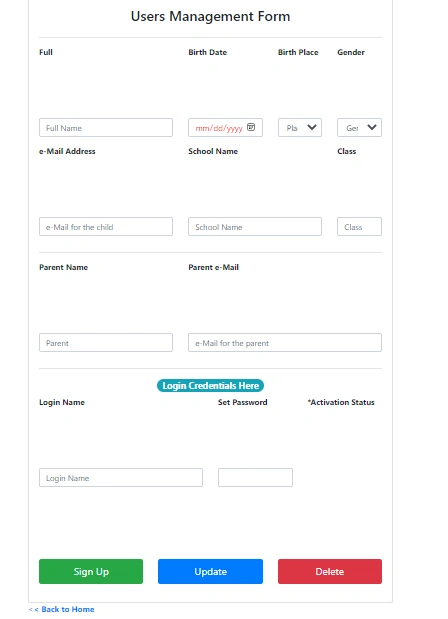
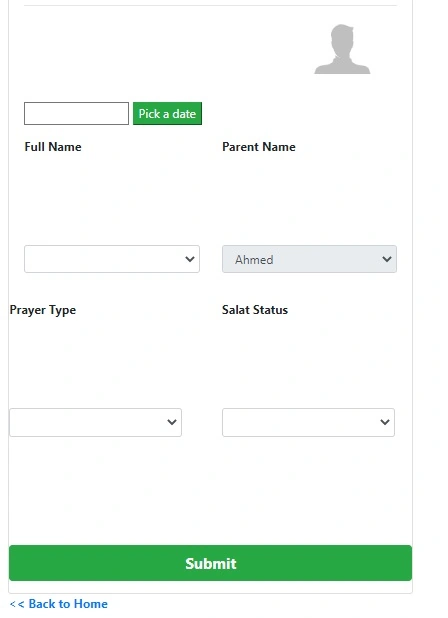
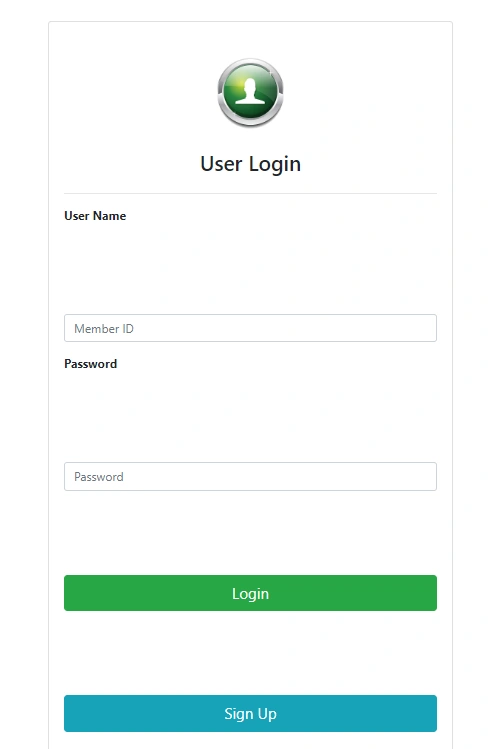
I am developing a simple web application on localhost on Windows platform and all of a sudden, I see my web pages contents display are not aligned properly. Functionalities in the web app are working fine. The issue is only on the web page contents display in all the web pages I have developed in this application.
I have checked my Windows display and settings are all fine. I have checked my browser settings and verified other websites are all working fine.
Attached are samples of the screen display.
Thank You!
Aravind GovindarajPosted Nov 19, 2022, 9:37 PM
Can u check the style sheet using developer console. May be it overwrite with global styles
Ahmed KhalidPosted Nov 22, 2022, 6:01 AM
Hi Vishal and Aravind,
I have cleared the problem by re-creating the project from the beginning. I a tough way to go through, but what to do. Its a learning cycle. Though i didnt get clearly what caused the issue but i guess, it had something to do with css. I must have played alittle bit in that area. Good leasson :)
Thanks you all.
AKK
Vishal JoshiPosted Nov 21, 2022, 5:35 AM
Hello Ahmed
Checked your code locally. it looks designer file is missing.
For solution created new page called UserLoginNew. Please check attached file try to add in your project and check it's same clone of your UserLogin page.
Thanks
Ahmed KhalidPosted Nov 20, 2022, 5:44 PM
Hi Aravind,
Thanks for your support. I will work on it.
Thanks again
Ahmed KhalidPosted Nov 19, 2022, 8:46 PM
Hi Vishal,
i havent find out the issue. i have tried many was of troubleshooting and still no clue. The page naming issue you mentioned isnt the case. Becasue i just converted the web pages to text and zipped them to you so that i can send. otherwise,
Otherwise, find attached again same files in TXT format.
I tried to redo the pages but the issue still remains. The controls like dropdown lists, buttons etc all happen to be layed far away from each other. I even managed to create a now project. but issue remains the same.
Kindly have a look. I appreciate your effort.
Thanks,
Vishal JoshiPosted Nov 18, 2022, 11:25 AM
Hello Ahmed,
Check you code looks good everything.
In you code UserLogin_cs file may it's wrong. it should be like UserLogin.aspx.cs underscod may be issue.
Also, the files you send in rar file are .txt files. make sure it's .net files with respective extention.
Thanks
Ahmed KhalidPosted Nov 17, 2022, 7:09 AM
Hi Vishal,
Were you able to go through the code? Because I have redone the project afresh and its reproducing the same issue. Any clue? Your feedback is appreciated.
Thanks
Ahmed KhalidPosted Nov 16, 2022, 8:18 AM
Hi Vishal, Thanks again.
I checked the css settings i couldnt trace it out. i have attached the source. Let me know if you are able to find the issue.
Thanks & Regards,
Vishal JoshiPosted Nov 16, 2022, 5:46 AM
Hello Ahemd. reviewed on my side locally. it's work fine. but may be it's because of masterpage. you only share page code not releated master page and refrence css in master page.
you need to check in master page settings and css setting. or you can share source with respective refrence so i can check.
Thanks
Ahmed KhalidPosted Nov 15, 2022, 2:37 PM
Thanks Vishal for your feedback.
I have done the following but the issue still remains:
1. No error in browser console
2. Checked with G Chrome, Firefox and MS Edge, behavior is the same in all platforms
3. No 3rd party library installed
4. Cleared browser cache and the issue remains
5. Additionally, I created a new page and behaviour is exactly the same as in the rest of the pages
NB: I have attached source code of the login form. if u can load it from your side, check if the layout is fine from your side
Vishal JoshiPosted Nov 15, 2022, 1:04 PM
Hello
There are few ways to identify issue.
Hope you will find issue and resolve with above points