Design and host service-oriented applications. Learn contracts, bindings, security, serialization, hosting, versioning, diagnostics, and reliability patterns. Build interoperable, testable services with solid configuration and monitoring practices.
597 posts226 contributors
This article lists top WCF Interview Questions and Answers. What is WCF? Explain WCF Architecture? What is the difference between WCF and Web API?

In this article you will learn WCF REST API CORS support via WCF Behavior Extension.
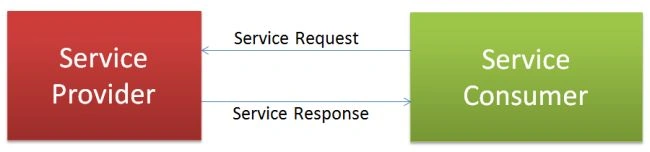
Service Oriented Architecture (SOA) enables scalable, interoperable applications by decoupling services, ensuring they remain independent and self-contained. It uses standards like WSDL for describing services, facilitating communication across platforms via protocols like HTTP and SOAP.
In this article you will learn how to create a WCF Web Service to be consumed by ASP.NET applications.
The purpose of this tutorial is to explain the basics of WCF in a manner as simple as possible.
Design stable, explicit .NET event contracts for AI agents. Ensure clarity, versioning, and provenance for robust event-driven systems.
Build AI-ready data contracts for .NET event-driven systems. Ensure explicit, versioned, and semantically clear events for reliable AI consumption.
Learn how data contracts ensure consistency and reliability in distributed systems by defining formal agreements for data structure, quality, and validation.
HMAC authentication secures APIs by verifying data integrity and authenticity using a secret key and hashing. Prevent tampering and unauthorized access effectively.
Learn how to seamlessly integrate WCF web services into your C# .NET Core projects using Visual Studio's Connected Services feature. This guide provides a step-by-step walkthrough.
Learn to create a REST-based WCF web service with JSON in Visual Studio 2015. Covers creating the service, POST API methods, JSON input/output, and web.config setup. Ideal for legacy enterprise applications needing SOAP/XML or lightweight REST.
Explore the power of Windows Communication Foundation (WCF) for building robust distributed systems. Learn about WCF's core components, key features like interoperability and security, and its use cases in enterprise applications. Discover best practices and compare WCF with modern alternatives like RESTful APIs and gRPC. Understand why WCF remains relevant for legacy systems and mission-critical applications requiring SOAP and advanced bindings.
This tutorial guides the creation of a WCF Service Library in Visual C#. It involves setting up a project named "DemoMultipartWCF" and implementing functionality to handle multipart form data, parse parameters, and manage file uploads. It includes methods for parsing streams, saving image files, and retrieving image codecs.
Learn how to perform Insert, Edit, Update, and Delete operations in a DataGridView using a WCF Service in C#. This tutorial covers creating a SQL Server database table, implementing a WCF Service with CRUD operations, and integrating it into a Windows Forms Application. Ideal for beginners using Visual Studio 2010 and SQL Server 2008.
WCF (Windows Communication Foundation) enables network distributed services with a service-oriented approach. Improving its performance involves selecting proper bindings, understanding throttling, optimizing serialization, implementing caching, adhering to SQL Server best practices.
Understand the transition from WCF to ASP.NET Web API, emphasizing HTTP-centric design, simplicity, and coexistence. ASP.NET Web API targets HTTP services, supporting diverse client bases including rich-client web apps and mobile platforms. JSON and XML responses enhance interoperability.
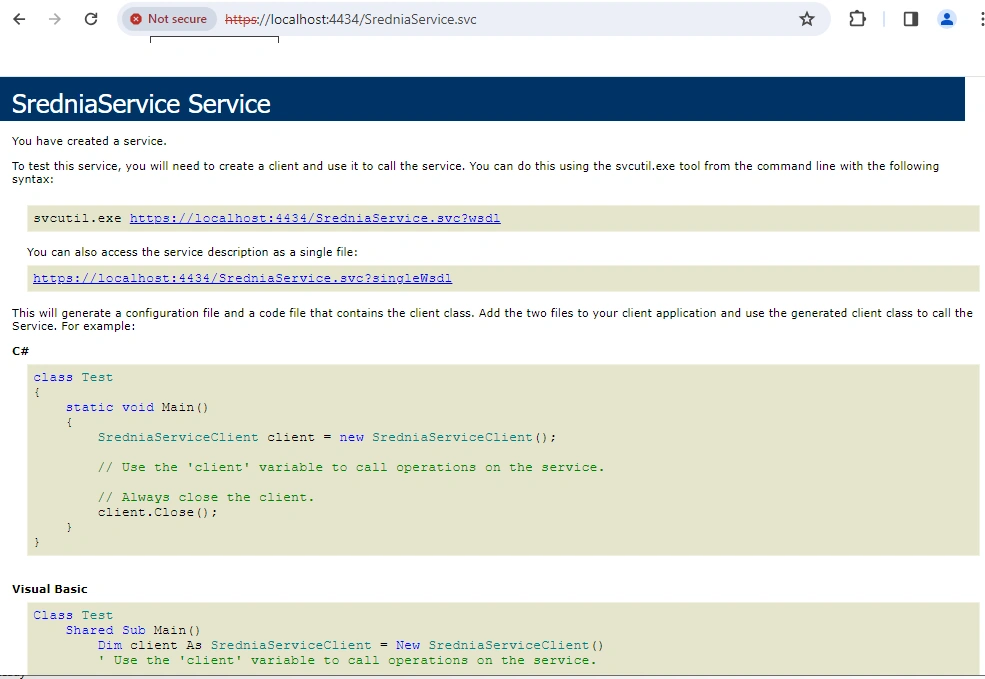
Learn to create a basic WCF service in .NET, leveraging service contracts, data contracts, and service implementation. Host your service, configure endpoints, and enable communication in a service-oriented architecture.
getting a bad gateway error when WPF is trying to connect with WCF(hosted as Windows service in intranet(VPN is connected))
Hi All, I want to knew about WCF. I gone through the more websites but i don't have the clarity. So, i need help in understanding. All websites has an old document. If possible at current document can anyone explain. Thanks in advance
How can I create a WCF service that manages employee details while interacting with an SQL database, including the necessary SQL table script for employee information storage?
I have created WCF web service and hosted as a window Service . I have tested the WCF web Service as a WCF Test Client and its working .Even after hosting as window service copy the url and tried in browser also working correctly but when i consume and added as a service reference i got error as "The communication object, System.ServiceModel.ChannelFactory`1[WCFClient.GSService.IGAService], cannot be used for communication because it is in the Faulted state." ANYONE HELP ME
Configured SSL Certificates to IIS but Forms Pages still "Not Secure" Certificate is valid from 07-03-2023 to 08-03-2024
Hi Hosted a WCF web Service as window service in remote server with SSL certificate added but when am trying to consume in my client application, getting a Exception of "Could not establish trust relationship for the SSL/TLS secure channel with authority 'SMKETECH'.' The remote certificate is invalid according to the validation procedure. could you please give some idea how to consume in client with SSL Certificate, Do i need to install the same SSL Certificate in Client Side also or how to solve this issue. thanks
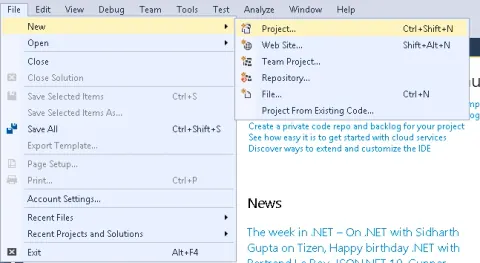
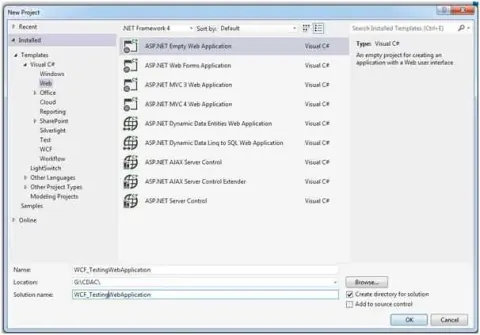
This article will demonstrate how to create a client for consuming WCF web service by using Visual Studio 2015
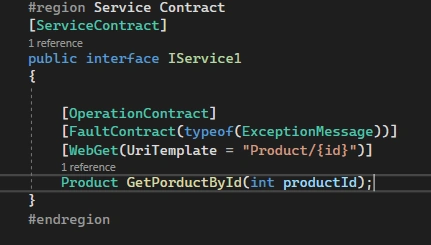
In WCF(Windows Communication Foundation), contracts play an essential role. WCF Contracts can be defined as what the service is for and what action it can perform.
I am following a messageboard app RSS code example. The problem is the browser output is formatted in XML. How may i apply a style before browser render. The program consists of a svc file that calls a function which returns a SyndicationFeedFormatter type to an interface like below Namespace MessageBoard.Web <ServiceContract> Interface IFeedService <OperationContract> <WebGet> <ServiceKnownType(GetType(Rss20FeedFormatter))> <ServiceKnownType(GetType(Atom10FeedFormatter))> Function GetLatestMessages(ByVal format As FeedFormat) As SyndicationFeedFormatter End Interface End Namespace I would like to be able to transform this rss feed to html and display on a aspx page instead of render to browser. Mainly because i am unable to style the rss xml based script.
I have a WCF Service running fine on my local machine. I put it on the servers, and I am receiving the following error: An error occurred while receiving the HTTP response to http://xx.xx.x.xx:8200/Services/WCFClient.svc. This could be due to the service endpoint binding not using the HTTP protocol. This could also be due to an HTTP request context being aborted by the server (possibly due to the service shutting down). See server logs for more details.] I have gone to the service in the url and it is working correctly. All I am doing for the function is returning a string to an image name, so the data being passed isn't a lot. I have traced the log and it gives me the same information. Here is my client config: <binding name="basicHttpBinding_IWCFClient" closeTimeout="00:01:00" openTimeout="00:01:00" receiveTimeout="00:10:00" sendTimeout="00:01:00" bypassProxyOnLocal="false" hostNameComparisonMode="StrongWildcard" maxBufferPoolSize="2147483647" maxReceivedMessageSize="2147483647" messageEncoding="Text" textEncoding="utf-8" useDefaultWebProxy="true" allowCookies="false"> <readerQuotas maxDepth="2147483647" maxStringContentLength="2147483647" maxArrayLength="2147483647" maxBytesPerRead="2147483647" maxNameTableCharCount="2147483647" /> <security mode="None"> <transport clientCredentialType="None" proxyCredentialType="None" realm="" /> <message clientCredentialType="UserName" algorithmSuite="Default" /> </security> </binding> <endpoint name="basicHttpBinding_IWCFClient" address="http://localhost:4295/Services/WCFClient.svc" binding="basicHttpBinding" bindingConfiguration="basicHttpBinding_IWCFClient" behaviorConfiguration="WCFGraphicManagementTool.Servic
client sending below header in the api call, but on server side getting the error - faultstring xml:lang="en-GB">The header 'Security' from the namespace "''" was not understood by the recipient of this message, causing the message could you please help ? <wsse:Security soapenv:mustUnderstand="1" "> <wsse:UsernameToken wsu:Id="UsernameToken-F83E83050F577F139C165718396533410"> <wsse:Username>rsrrwr</wsse:Username> <wsse:Password ">rsrsrsrrs</wsse:Password> < </wsse:UsernameToken>
Hi, I am new to WCF, I am trying to create a WCF selfhost service with dynamic URL, which will be used to authentication user from client computer. this service will be installed in all client computers and web application should work if it finds this WCF service in client computer. Please Help.
DevSocialUpcoming · 3rd editionAI Agents ConferenceNov 23–27, 2026Live onlineMembers only16days leftRegister