
Inheritance of permissions is one of the security features that come out of the box in SharePoint. Whenever a new item is created, by default, it inherits the permissions of the parent, unless specifically unique permissions are assigned to it. When a list item is created, it will inherit the permissions of its parent list. Similarly, when a Web is created, it will inherit the parent Web’s permissions. Out of the box, we can break the inheritance chain by going to the permissions settings of the object. In case of a list, we can go to the 'list settings’ -> ‘Permissions for this list’ and manage the permissions.
Prior to breaking the inheritance, the permission settings will look, as shown below: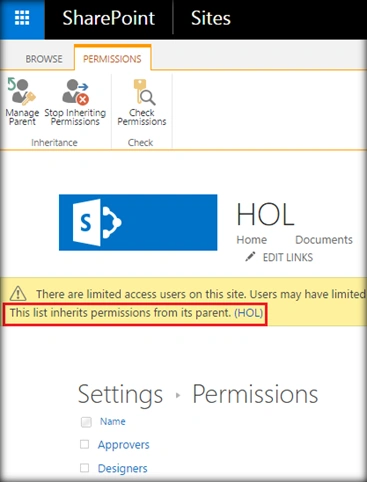
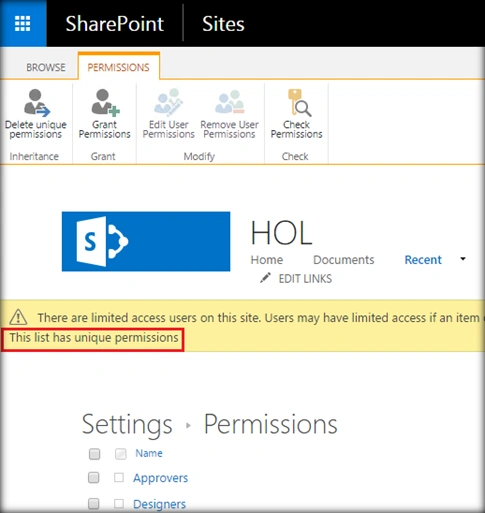
Once the permission is broken, the permission settings will change to:
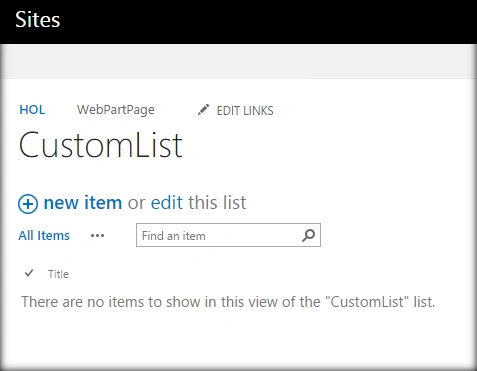
Though we can do it out of the box, at times, we have to programmatically implement the same, using JSOM or REST, when programming from the client side. In this article, we will see, how to implement the unique permissions to a list by breaking its inheritance. We will be working with the list ‘CustomList’ to implement the unique permissions.
Break Inheritance
In order to break the inheritance, we will be making use of the REST Endpoint URL, given below:
"/_api/web/lists/getByTitle('CustomList')/breakroleinheritance(copyRoleAssignments=true, clearSubscopes=true)"
We will be issuing a POST AJAX request, once the REST URL is created. The header section will look, as given below:
- headers: {
- "accept": "application/json;odata=verbose",
- "content-Type": "application/json;odata=verbose",
- "X-RequestDigest": jQuery("#__REQUESTDIGEST").val()
- },
Output
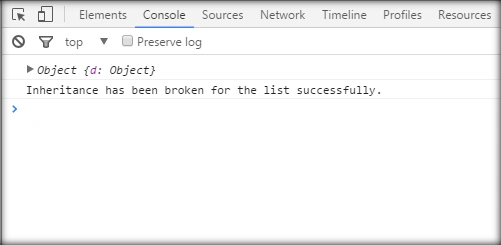
Once the script is run on the client side, we will get a notification in the developer console, indicating the successful implementation of unique permissions.
Full Code
The full code to implement unique permissions in a list by breaking its inheritance, using REST API is shown below:
- <script language="javascript" type="text/javascript" src="//ajax.googleapis.com/ajax/libs/jquery/1.8.1/jquery.min.js"></script>
- <script language="javascript" type="text/javascript">
- $(document).ready(function() {
- var breakPermissionsEndPoint = "/_api/web/lists/getByTitle('CustomList')/breakroleinheritance(copyRoleAssignments=true, clearSubscopes=true)";
- breakInheritance(breakPermissionsEndPoint)
- });
- function breakInheritance(breakPermissionsEndPoint) {
- $.ajax({
- url: _spPageContextInfo.webAbsoluteUrl + breakPermissionsEndPoint,
- type: "POST",
- headers: {
- "accept": "application/json;odata=verbose",
- "content-Type": "application/json;odata=verbose",
- "X-RequestDigest": jQuery("#__REQUESTDIGEST").val()
- },
- success: function(data) {
- console.log(data);
- console.log("Inheritance has been broken for the list successfully.");
- },
- error: function(error) {
- alert(JSON.stringify(error));
- }
- });
- }
- </script>
SharePoint Implementation
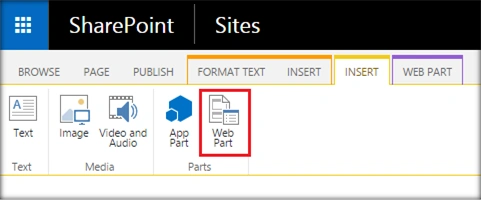
- Go to the edit settings of the SharePoint page and click Web part from the Insert tab, shown below:
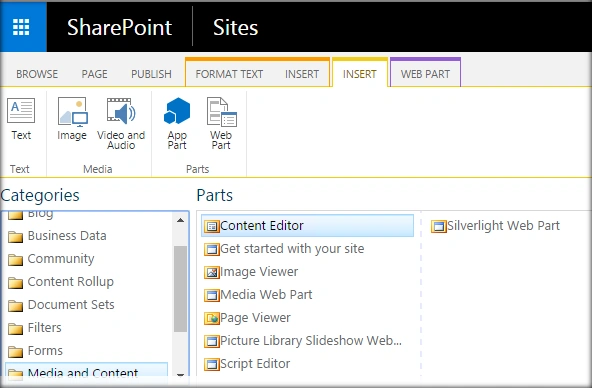
- Add Content Editor Web part.
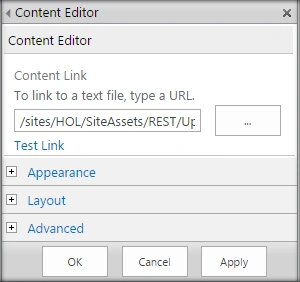
- Click on Edit Web art from Content Edit Web part. Assign the URL of the script text file and click Apply.
- Click Apply and we can see the successful inheritance broken message.
Going to the list’s permissions page, we can see that the unique permissions are assigned to it.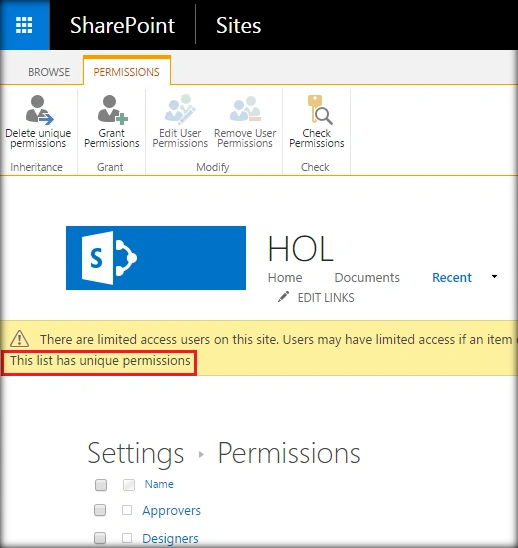
Summary
Thus, we saw, how to implement unique permissions in a list in SharePoint 2016 by breaking permissions inheritance from its parent, using REST API.


Prasanna MuraliPosted Jul 29, 2016, 7:40 AM EDT
Nice one..
Vignesh ManiTOP 100Posted Jul 29, 2016, 4:47 AM EDT
Nice one
Tarun DPosted Jul 28, 2016, 9:23 PM EDT
Thanks for the Nice share..