
Here we are going to learn how to create a web services in ASP.NET which will return data as XML and JSON.
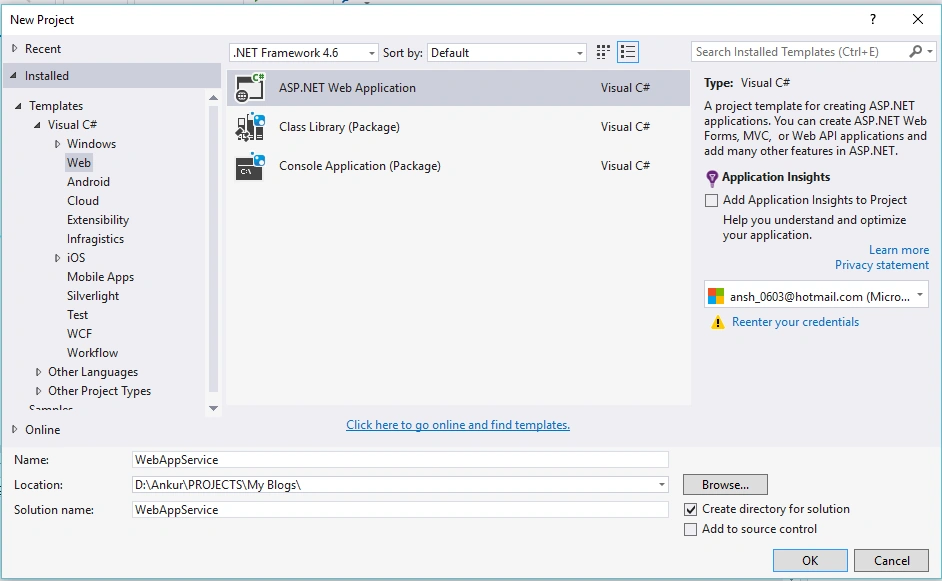
Step 1: Create new project and select ASP.NET web Application.
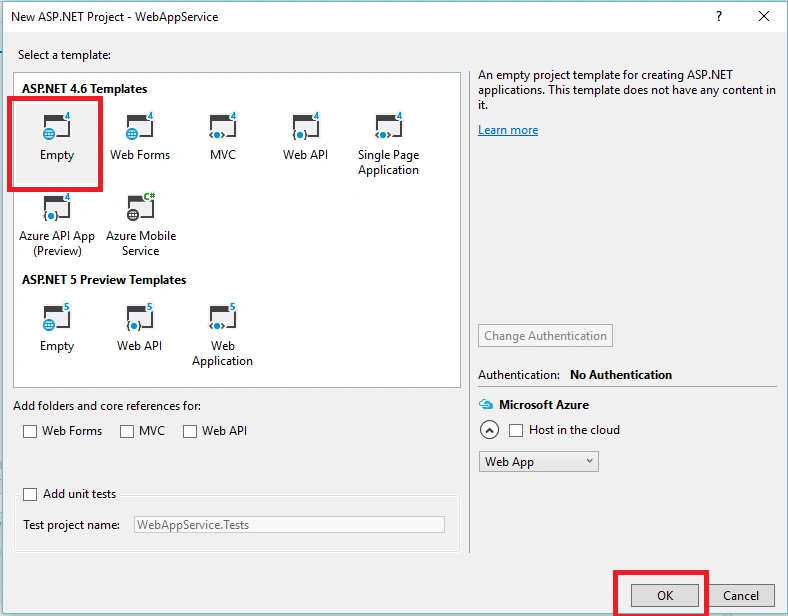
Step 2: Select Empty template and click OK.
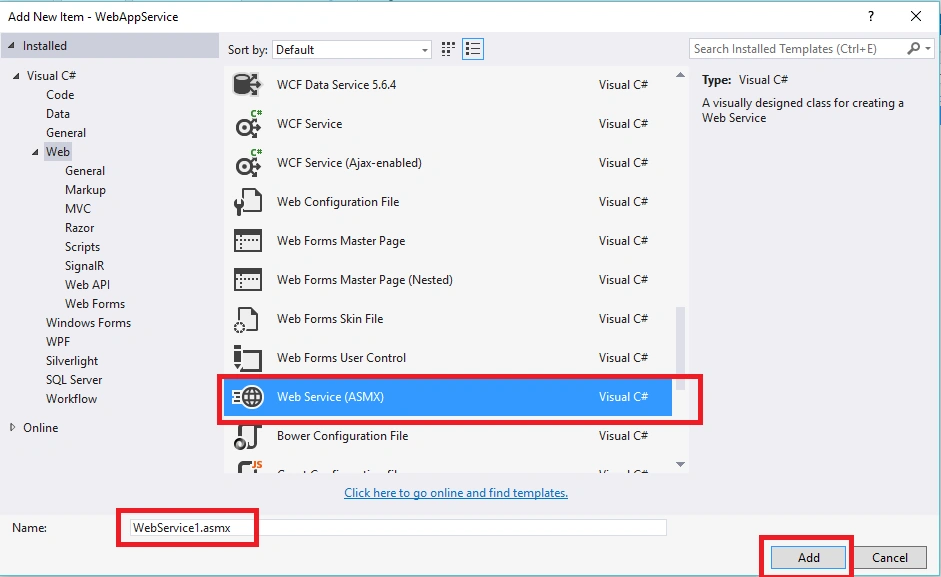
Step 3: Now add Web Service in project and give it name webservice1.asmx,
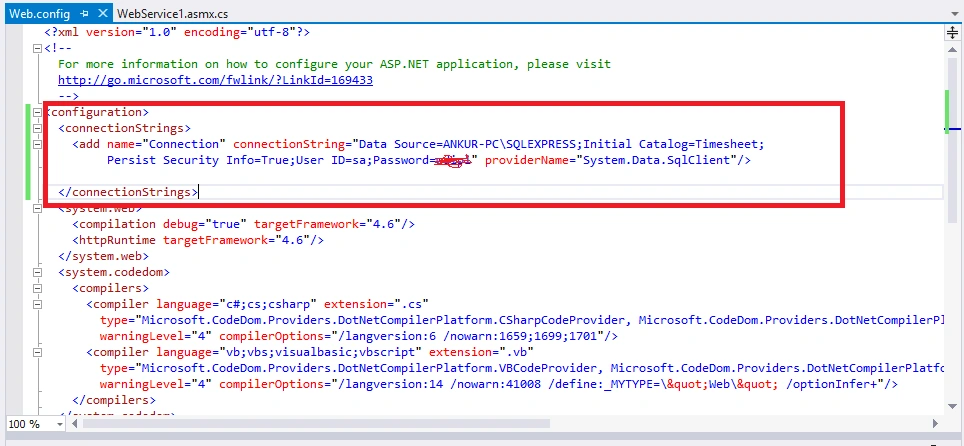
Step 4: Make sure you add the connection string in your web.config file as in the following screenshot,
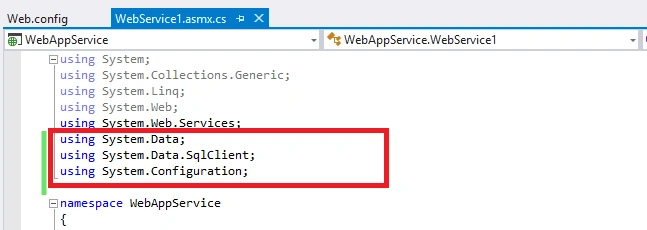
Step 5: Now add the references System.data, System.Data.SqlClient and System.configuration,
Step 6: Create Employee table and run the following script in your SQL query editor,
- /****** Object: Table [dbo].[Employee] Script Date: 09-12-2015 23:40:32 ******/
- SET
- ANSI_NULLS ON GO
- SET
- QUOTED_IDENTIFIER ON GO CREATE TABLE [dbo].[Employee](
- [EmpId] [int] IDENTITY(1, 1) NOT NULL,
- [EmpFirstName] [nvarchar](50) NULL,
- [EmpLastName] [nvarchar](50) NULL,
- [DeptId] [int] NULL,
- CONSTRAINT [PK_Employee] PRIMARY KEY CLUSTERED ([EmpId] ASC) WITH (
- PAD_INDEX = OFF, STATISTICS_NORECOMPUTE = OFF,
- IGNORE_DUP_KEY = OFF, ALLOW_ROW_LOCKS = ON,
- ALLOW_PAGE_LOCKS = ON
- ) ON [PRIMARY]
- ) ON [PRIMARY] GO
Now add the following method in your webservice1.asmx.cs file,
- [WebMethod]
- public DataSet getEmp()
- {
- string sql = "SELECT [EmpId],[EmpFirstName],[EmpLastName],[DeptId] FROM Employee";
- SqlDataAdapter da = new SqlDataAdapter(sql, ConfigurationManager.ConnectionStrings["Connection"].ToString());
- DataSet ds = new DataSet();
- da.Fill(ds);
- return ds;
- }
Write a SQL query, create a SqlDataAdapter object and pass the SQL query and connection string.
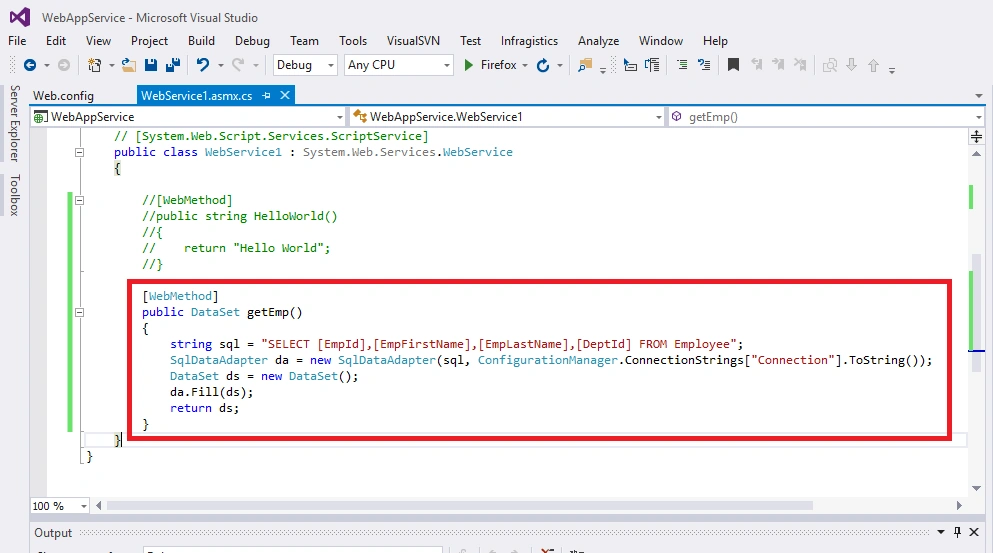
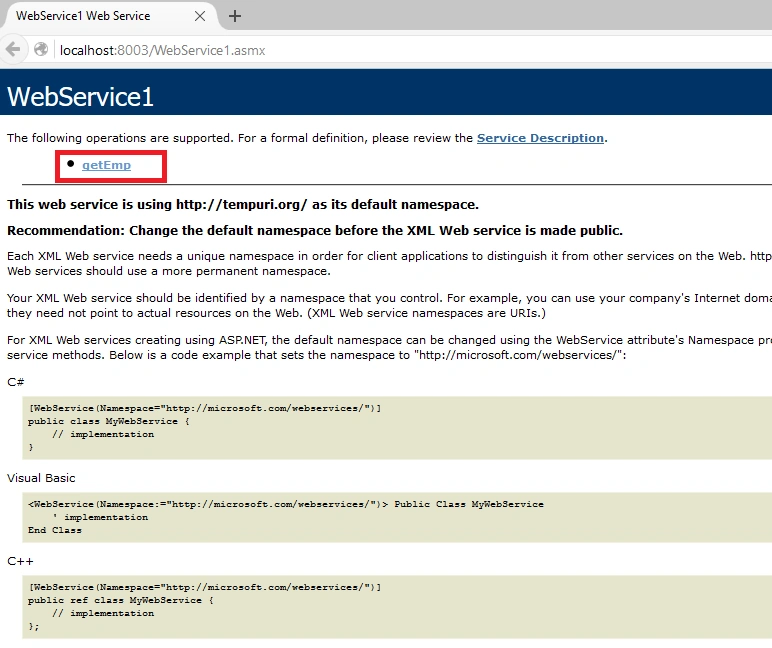
Step 7: Save and run the services by clicking F5 and invoking getEmp method as in the following,
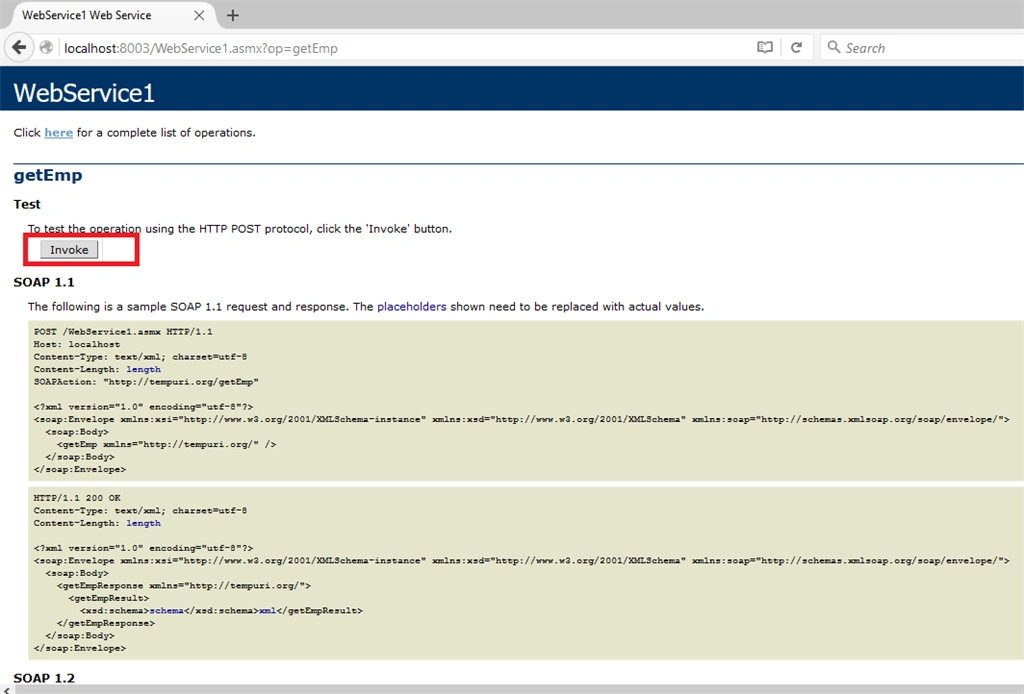
Step 8 : Click on Invoke.
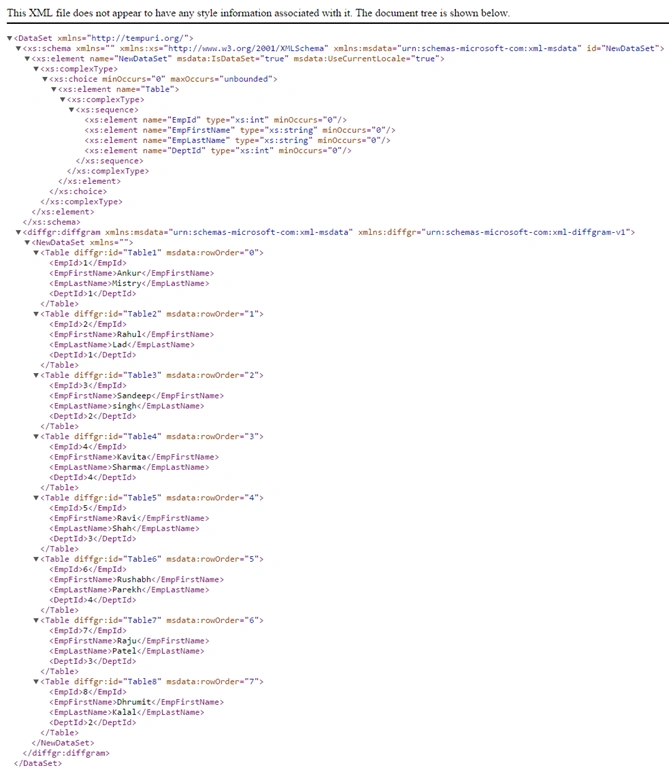
Step 9: It will return all the employees details in XML format.
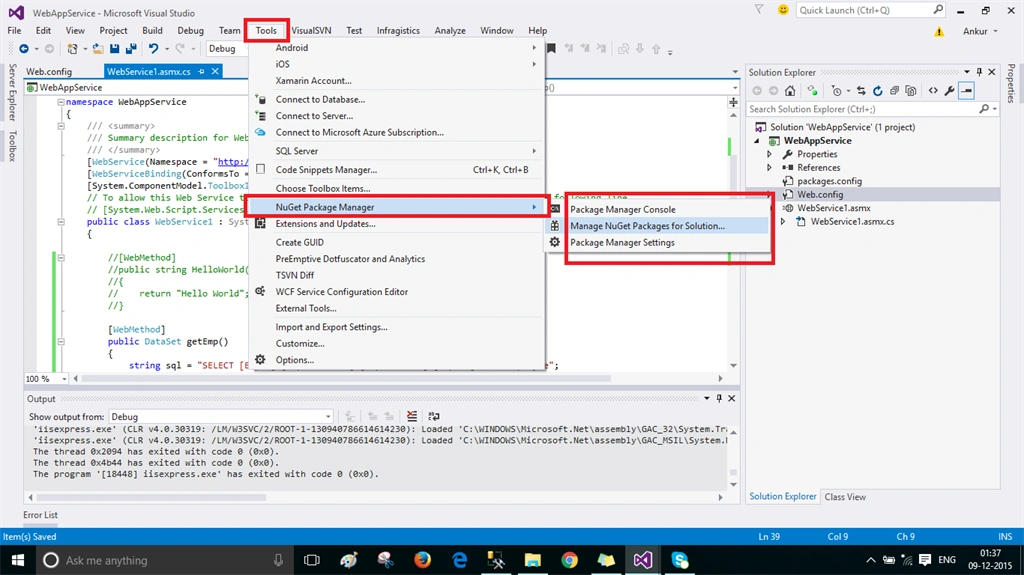
Step 10 : Now for JSON return please add newtonsoft.json from the NuGet Manager. Go to Tools, then NuGet Package Manager and click on Package Manager console.
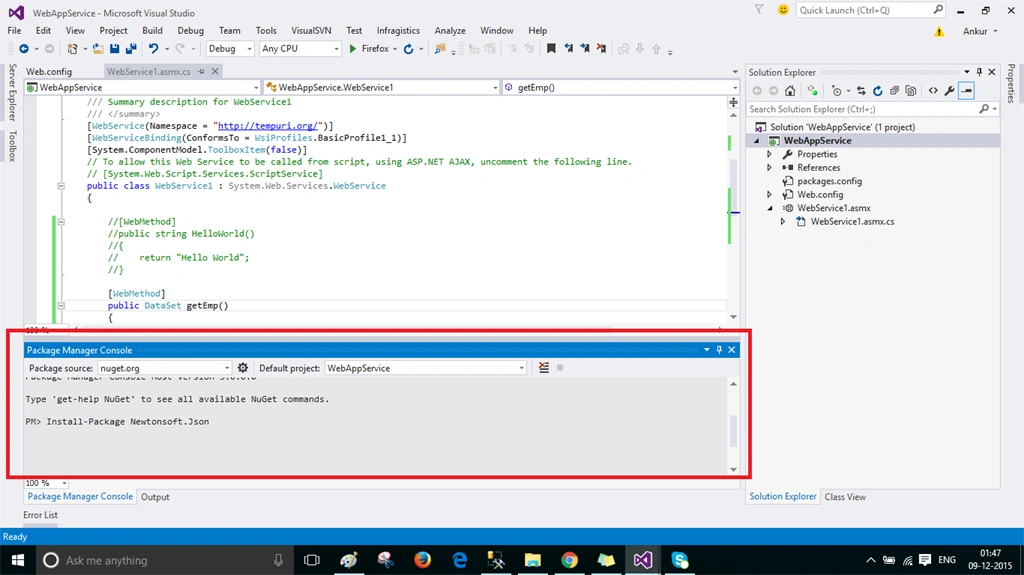
Step 11: Write PM> Install-Package Newtonsoft.Json. It will add the reference Newtonsoft.Json in our project.
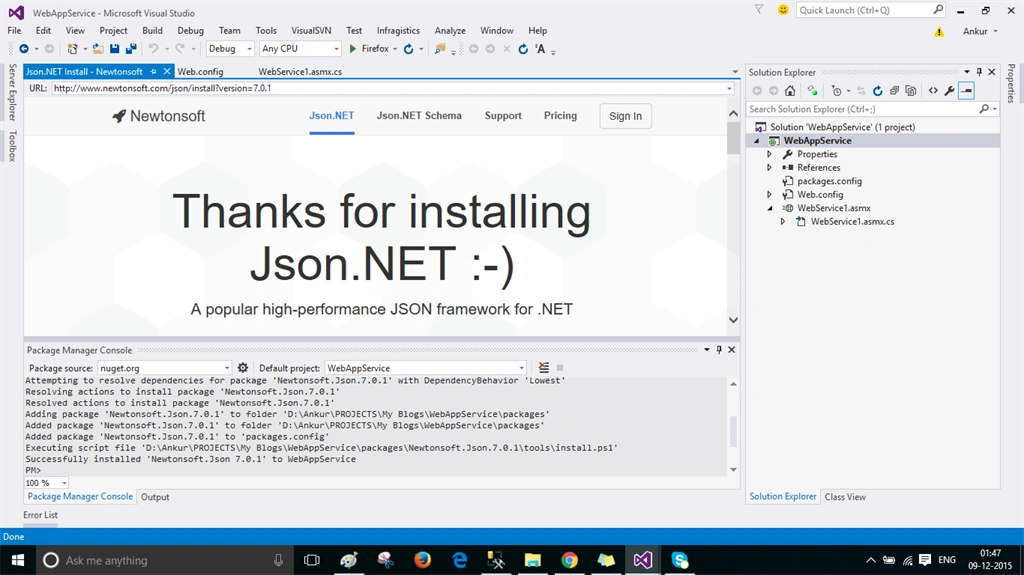
Step 12: It will display Success message as per the following screen, once you install the package.
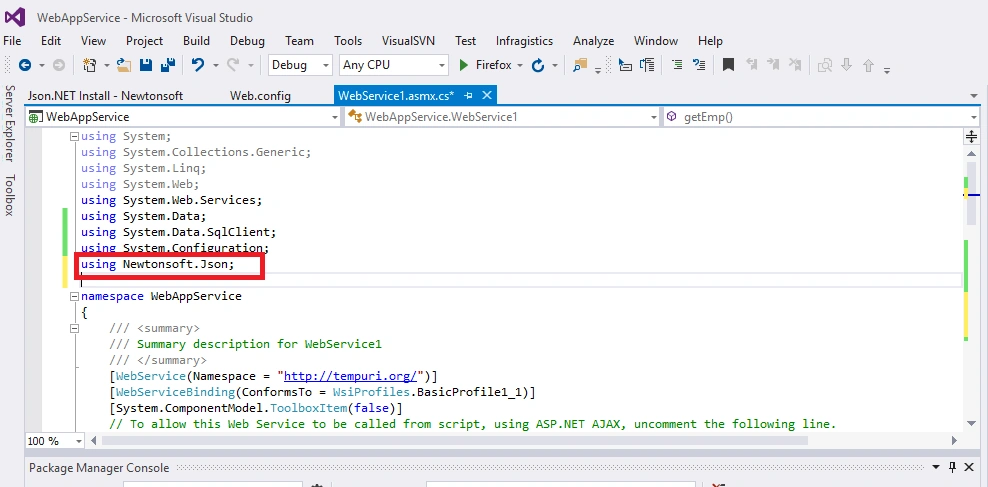
Step 13: Now add the reference Newtonsoft.Json in your code.
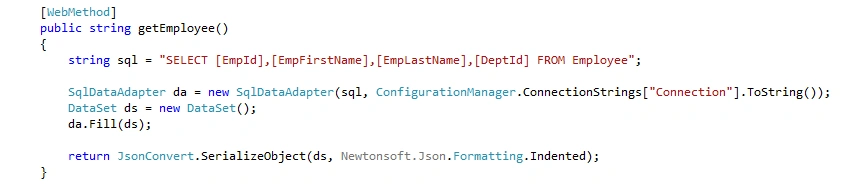
Step 14: Create the method 'getEmployee' same as above method 'getEmp'. The only difference here is we use jsonConvert.SerializateIbject to serialize the data.
- [WebMethod]
- public string getEmployee()
- {
- string sql = "SELECT [EmpId],[EmpFirstName],[EmpLastName],[DeptId] FROM Employee";
- SqlDataAdapter da = new SqlDataAdapter(sql, ConfigurationManager.ConnectionStrings["Connection"].ToString());
- DataSet ds = new DataSet();
- da.Fill(ds);
- return JsonConvert.SerializeObject(ds, Newtonsoft.Json.Formatting.Indented);
- }
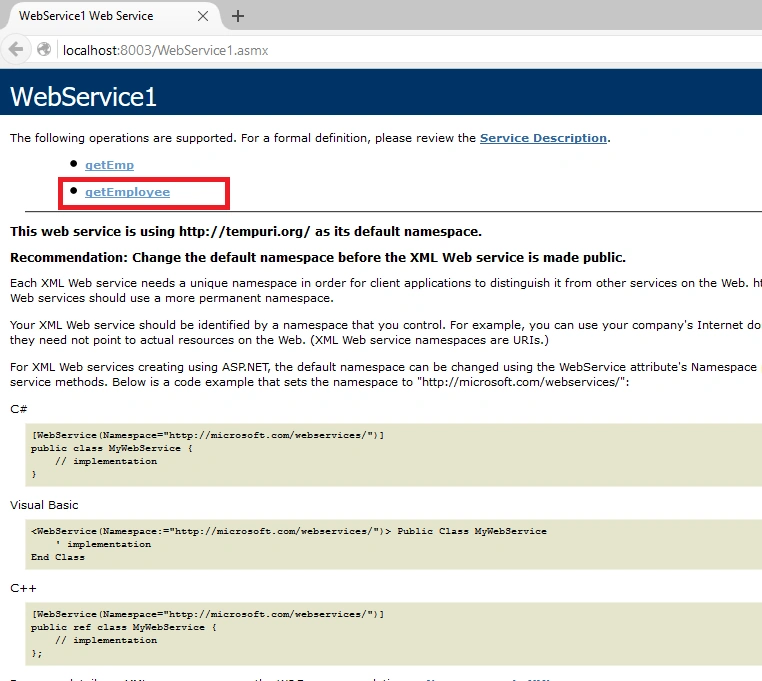
Step 15: Now run the service and invoke getEmployee method.
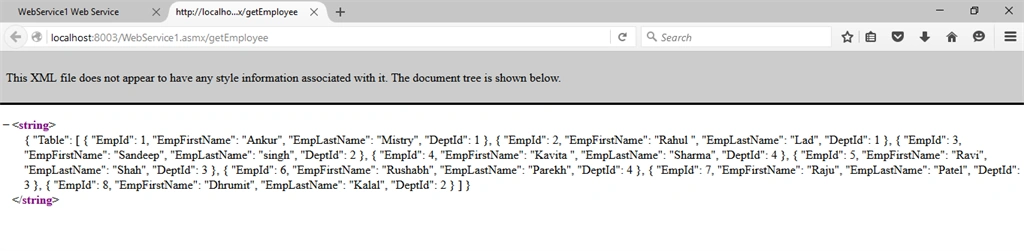
Step 16: It will return the same data but in JSON format.
Thanks for reading the article. Hope you like it.


mukul kandpalPosted Nov 24, 2018, 3:03 AM EST
Can you create image updating in .asmx. Please reply Mukul Kandpal
Hadshana KamalanathanTOP 100Posted Jul 21, 2018, 9:49 PM EDT
Good one...
Sohil AhmedPosted Jul 19, 2018, 9:44 PM EDT
This is a good tutorial but I'm getting JSON in an XML tag, what should I do to get just the JSON.
Rafael CamaraPosted Jul 17, 2018, 6:24 PM EDT
If I create two webmethods on the same asmx, one is to return in xml and second one to return in Json. It's possible if I put the code JsonConvert.SerializeObject(ds, Newtonsoft.Json.Formatting.Indented)?
Dharmendra KumarPosted Jan 15, 2018, 8:39 PM EST
Thanks Mr Ankur for helpful article
Mark LynnPosted Mar 16, 2016, 9:26 AM EDT
The result is still XML. JSON is contained in the XML tags. How NOT to have the tags is the question. Is there an answer? No one seems to be able to answer that one.
Asfend YarPosted Feb 26, 2016, 11:03 PM EST
Nice Share
Santhakumar MunuswamyPosted Dec 25, 2015, 9:21 PM EST
Thanks for nice article
Paras PachouriPosted Dec 22, 2015, 2:19 AM EST
Nice Article!!!!!
Ravindra MorePosted Dec 12, 2015, 4:46 AM EST
Nicely explained !!
Ankur MistryTOP 100Posted Dec 11, 2015, 4:44 PM EST
Thank you
Pinky SolankiPosted Dec 11, 2015, 4:05 PM EST
nice
Former memberPosted Dec 10, 2015, 9:36 PM EST
Nice article sir....
sagar nathePosted Dec 10, 2015, 9:22 PM EST
Very use full in real time scenario.
Ankur MistryTOP 100Posted Dec 10, 2015, 8:02 PM EST
Thank you.
Saineshwar BageriPosted Dec 10, 2015, 7:57 PM EST
Good one
Humayun Kabir MamunPosted Dec 10, 2015, 7:37 PM EST
Nice...
Nikhil RajputPosted Dec 10, 2015, 3:20 AM EST
Very use full Information.
Mayank SharmaPosted Dec 10, 2015, 3:20 AM EST
Nice article Sir.
MannanPosted Dec 10, 2015, 3:04 AM EST
Good one