
One of the common requirements while having a list/library with 100+ items and 10+ columns in one single view is that the header cannot be seen when the vertical scroll bar is used. On dragging down the header which is fixed at top will move upwards and cannot be seen.

In the initial state the header is seen as the vertical scroll bar is not used. However on dragging down the header moves up along with the data and the user will have a hard time figuring out the Data - Metadata relation.

As you can see above the header goes missing. In order to work around this issue we can use a jQuery Plugin called StickyHeaders.js to freeze the header in place.
Let’s see how we can implement this.
Goal: Add a new Page in SharePoint and add the Document library App and the Content Editor Web part which contains the JS to Freeze the header.
Firstly, let’s download the Sticky header js file from here and upload it to anywhere in SharePoint, say site assets.
Now create a new Page by selecting Add a page as below:
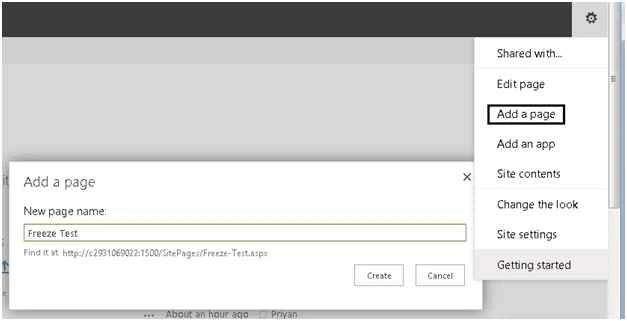
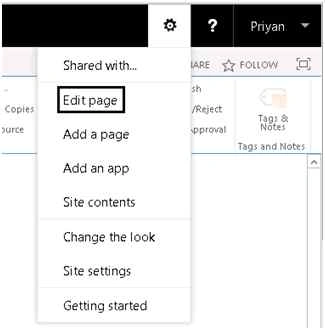
Go to Site Settings, then Edit Page.
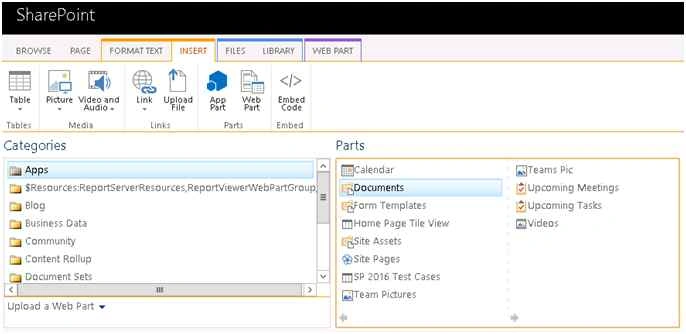
Add the Document Library which contains our data.
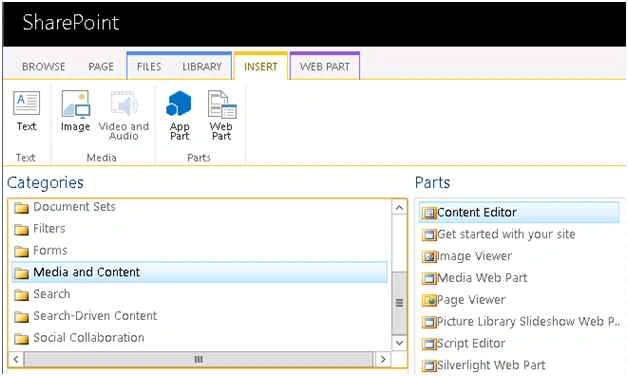
Now let’s add Content Editor Web Part from the Media and Content Section.
Click on Edit Source.
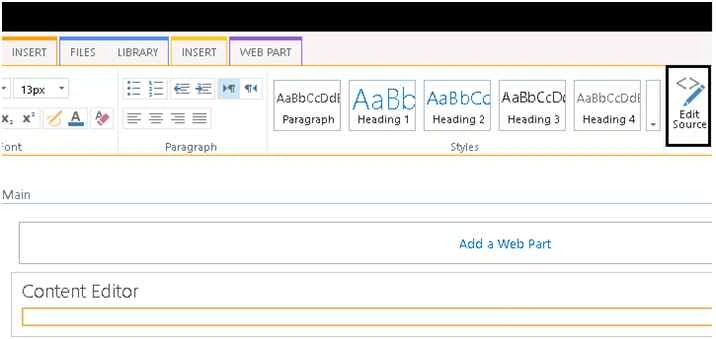
Add the reference to the JS Script we have uploaded into SharePoint.
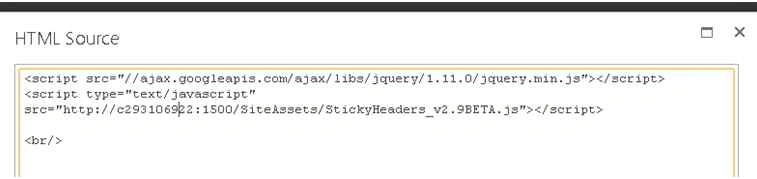
- <script src="//ajax.googleapis.com/ajax/libs/jquery/1.11.0/jquery.min.js"></script>
- <script type="text/javascript" src="http://c293106922:1500/SiteAssets/StickyHeaders_v2.9BETA.js"></script>
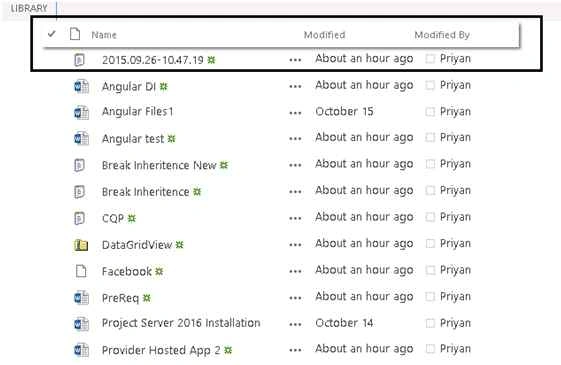
Currently this implementation will freeze the header for only the on page document library. If you want to implement this for the entire list/library within the site collection, you can place this in the Master Page. This has been tested with Share Point 2013 and 2016 Preview.
You can watch a demo of the implementation here.


Jasmine TeaPosted Dec 29, 2017, 6:31 AM EST
Hi, I am able to get it working for just one document library's view. I added the same script to the master page, published a major version, but still other views of the same library doesn't work.It seems that it works if I edit one View's page and add the script and it works only for that view. Why adding the same script to the master page and other views of the same DL still not working? Thank you.
sandhya vPosted Oct 13, 2017, 6:16 AM EDT
Hi.. how to implement this for a specific list?
Munu 007Posted Feb 16, 2016, 4:20 AM EST
Is there a way to freeze a column horizontally?
Lakshmanan Sethu SankaranarayanPosted Nov 12, 2015, 11:06 AM EST
Useful tip!!
Mukesh KumarPosted Oct 29, 2015, 10:15 PM EDT
Great Work
Harshad PansuriyaPosted Oct 29, 2015, 9:40 PM EDT
Nice one
Rupali ShindePosted Oct 29, 2015, 8:10 PM EDT
nice post
Vinodh NarayananPosted Oct 29, 2015, 7:42 PM EDT
Good one
Gowtham KTOP 100Posted Oct 29, 2015, 9:41 AM EDT
Thanks for sharing
Sibeesh VenuTOP 100Posted Oct 29, 2015, 4:56 AM EDT
Nice Share