
What HoloLens Is
HoloLens developed by Microsoft, is essentially a holographic computer built into a headset that lets you see, hear and interact with holograms within an environment like living room, office space and so on.
Yesterday, at Build 2016, Microsoft announced HoloLens development. As of March 30, the HoloLens devices have started shipping to consumers in the USA.
If you do not have a HoloLens device, it doesn't mean you can't build HoloLens apps. Microsoft had released a HoloLens Emulator, that allows you to build and test your HoloLens apps using Visual Studio 2015 Update 2.
Tools required
Before you can build a HoloLens app, you must have the following tools installed on your PC.
- Visual Studio 2015 Update 2
If you choose a custom install, ensure that Tools (1.2) and Windows 10 SDK (10.0.10586) are enabled under the Universal Windows App Development Tools node. All editions of Visual Studio 2015 Update 2 are supported, including Community. Download here
- HoloLens Emulator
The emulator allows you to run apps on Windows Holographic in a virtual machine without a HoloLens. This package also includes holographic DirectX project templates for Visual Studio. Download here
- Entity HoloLens Technical Preview Beta 10
The Unity engine is an easy way to get started building a holographic app. HoloLens support in Unity is available through a custom version of the Unity Editor and Runtime which is now available to download for free on the Unity website. The Unity HoloLens Technical Preview is based on the Unity 5.4 Beta builds. Be sure to check back regularly for updated Unity builds. Download here
Now, you're done installing all necessary tools, let's get started.
Getting Started
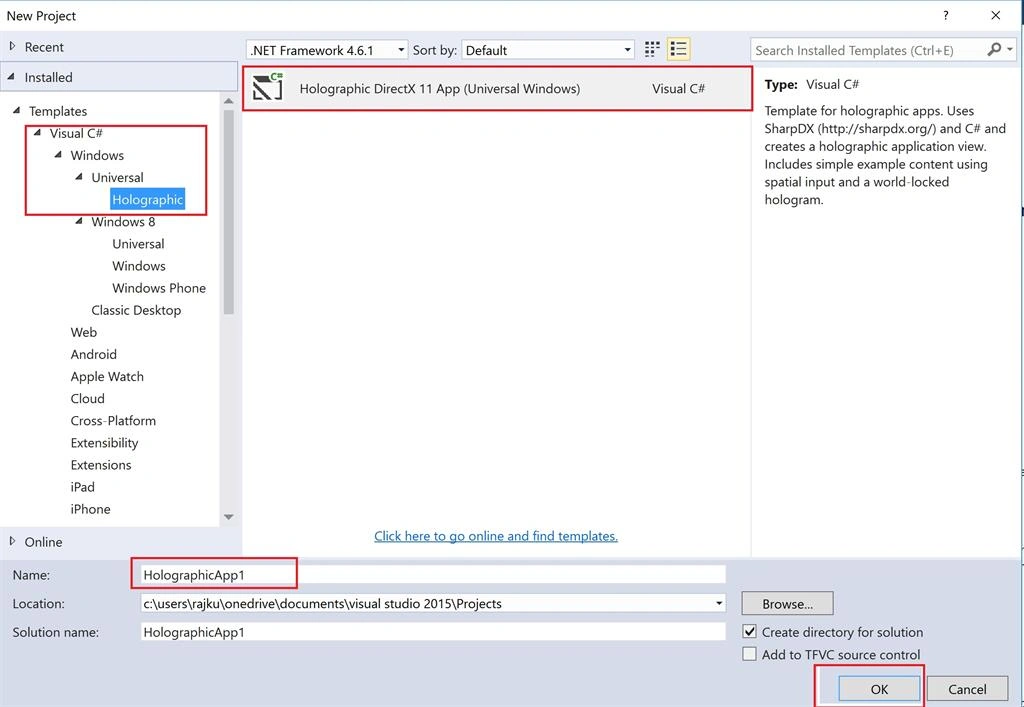
Here are the steps to get started with HoloLens App:
- Start Visual Studio 2015
- Create a new project
- Click Visual C# and Windows and Universal then select Holographic
- Click on Holographic DirectX 11 App (Universal Windows)
- Provide the name and location of project
- Click OK
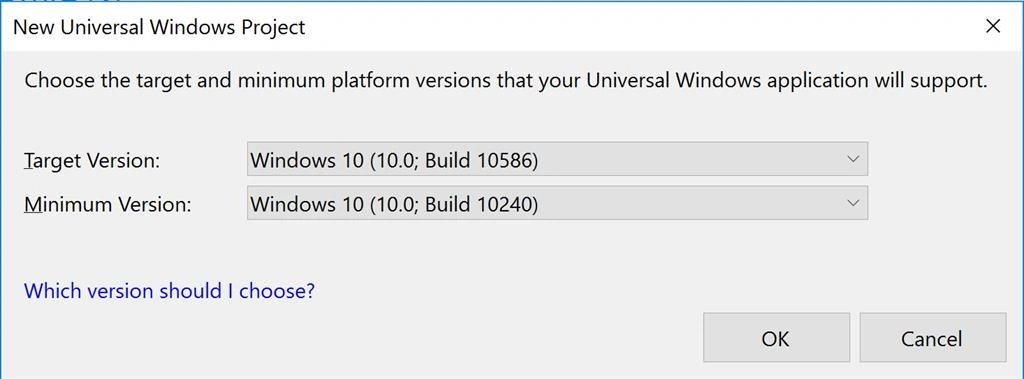
Now choose supported target version and minimum version, then click OK button. In my case, I have selected Windows 10.
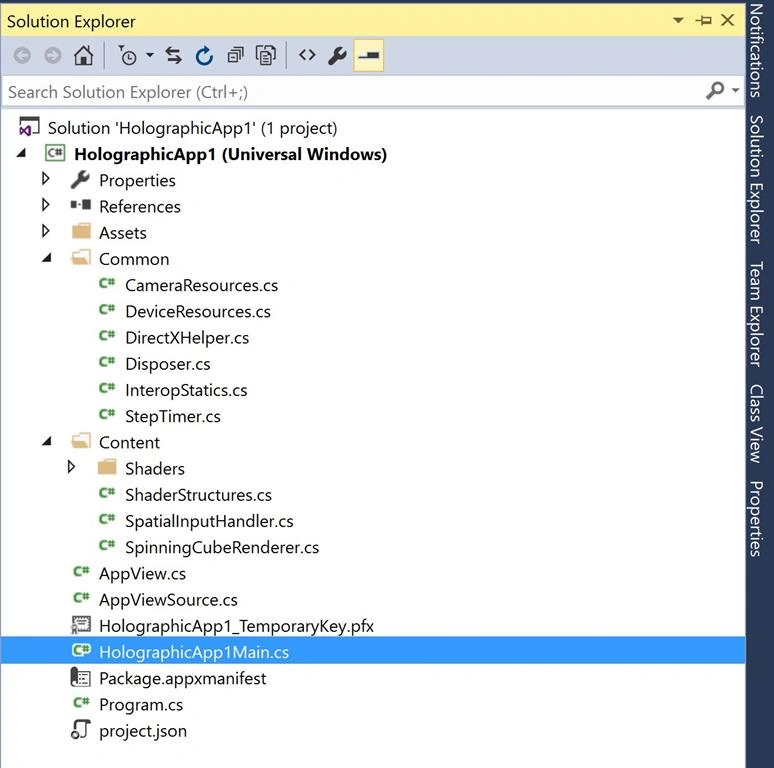
Build and run the project. The HoloLens Emulator takes time to run and you might get some errors to. It took me about 5+ minutes to see the results.
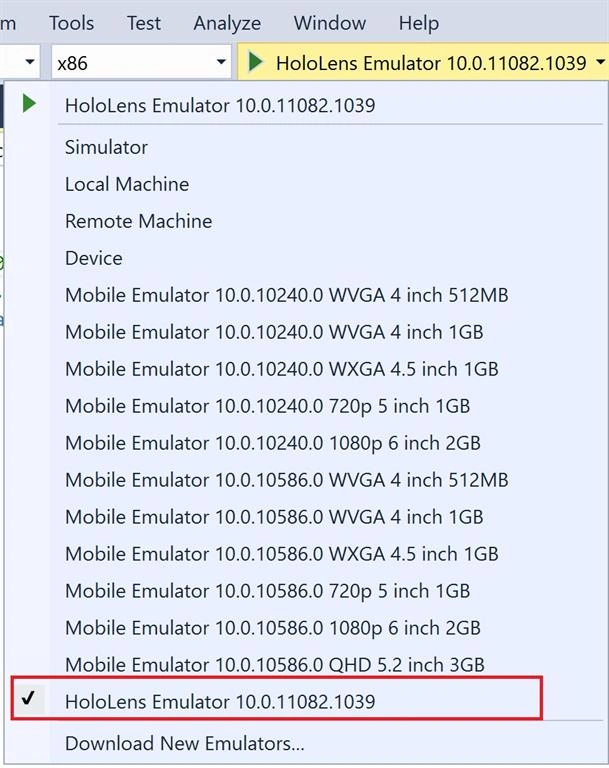
You need to select HoloLens Emulator from emulator lists before build.
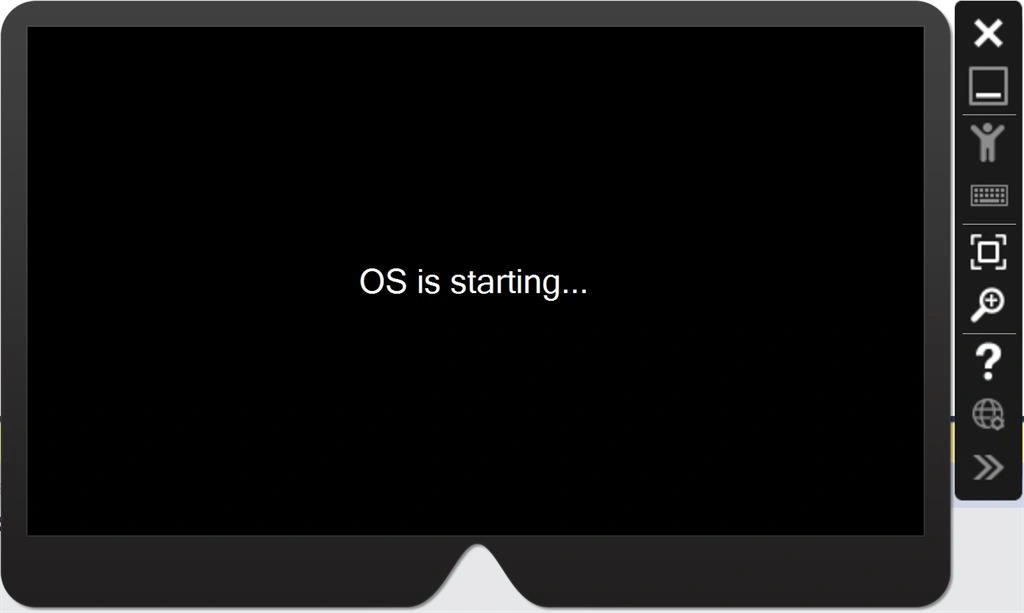
First screen will show you the OS is starting.
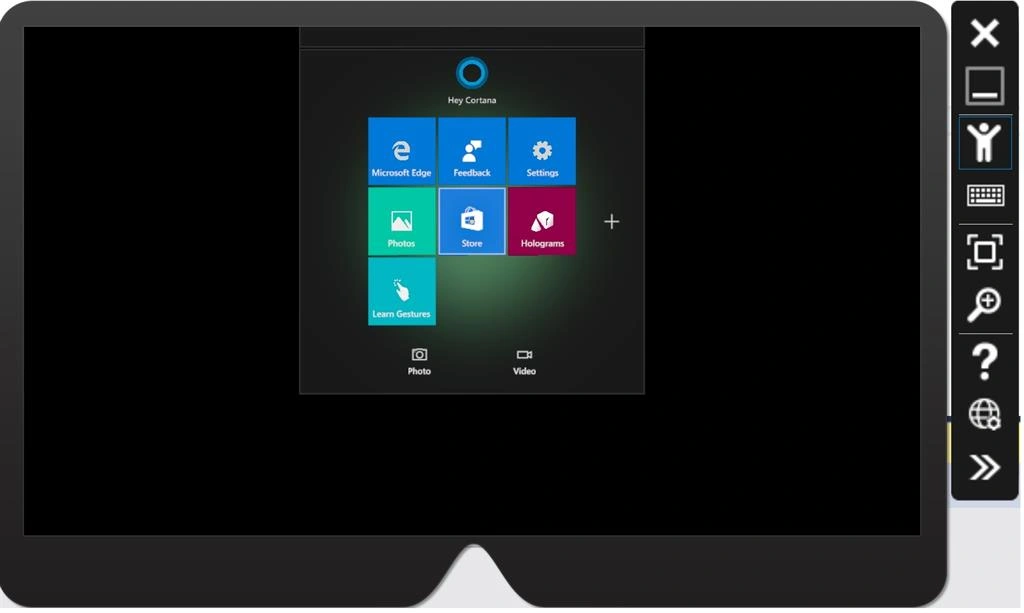
And finally, you should be able to see the finished build and HoloLens UI on your screen.
Wallah! Exciting! I am very excited to start building more useful Holographic apps.
Conclusion
This article shows how we can start working with HoloLens on Windows 10. The article also covered the installation process of Microsoft's new HoloLens Emulator. Stay tuned for more articles. Feel free to share your feedback and comments.
Related articles


shailesh voraPosted Jun 15, 2018, 1:52 AM EDT
Raj , Thanks for the article. But As I have seen this is the default thing which has been provided by micro soft. So Can you please give me link to learn more on this. I mean by default a lots of files have been created and doesn't know the meaning of any file. How can we create any motion object using DirectX or any link.
boppe venkataPosted Feb 5, 2017, 11:23 PM EST
Hello Raj, i started to work on microsoft hololens development using visual studio and C# recently. Was checking your articles and found them helpful. Can you also please let me know if you have any information about getting trained online for hololens development
kalu singh raoPosted Jul 2, 2016, 11:19 AM EDT
Nice...
Bhuvanesh MohankumarPosted Apr 24, 2016, 9:08 AM EDT
Worth Reading for Beginners like me Raj
Pramod ThakurPosted Apr 12, 2016, 10:32 PM EDT
thanks for sharing.. i am going to start downloading vs2015.. :)
Kuppurasu NagarajTOP 100Posted Apr 8, 2016, 10:59 AM EDT
Thanks for sharing.....
Javeed M ShaikhPosted Apr 5, 2016, 12:05 PM EDT
- 64-bit Windows 10 Pro, Enterprise, or Education (The Home edition does not support - Hyper-V)64-bit CPU - 8 GB of RAM or more - In the BIOS, the following features must be supported and enabled:- Hardware-assisted virtualization- Second Level Address Translation (SLAT)- Hardware-based Data Execution Prevention (DEP)- GPU (The emulator might work with an unsupported GPU, but will be significantly slower) - DirectX 11.0 or later - WDDM 1.2 driver or later
K P Singh ChundawatPosted Apr 4, 2016, 7:30 AM EDT
Good
Upendra Pratap ShahiPosted Apr 4, 2016, 3:56 AM EDT
very interesting article....thanks for sharing
Kuppurasu NagarajTOP 100Posted Apr 3, 2016, 12:27 AM EDT
Nice
Mahesh ChandTOP 10Posted Apr 2, 2016, 6:42 PM EDT
Yes for HoloLens Emulator, 4GB RAM will not be good enough. 8GB is minimum but if you're running Visual Studio, SQL Server and couple of other products, you may need more RAM. Also for HoloLens, a good graphic card is recommended.
Ammar ShaukatPosted Apr 2, 2016, 11:09 AM EDT
after reading your article I've started downloading Visual Studio Update 2 . :) Raj Kumar
Rahul Kumar SaxenaTOP 100Posted Apr 2, 2016, 8:04 AM EDT
Wow Sir... It's Super
Shubham KumarPosted Apr 2, 2016, 4:47 AM EDT
nice exciting to read this type article thnx sir
Gowtham KTOP 100Posted Apr 2, 2016, 3:14 AM EDT
Great article, loved to work on this technology
Shaili DashoraPosted Apr 1, 2016, 11:24 PM EDT
Nice one...
Ammar ShaukatPosted Apr 1, 2016, 10:20 PM EDT
awesome.. time to start.
Raj KumarTOP 100Posted Apr 1, 2016, 11:24 AM EDT
5K views in a day...excting :)
Gopi ChandPosted Apr 1, 2016, 8:55 AM EDT
Nice topic chosen sir...curious to know more about HoloLens :)
Vignesh ManiTOP 100Posted Apr 1, 2016, 6:30 AM EDT
good
Asfend YarPosted Apr 1, 2016, 3:17 AM EDT
good effort ... Now I've decided to jump into this technology
Mohammed IbrahimPosted Apr 1, 2016, 2:11 AM EDT
nice
Ibrahim ErsoyPosted Apr 1, 2016, 1:19 AM EDT
I must really start this HoloLens someday.DirectX is my toy
Nitesh KejriwalPosted Mar 31, 2016, 9:39 PM EDT
Great Start!
Sunny SharmaPosted Mar 31, 2016, 8:20 PM EDT
Wallah! Exciting! superb sir :)
Mahesh ChandTOP 10Posted Mar 31, 2016, 10:57 AM EDT
Great start. I can't wait to get started with HoloLens. Cheers!