
Introduction
This article shows you how to use a Stored Procedure for an SSRS report.
Create a report server project.
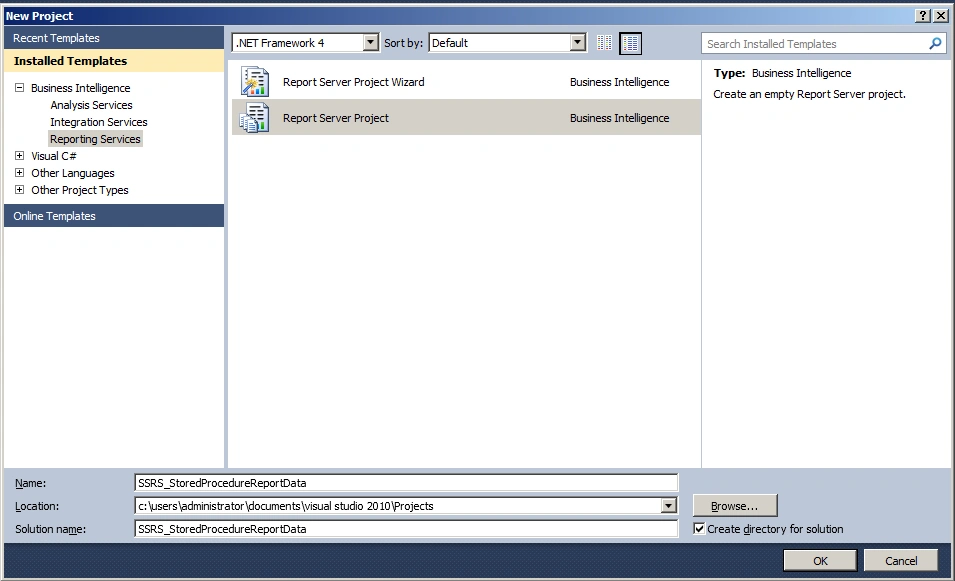
Figure 1 Create Report Server Project
Add new report item
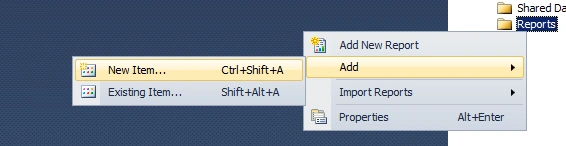
Figure 2 Add new Report Item
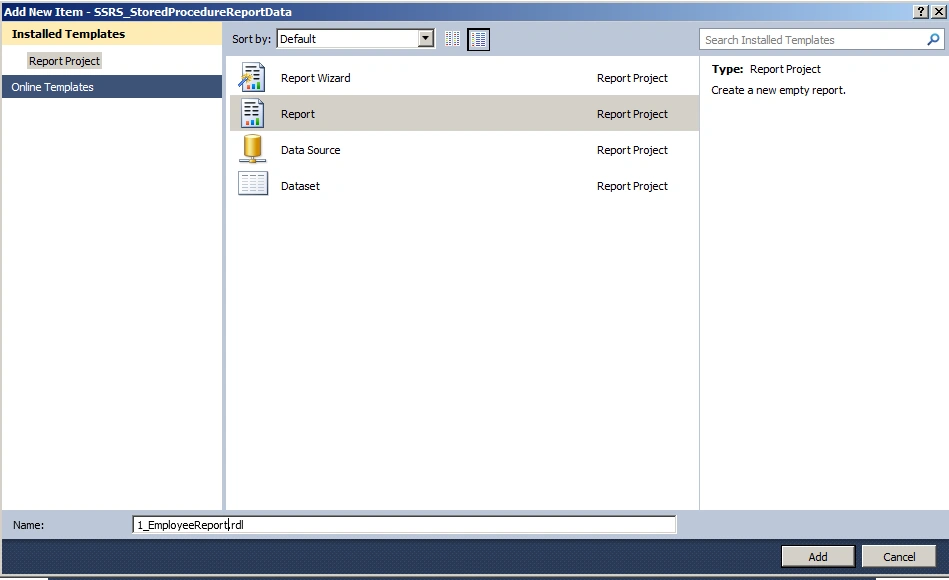
Figure 3 Report
Add data source
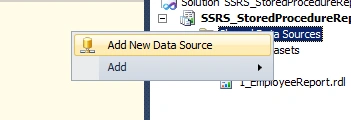
Figure 4 Add New Data Source
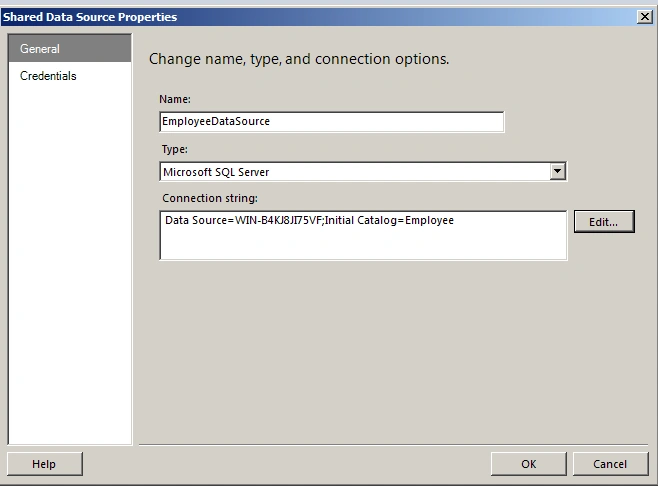
Figure 5 Shared Data Source properties
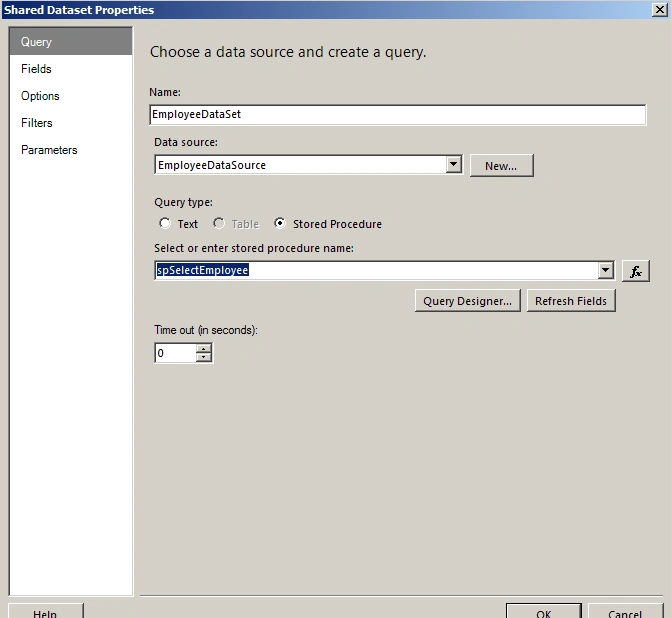
Figure 6 Shared DataSet Properties
Use table
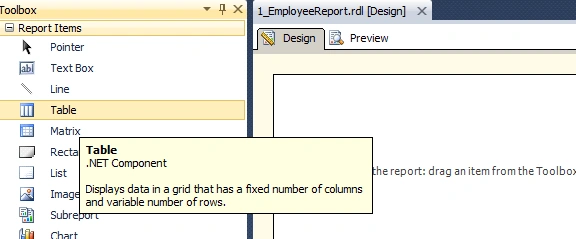
Figure 7 Use Table
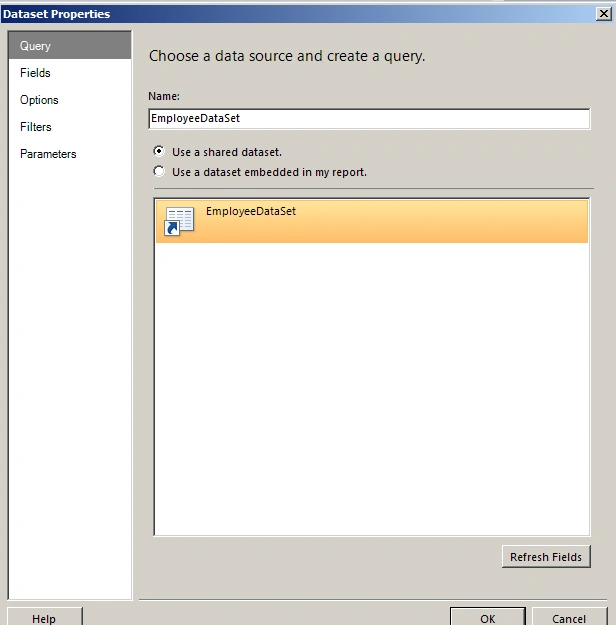
Figure 8 DataSet Properties
Setup table with dataset fields
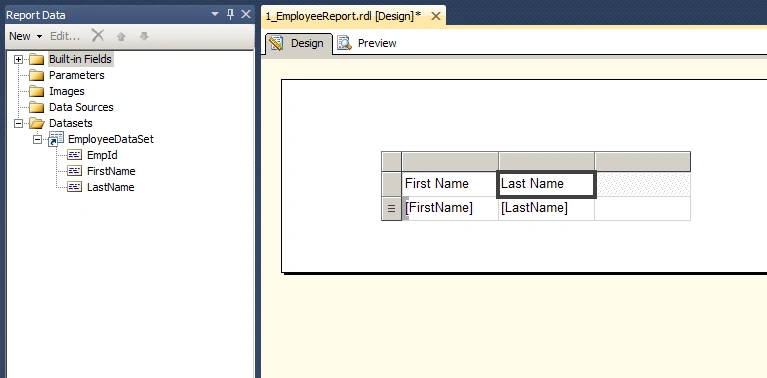
Figure 9 Setup Table with DataSet Fields
Output
The following screenshot shows the output of the report.
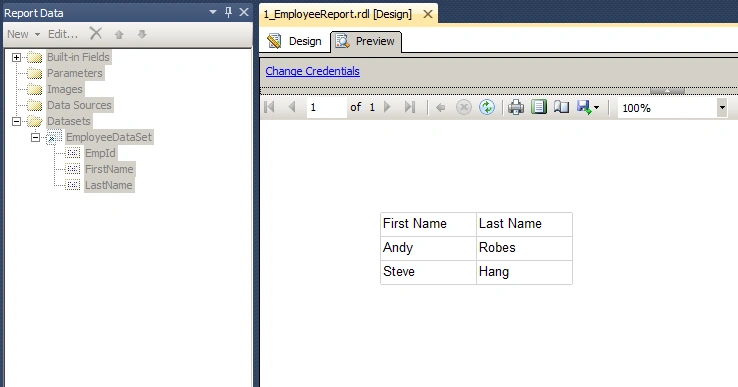
Figure 10 Output
Summary
In this article, we saw how to use a Stored Procedure for an SSRS report.
Reference


Sibeesh VenuTOP 100Posted May 25, 2015, 9:04 PM EDT
Good one.
Pankaj Kumar ChoudharyTOP 100Posted May 25, 2015, 4:11 PM EDT
Nice Explain Sir........
Santhakumar MunuswamyPosted May 25, 2015, 10:52 AM EDT
Thanks for nice article
Dominique CejaPosted May 25, 2015, 7:31 AM EDT
Great article
Upendra Pratap ShahiPosted May 24, 2015, 11:22 PM EDT
nice article sir