I work on asp.net MVC layout page . I need to make page layout layout from left side of page and right side of page are gray .
but I don't know how to do that using html and CSS or bootstrap .
exactly what I need is to how to assign left side and right side with gray as image
sample I need to make it as below :
layout page as below :
CSS
    @Styles.Render("~/Content/css")

    @Scripts.Render("~/bundles/modernizr")


    @Scripts.Render("~/bundles/jquery")


        .container {
            width: 80%;
            margin-top:-50px;
            margin-left: 130px;
            padding-left: 130px;
        }

        .header {
            width: 100%;
    grid-template-columns:34mm 102mm 34mm;*/
            display: flex;
        }
        .header-Title {
            flex: 1;
            font-family: Arial;
        }

        .header-CompanyLogo {
            width: 150mm;
            display: flex;
        }


                Employee Self Service


            Resignation Submission Form Application


@Scripts.Render("~/bundles/bootstrap")
    @RenderSection("scripts", required: false)
image i desired to get it as below :
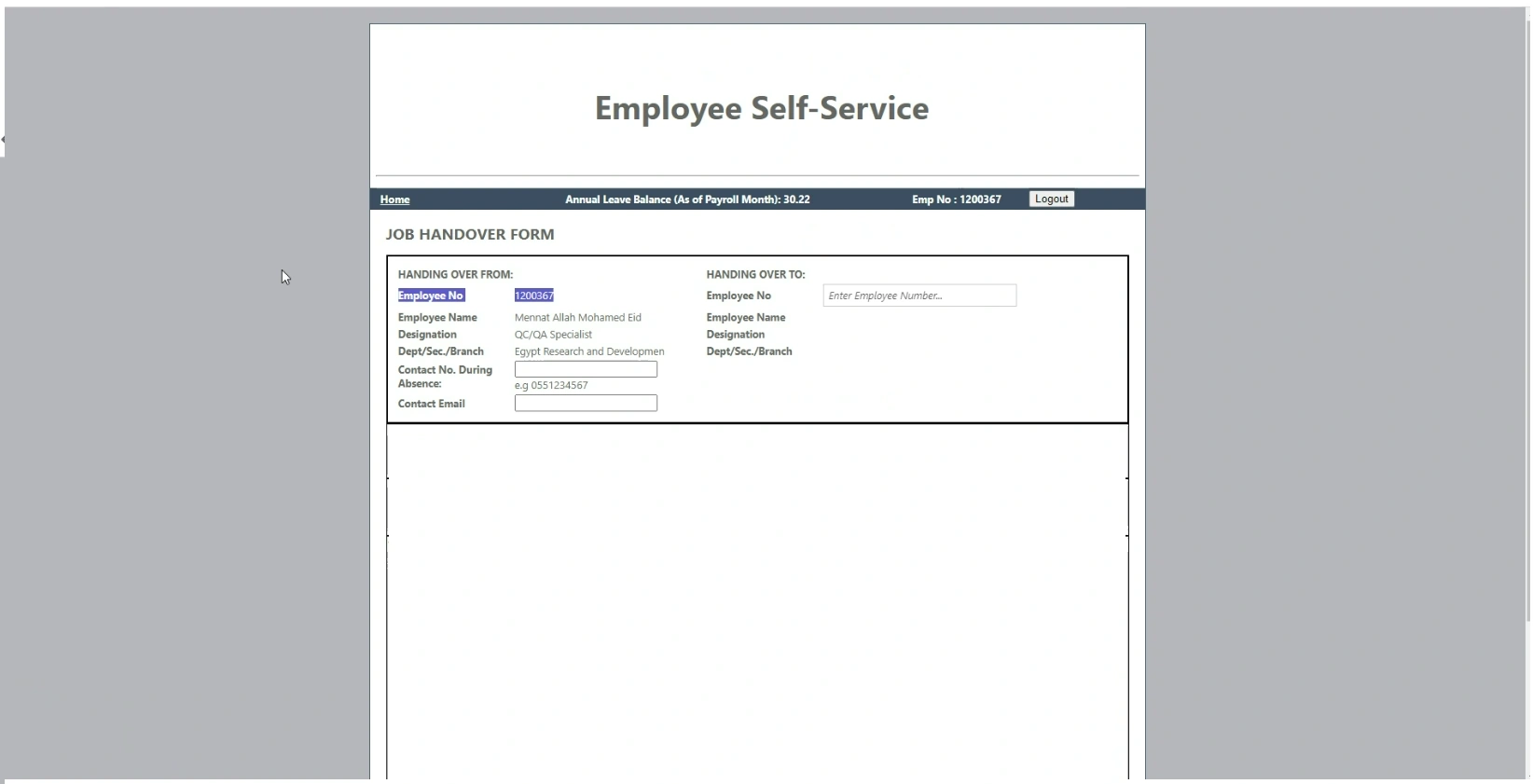
ddd







Naimish MakwanaRank #324 · 7.7K reputationPosted Oct 10, 2023, 12:16 AM EDT
To create a layout where the left and right sides of the page are gray, you can modify your existing code by adding CSS styles for the left and right sides. You can use CSS pseudo-elements
::beforeand::afterto create the gray backgrounds for the left and right sides. Here's an updated version of your HTML with the necessary CSS changes:@Styles.Render("~/Content/css") @Scripts.Render("~/bundles/modernizr") @Scripts.Render("~/bundles/jquery") .container { width: 80%; margin-top: -50px; margin-left: 130px; padding-left: 130px; } .header { width: 100%; display: flex; position: relative; } .header-Title { flex: 1; font-family: Arial; } .header-CompanyLogo { width: 150mm; display: flex; } /* Add styles for left and right sides */ .header::before, .header::after { content: ""; position: absolute; top: 0; bottom: 0; width: 50%; /* Adjust as needed */ background-color: #ccc; /* Gray color */ z-index: -1; } .header::before { left: 0; } .header::after { right: 0; } Employee Self Service Resignation Submission Form Application @Scripts.Render("~/bundles/bootstrap") @RenderSection("scripts", required: false)Thanks