Loading
Articles by Amit Kumar
Responsive Design with CSS Variables
Learn how to use CSS variables (custom properties) to build scalable, maintainable, and responsive designs. This article explores techniques, examples, and best practices to create flexible layouts for all devices.
20 New CSS Features You Need to Know
CSS in 2025 introduces powerful features like Container Queries, \:has(), Subgrid, and content-visibility, enabling developers to build responsive, high-performance, and visually dynamic websites with less code and greater flexibility.
Figma 2025 Updates: A Game-Changer for Design and Collaboration
Figma’s 2025 updates: AI-powered Figma Make, Figma Sites for websites, Figma Draw for vectors, Figma Buzz for marketing, enhanced Dev Mode.
10 CSS Snippets Every Frontend Developer Must Know and Use Daily
Discover 10 essential CSS snippets every frontend developer should use daily to build responsive, clean, and efficient web interfaces.
A Complete Guide to the aspect-ratio Property
The aspect-ratio CSS property helps maintain consistent width-to-height proportions of elements like images and videos, making responsive design easier without using padding hacks or JavaScript tricks.
Mastering Custom Properties (CSS Variables)
CSS Variables (Custom Properties) let you define reusable values like colors and spacing in one place, making your stylesheets cleaner, easier to maintain, and perfect for theming and responsive design.
CSS Grid vs Flexbox — When to Use Which
Discover the key differences between CSS Flexbox and Grid. Learn when to use each layout system with real-world examples, helping you build responsive, efficient, and modern web designs more effectively.
🔮 The Next Trends for UI/UX Designers in 2025 and Beyond
Discover the top UI/UX design trends shaping 2025 and beyond — from AI-powered tools to emotion-driven interfaces and hyper-personalized user experiences. Stay ahead of the curve as a modern designer.
The Basic Principles of Good UI Design
User Interface (UI) design enhances user experience by creating intuitive, consistent, and accessible interfaces. Learn the key UI principles that ensure clarity, simplicity, efficiency, and visual appeal.
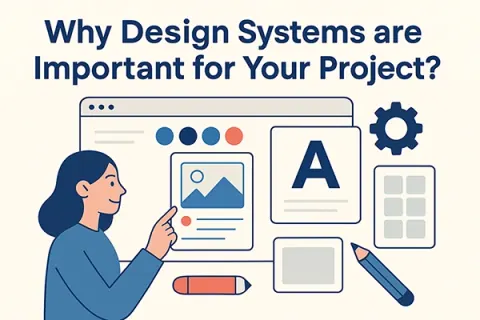
Why Design system are important for your project
A design system is essential for any project as it ensures consistency, improves collaboration, speeds up development, and enhances user experience. It helps teams maintain brand identity, scale efficiently, and save time and costs throughout the design and development process.
Creating a Three Dot Loading Animation
Creating a three-dot loading animation using HTML and CSS. The HTML sets up a container with three dots, while the CSS styles the dots and applies a blinking animation using Flexbox for centering and keyframes for the animation effect. The staggered animation delay creates a sequential blinking effect.