Loading
Logesh Palani's contributions

How to Find WiFi Password in Windows 10 using Command Prompt/Powershell
In this video, we are first using command prompt to get wifi password and that trick was too long so we are going to powershell and run below given command to get all of the wifi profile username and their password.

Xamarin.Android - Gesture Detector
The gesture detector means finger movement in the touchscreen interface. The gesture types are Tab, Drag, Flick, Swipe, Double Tab, Pinch, Three Finger Pinch, Three Finger Swipe, Touch, Hold, Rotate, and Shake. In this article, we are going to learn how to implement these gestures in our application.
Xamarin.Forms - DataGrid
The DataGrid is format or architecture to show a set of data in the user interface. In Xamarin Forms there is no default DataGrid control, so we need to install “Xamarin.Forms.DataGrid” dependency.
HotReload With Wi-Fi Debugging Gives More Power To Xamarin Forms
The Wi-Fi debugging is another way to deploy and debug your application in Android and iOS devices. A couple of months back Microsoft released Xamarin HotReload for continuous change the values in the editor, instantly it will reflect in your running device without requiring to rebuild and restarting the application.
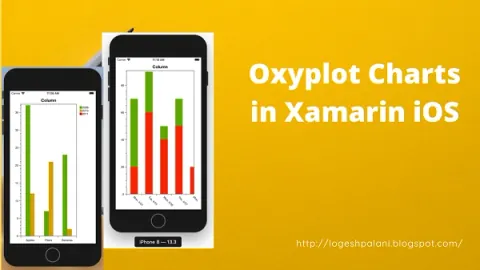
How to Use Oxyplot Chart in Xamarin iOS
Showing data in a chart/graph is much easier to understand. In Xamarin iOS no default option to show the chart. We must use a third-party plugin to show charts.
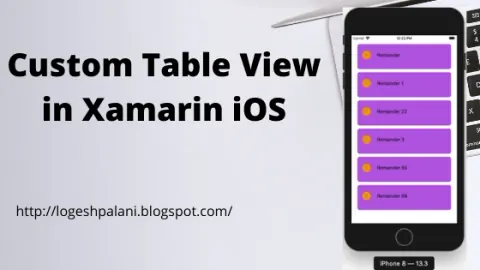
Custom Table View In Xamarin iOS
TableView and their default cell behaviors. Now, we going to learn about how to use a custom table view cell in TableView.
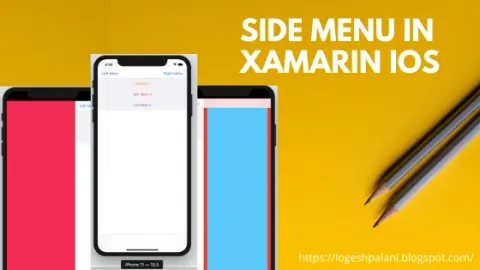
SideMenu In Xamarin iOS
In this blog demonstrates how to use a sidebar in Xamarin iOS, since there is no default function for the sidebar or Navigation bar view. We can archive this using Xamarin.Sidebar Nuget without putting more effort.
How To Pick A Document In Xamarin.iOS
This article demonstrates how to pick a file in the iOS device in the Xamarin iOS application. In-default must enable the iCloud provisioning certificate, however, I need to pick from the local device, not in iOS Cloud, so provisioning a profile is not necessary.
OTP View In Xamarin iOS
I will explain how to create OTP View in Xamarin iOS without using third party plugins.
How To Use Multiple View Controller In Single Page In Xamarin iOS
In this blog, I will explain how to handle multiple view controllers on a single page in Xamarin iOS.
Table View In Xamarin iOS - Part Two🚀
Learn how to use Default, Subtitle, and Value UITableViewCell styles in Xamarin.iOS and populate cells through UITableViewSource, GetCell, and RowsInSection.
Custom Popup Dialog In Xamarin Android
Custom Popup Dialog in Xamarin Android allows developers to create tailored dialog boxes that can be displayed on top of the current activity. These dialogs can have custom layouts, event handling, and styling, providing a flexible way to interact with users within an application.
Simple Table View in Xamarin iOS
In this article, we will learn to create a simple table view in Xamarin iOS. Table View is a view for displaying the list of data in the scroll function.
How To Use Constraint Layout In Xamarin.Android
This article demonstrates what a Constraint Layout is and how to use it in Xamarin.Android and Xamarin.iOS to improve your page performance and the response of UI.
Generate Barcode And QR Code In Xamarin Android
In this article, we will discuss how to generate 1D and 2D Barcode in Xamarin Android application.

Find A Missing Number In Array Without Using Loop In C#
This blog describes how to find a missing number in the array by using goto statement in C#.
How To Install And Configure Syncfusion Essential Studio For Xamarin In Visual Studio 2017
This article demonstrates how to install and configure Syncfusion Essential Studio for Xamarin in Visual Studio 2017.The Syncfusion provides Visual Studio toolbox for your Xamarin project (Xamarin.Android, Xamarin.Forms, Xamarin.IOS). It’s support only Visual Studio 2015 and above version.
Install And Configure Syncfusion Essential Studio For Xamarin In Visual Studio 2017
A quick step by step run through on how to configure this popular framework for mobile application development using VS 2017
Xamarin.Forms - FlashLight App
In this article we are going to learn how to create FlashLight App in Xamarin.Forms Application.
Xamarin.Forms - How To Make SnackBar Using DependencyService
In this article, we will learn how to use SnackBar using dependency service in Xamarin.Forms application.
Xamarin.Forms - How To Make Toast Message Using Dependency Service
In this article we will learn about how to build and show toast message using Dependency Service in xamarin.forms.
Xamarin.Forms - Slide-Up Panel App
In this article, we will learn about how to make slideuppanel using dk.slideuppanel plugin in xamarin.forms application
Xamarin.Forms - Expandable ListView App
In this article, we will discuss how to create an expandable listview in Xamarin.Forms application using Visual Studio 2017.
Xamarin.Forms - Google Maps API
In this article, we will learn how to use Google Maps API in Xamarin.Forms application.
Xamarin.Forms - FFImageLoading App
In this article, let us learn how to add and display gif, svg, jpg images with transformation in Xamarin.Forms application.