Loading
Nitin's contributions
D7 vs D28 IAP ROAS Campaigns: Which One Should You Choose?
D7 vs D28 IAP ROAS campaigns: Discover which Unity Ads optimizer suits your mobile game's growth strategy for maximum LTV.
Unity 6.3 Beta is Now Available
Unity 6.3 Beta is here! Explore new UI tools, performance boosts, & accessibility features. Help shape the next LTS release with your feedback. Download now!
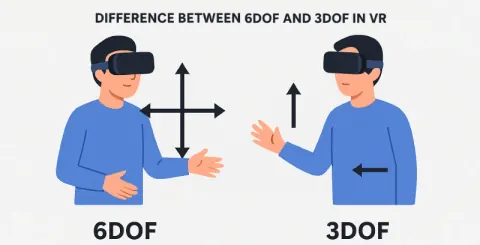
Difference Between 6DoF and 3DoF in VR
Unlock VR's potential! Discover the difference between 3DoF and 6DoF: rotational vs. positional tracking. Choose the right headset for immersive experiences.
What is the Primary Scripting Language Used in Unity?
This article answers the crucial question: What scripting language does Unity use? Discover why C# is the primary language, offering a blend of beginner-friendliness and professional-grade capabilities. Explore its benefits for object-oriented programming, performance, and community support.
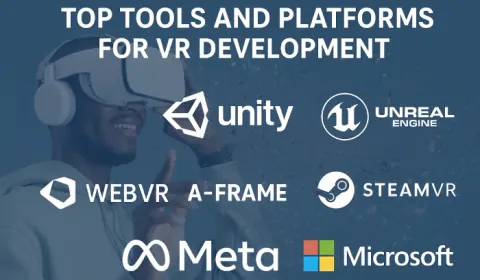
Top Tools and Platforms for VR Development
Explore the essential tools and platforms driving the virtual reality revolution. From game engines like Unity and Unreal Engine to 3D modeling software and specialized VR development kits, discover the technologies that empower developers to create immersive experiences. Learn about hardware SDKs, collaboration platforms, and testing environments for building and deploying VR applications across various industries and platforms like Meta Quest and PlayStation VR.
How Do You Measure the Success of Your SEO Efforts?
Learn how to measure SEO success using organic traffic, keyword rankings, CTR, engagement, conversions, backlinks, technical health, local visibility, and ROI.
Explain the significance of gas in the Ethereum network
Gas is the fuel powering Ethereum. It prevents spam, rewards validators, and prioritizes transactions. Understanding gas is key to navigating the Ethereum ecosystem.
Unity 6.2 Now Available
Unity 6.2 boosts game development with faster performance, stability, and new XR tools. Unity AI Beta automates tasks, aids debugging, manages assets, and enhances workflow for smarter, more efficient game creation.
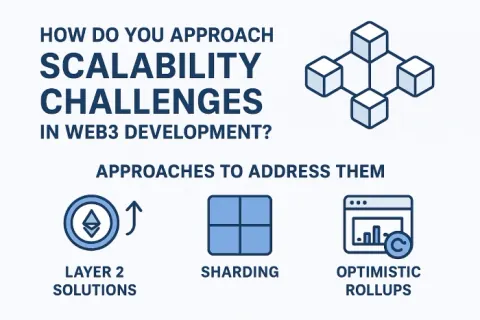
How do you approach Scalability Challenges in Web3 Development?
Scalability has always been one of the most pressing challenges in Web3 development. As decentralized applications (dApps) and blockchain networks grow in popularity, the demand for faster transaction processing, lower fees, and seamless user experiences increases dramatically.
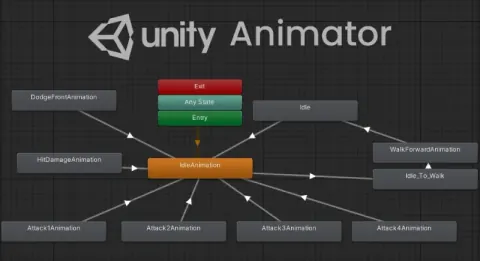
What Is the Role of the Animator Controller in Unity
The Animator Controller in Unity plays a central role in managing and organizing animation logic for characters, UI elements, and game objects.
What Are the Fundamental Building Blocks of Unity
Unity is one of the most popular game development platforms in the world, known for its ease of use, cross-platform capabilities, and robust feature set.
What is the Basic Behavior of a MonoBehaviour Script in Unity
MonoBehaviour is Unity's base class for all scripts attached to GameObjects. It enables lifecycle methods like Start(), Update(), and FixedUpdate(), essential for building interactive gameplay and behaviors.
URP vs SRP in Unity: Key Differences
Introducing a more flexible and customizable rendering system called the Scriptable Render Pipeline (SRP). One of the most widely adopted implementations of SRP is the Universal Render Pipeline (URP).
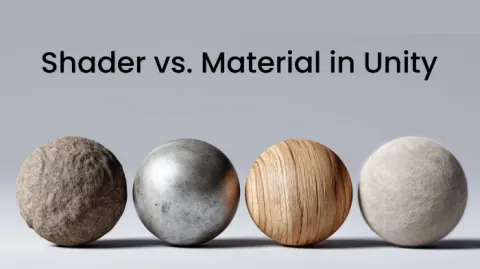
Difference Between a Shader and a Material in Unity
When working with Unity, especially in 3D graphics and game development, you will often encounter the terms Shader and Material.
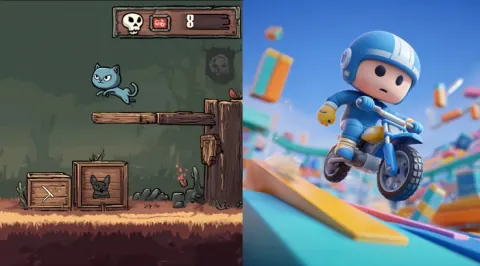
Differences Between 2D and 3D Development in Unity
Learn the key differences between 2D and 3D development in Unity, including cameras, assets, physics, animation, lighting, performance, and tools.
Optimizing Game Performance in Unity
Improve Unity UI performance by optimizing Canvases, limiting Raycasters, avoiding heavy elements, and smart pooling. Boost efficiency with nested Canvases, batching, and fewer layout recalculations.
Unity Pipeline: A Complete Guide for Developers
The "Unity Pipeline", covering the concept from beginner to intermediate level, suitable for both Unity developers and those trying to understand the rendering and production workflows in Unity.

Object Oriented Programming Concepts in C# (2025)
Explore object-oriented programming (OOP) in C# for 2025, covering core principles—encapsulation, inheritance, polymorphism, and abstraction, along with modern features like records, pattern matching, and more.
Time.deltaTime Explained in Unity
Master Time.deltaTime in Unity to ensure smooth, frame-rate-independent movement, physics, and animations across devices. Learn best practices, pitfalls, and how to use fixedDeltaTime, unscaledDeltaTime, and more.
Difference Between FixedUpdate and Update in Unity
Learn the key differences between Update() and FixedUpdate() in Unity. Understand when to use each for input, physics, and smooth gameplay to avoid bugs, jitter, and frame rate issues in your games.
Difference Between Abstract Class and Normal Class in C#
The difference between Abstract Class and a Normal Class in C#, including definitions, concepts, use cases, and examples.
What is a Prefab in Unity
Prefabs in Unity are reusable templates for GameObjects, allowing developers to efficiently create, manage, and instantiate consistent objects across scenes, boosting performance and streamlining game development. Ask ChatGPT
Difference Between Update, FixedUpdate, and LateUpdate in Unity
Here's a detailed and human-friendly article explaining the difference between Update, FixedUpdate, and LateUpdate in Unity, ideal for interviews or documentation.
Difference Between Vector3.MoveTowards and Vector3.Lerp in Unity
Here’s a detailed article explaining the difference between Vector3.MoveTowards and Vector3.Lerp in Unity, including use cases, behavior, and examples.
How to Create and Publish WebGL Builds in Unity
Learn how to build, publish, and share your Unity WebGL game using the WebGL Publisher, playable in browsers and easily shareable on Unity Play and other platforms.