Loading
Rijwan Ansari's contributions
NETSDK1045: The Current .NET SDK Does Not Support Targeting .NET 6.0
Error NETSDK1045: The current .NET SDK does not support targeting .NET 6.0. Either target .NET 5.0 or lower or use a version of the .NET SDK that supports .NET 6.0.

Create A Bot In .NET Using Bot Framework SDK
If we see the current technology trends, BOT is quite popular. Most of the modern solutions come with BOT to automate tasks and respond to the conversation with human interaction. In simple terms, a bot is a software application that automates the tasks which are repetitive in nature and respond without human interaction. A bot is a short form of robot. In this article, we will learn how to develop a bot using Microsoft bot framework SDK using Visual Studio

Visual Studio 2022 Installation Step By Step
In this article, you will learn about Visual Studio 2022 installation step by step.
Top 15 Git Commands With Examples For Every Developers💪
Git is a version control system for managing the source code which keeps the track of it with many options. Basically, it is a software to track the changes of files mostly used for coders to work collaboratively and source code management during the software development.
Create Azure Bot Service from Azure Portal
An Azure bot service is a complete development platform for developing enterprise-grade bot solutions. This environment enables the development of high-quality conversational AI experiences bots for all possible scenarios. This service has the capability to build multimodal and multilingual bots.
Most Popular And Useful Visual Studio Shortcut Keys
Using shortcut keys and commands can help to save time and result in considerable improvement as well as productivity. In this article, I will share the most useful and trendy shortcut keys for visual studio which apply globally if it is not specified or altered. These shortcut keys are available for general or every profile for visual studio installed.

Error Message 401.2. - Unauthorized - Logon Failed Due To Server Config
Error message 401.2.: Unauthorized: Logon failed due to server configuration. Verify that you have permission to view this directory or page based on the credentials you supplied and the authentication methods enabled on the Web server. Contact the Web server’s administrator for additional assistance.

Getting Started With ASP.NET Web API .NET 5
The ASP.NET web API is .net framework for building or developing RESTFUL API with HTTP based services which can be accessed via any applications. This web API can communicate with a wide range of clients through browsers, mobile devices, and by using web services.
What is Microsoft .NET?
In this video I will elaborate about .NET. What is Microsoft .NET which is one of the most popular and used development platforms? .NET is a platform where we will have numerous libraries and use can use those through a programming language. Languages can be c#, visual basic, or f#. Outline: What is .NET? .NET Apps Languages .NET Platform .NET Tools to build .NET Applications Application Model

The Underlying Connection Was Closed - An Unexpected Error Occurred
The underlying connection was closed: An unexpected error occurred on a send. Unable to read data from the transport connection: An existing connection was forcibly closed by the remote host. An existing connection was forcibly closed by the remote host
Create GitHub Repository And Add New/Existing Project Using GitHub Desktop
In this article, you will learn about the easy way to Create GitHub Repository and add new or existing project using GitHub Desktop.
What Is Git, GitHub And GitHub Desktop And Create A Git Repository In GitHub Using GitHub Desktop
In this article, you will learn what is Git, GitHub and GitHub Desktop and Create A Git Repository in GitHub using GitHub Desktop.
Invalid Option ‘7.3’ For /langversion; Must Be ISO-1, ISO-2, Default
An error occurred during the compilation of a resource required to service this request. Please review the following specific error details and modify your source code appropriately. Compiler Error Message: CS1617: Invalid option ‘6’ for /langversion; must be ISO-1, ISO-2, 3, 4, 5 or Default
Solution: The Process Can Not Access The File Because It Is Being Used By Another
Failed to register URL for site. Error description: The process cannot access the file because it is being used by another process.
Check And Update Expiration Date Of Client ID In SharePoint Online
Learn how to check SharePoint Online provider-hosted app client secret expiration dates and generate a new secret using MSOnline PowerShell.
Embed Power BI Reports in Modern SharePoint Online
Hello everyone, I am Md Rijwan Alam Ansari, Hope you are safe and doing well. In this video, I will demonstrate on how to integrate or embed power bi reports with SharePoint Online. In other words, we can display our Power BI reports into SharePoint portal itself and this option will help end users to use same SharePoint portal to view/analyze reports without going separate power bi site.
How To Create App Catalog In Modern SharePoint Online
In this article, you will learn how to Create App Catalog in Modern SharePoint Online.

Image Analysis In ASP.NET Core 5.0 Using Azure Cognitive Service
In this article, you will learn about Image Analysis in ASP.NET Core 5.0 using Azure Cognitive Service.
File Upload Insights And Upload Single Or Multiple Files In ASP.NET Core Razor Pages
In this article, you will learn about File upload Insights and Upload Single or Multiple files in ASP.NET Core 5.0 Razor Pages.
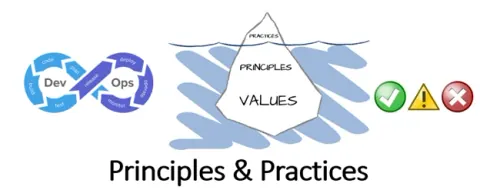
What Is DevOps And Its Key Principles
DevOps merges development and operations, emphasizing collaboration, automation, and continuous integration. Key principles include infrastructure as code, agile practices, and a feedback loop for monitoring and improving processes, fostering a culture of resilience and scalability.
Run Workflow For All Items Of List In SharePoint
In this blog, you will learn how to run Workflow for All Items of List in SharePoint.

Azure RBAC Role Based Access Control Demonstration With Azure App Service
In this article, you will learn about Azure RBAC Role Based Access Control Demonstration with Azure App Service.
What Is Azure Role-Based Access Control (RBAC)
In this article, you will learn what is Azure Role-Based Access Control (RBAC).
Introducing A SharePoint App Bar In Modern SharePoint Online
In this article, you will learn about SharePoint App Bar in Modern SharePoint Online.
Hands-on with Deployment Slots in Azure App Service
In this video, I will implement deployment slots in Azure Portal, Azure App Service, one of the remarkable feature of Azure App service.? Azure App service are much flexible to developers or even DevOps engineer. It has several useful features like scaling or auto scaling in a click, easy authentication and secured with standard security compliance, offline sync ( Mobile Apps), hybrid connections, easy sharing, monitoring, and insights, many more configuration and extensive features. ? Another incredible feature with Azure App Service is deployment slots, which is probably the most underrated and many people don’t know about it.? Let's do hands-on implementation with Deployment Slots in Azure App Service.