Loading
Saineshwar Bageri's contributions

Using jQuery DataTables Grid With ASP.NET CORE MVC
Learn to integrate jQuery DataTables Grid with ASP.NET Core MVC in a step-by-step tutorial. This guide covers creating an ASP.NET Core MVC project, setting up a database, and using Entity Framework Core. It includes installing necessary packages, configuring DbContext, and implementing client-side processing for efficient data handling.

How To Perform Searching With Paging In ASP.NET Web API
In this article, we are going to learn how to do a search with Web API.
How To Do Paging With ASP.NET Web API
In this article, we are going to learn how to do paging with Web API. In this modern era where there are tons of data to share and consume here we cannot send all data at one go or consumer we need to slice the data into pieces to share known as paging.
Binding Dropdown List In Angular With ASP.NET Core Web API
After selecting a project a new dialog will pop up with name “New Project” now from the left panel just select Templates inside Templates select Visual C# à The Web after that choosing it will show a list of Project Templates as shown in below dialog.
Setting Up Angular Project With ASP.NET Core And Visual Studio 2017
In this part, we are going to learn how to setup Angular projects with ASP.NET Core and Visual Studio 2017, for doing this first we need to download Visual Studio community 2017.
Angular Demo Application With ASP.NET Core MVC (Rent A Car)
This project is a simple rent a car project developed in ASP.NET Core MVC and Angular with backend as SQL Server 2008 R2.
Simple CRUD Operation Using ASP.NET MVC And MongoDB
Simple CRUD operation using ASP.NET MVC and MongoDB.
Learn MongoDB Step By Step
In this article, we are going to learn how to install MongoDB on a Windows machine in a step by step way. Along with this, we are also going to learn how to start the MongoDB Server and basic commands to access MongoDB Database.
Creating Your Academic Project In ASP.NET WebForms
This GYM project is for beginners who are new to learning ASP.NET WebForms. By seeing this project, you can learn how to create your academic Project in ASP.NET WebForms.
How To Create Web API In ASP.NET Core MVC Using Entity Framework Core
In this article, you will learn how to create Web API in ASP.Net Core MVC, using Entity Framework Core.
Creating Simple RadiobuttonList In ASP.NET Core MVC Using New Tag Helpers
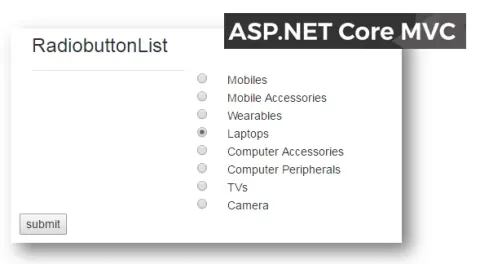
In this article, we are going to create a simple radiobuttonlist in ASP.NET Core MVC, using new Tag Helpers and we are going to pull the data for creating this radiobuttonlist from the SQL Server database, using Entity Framework Core.
Creating a Simple CheckBoxList In ASP.NET Core MVC With New Tag Helpers
In this article, we are creating a simple CheckBoxList in ASP.NET Core MVC using new Tag Helpers and data. For creating this CheckBox list, we are going to pull data from the SQL Server database using Entity Framework Core.
Creating Simple Cascading DropDownList In ASP.NET Core MVC With New Tag Helpers
Learn how to implement cascading dropdowns in ASP.NET Core MVC. This guide covers setting up the database, creating models, controllers, views, and using jQuery AJAX for dynamic dropdown population. Dive into .NET Core development with ease.
Binding Dropdown List With Database In ASP.NET Core MVC
In this article, we are going to learn how to bind a dropdown list with the database, using Entity Framework Core.

Setting And Reading Values From "appsettings.json" In .NET Core
In this article, you will learn about setting and reading the values from "Appsettings.json" in .NET Core.
Creating A New .NET Core Web Application With Command Line Interface (CLI)
In this article, we are going to learn how to create .NET Core web application without using Visual Studio IDE in step by step way.

Creating A New .NET Core Web Application Using Visual Studio 2015
In this article, you will learn how to create a new .NET Core Web Application, using Visual Studio 2015 and NET Core 1.0.1.
Create Free Charts Using Chart.js In ASP.NET MVC
In this article, we are going to learn how to create and use chartJS with MVC.
Dynamically Creating Multiple File Uploads In MVC And Validating It
In this article, you will learn how to dynamically create multiple file uploads in MVC and validate it.
Creating WEB API And Consuming In Console Application Using Web Client In An Asynchronous Way
In this article, we are going to learn how to Create Web API and consume Web API in Console Application.
Creating Web API And Consuming In Console Application Using Web Client In A Synchronous Way
In this article, we are going to learn how to Create Web API and consume Web API in Console Application. Basically, create Web API to share data with others or to get the data from others.
How to Use Ninject Framework with MVC
In this article, we are going to have a look at how to use Ninject framework with MVC to remove hard code dependencies from the application.

Create Excel File On The Fly And Send As An Email Attachment In Console Application
In this article you will learn how to create Excel files on the fly and send as an Email Attachment in Console Application.
Display Binary Images In WebGrid From Database
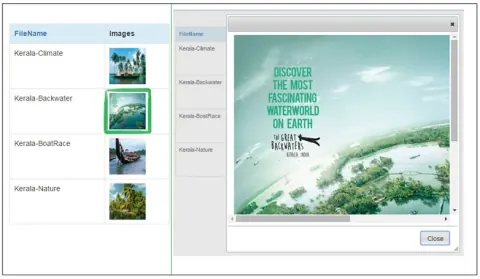
In this article we are going to display binary data (Images) which are stored in the database in WebGrid; when clicked, they should enlarge and display in a popup window.
Display Colorized Rows Or Cells Of WebGrid In ASP.NET MVC
In this article we are going to learn how to color a row and cell in WebGrid.