Loading
Blogs by Srikanta Barik

What Are Model-Driven Apps In Power Apps
In this blog, you will learn what is Model-Driven Apps In Power Apps.

How To Fetch Items From SharePoint List To PowerApps Gallery, Calculat
On this blog, here I have discussed that how to fetch items from SharePoint list to Power Apps gallery, calculate some result (column) and update all calculated column values to the SharePoint list.
How To Send Email With Multiple Image Attachments
In this blog here I have discussed how to send email with multiple image attachments.
Implementing Multi-Threading With MaxDegreeOfParallelism For Uploading
On this blog, here I have discussed that how to Implementing Multi-Threading with MaxDegreeOfParallelism for uploading large no of files in document library In SharePoint Using CSOM.
Multilingual Page Publishing Feature on Modern Communication site
On this blog, here I am going to describe about how "Multilingual Page Publishing Feature on Modern Communication site".
Copy Modern Page Within The Folder Using JSOM
Here, I have discussed that how to copy a modern page within the same folder of a site collection & you can do it manually or programmatically.
How To Send Email Using Power Apps
In this blog, here I am going to describe how to send email on PowerApps .We will see how to send an Email in PowerApps on the submit button.
Copy Navigation Using PowerShell
In this blog, here I have discussed about the copy of navigation menu from one site to another site using the PowerShell script in SharePoint online.
A Summary On SharePoint Look Book
On this blog, here I am going to describe about "A Summary on SharePoint Look Book!!!"
How To Copy Image From One List To Another Using Flow
In this blog, here I am going to describe about how to copy image from one list to another using Flow.
How To Create Calculator Using Power Apps
On this blog here I have discussed that how to build a simple calculator using power apps. Here also I have used six steps to explain the same.
Add, Modify And Delete User Custom Action For List Or Library Item
On this blog, here I am going to describe about how to Add, Modify and Delete User custom action for list or library item and site using JSOM. Here we have created 4 buttons for the custom action operations for list and site.
Add And Delete Custom Action In Site Menu Using CSOM
In this blog, we are going to discuss about how to add and delete the custom action in site menu using csom.
Send Manager Display In Email Notification Using Power Automate
In this blog, here I have discussed how to retrieve manager names using Microsoft flow and send manager display names in the email notification.
Add, Update, And Remove User Custom Action For List And Library Items
In this blog, here I am going to describe about the user custom action for list item.
Change List/Library To New/Modern Experiences Using PowerShell
In this blog, we are going to discuss how to convert the List/Library to the classic version on the Communication site.
Tabbed Form In Power Apps
On this blog, here I have discussed that how to create a multi tab form by using Power Apps.
Grant Permission To A User In SharePoint List Item By Using Flow
In this blog, here I am going to describe how to grant permission a user SharePoint list item by using flow.
Create Power Apps Login Screen Using Credentials From SharePoint List
In this blog, here I am going to describe how to create Power Apps login screen using credentials from SharePoint list.
Add, Update And Remove Web Part Using CSOM
In this blog we are going to discuss How to Add, Update and Remove the web part using csom, here I have used Content Editor Web Part in Wiki page.
Add, Get And Delete Quick Launch Navigation Using C#
In this blog, we have discussed about adding, retrieving, and deleting the SharePoint online quick launch navigation menu using the c# server Object model.
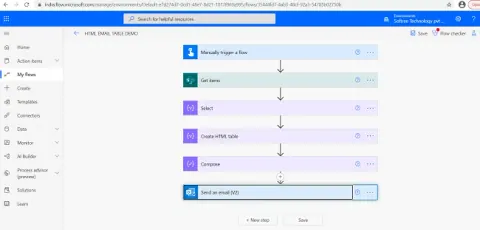
Create A Style HTML Table In An Email Using Power Automate
On this blog, here I have described that on the use of Power Automate how to customize a style HTML table in an e-mail.
How To Enable And Disable MFA Using PowerShell
On this blog, here I have discussed that how to enable and disable MFA using PowerShell and here also I have used five steps to describe that how to enable MFA.
Create A Folder And Set Unique Permission Using PnP PowerShell
On this blog, here I am going to describe about how to create a folder in Document Library and set unique permission to a user for this created folder using PnP Power Shell. Here, I have used four steps for clearly understood.
What Is PowerApps Collection And How To Create A Collection In PowerApp
On this blog, here I am going to describe about that the meaning of Power Apps collection and how to create a collection in Power Apps. Here, also I have used four steps to described about create a collection in Power Apps.