Loading
Tushar Ameta's contributions
- Reads
- 446.8K all time
- Articles
- 8 published

Use of TreeView Control in VB.NET
The Windows Forms Tree View Control helps to display the hierarchy of nodes that can be used to represent the organization structure, file system or any other system which includes hierarchical representation.
Playing with a DataGrid Control
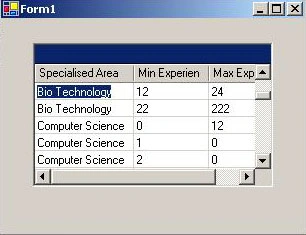
The article shows you the importance and versatility of a DataGrid control. In this article, you will see how display and save data from a database. It will also show you how you can add ComboBox, CheckBox, Text and other columns types to the DataGrid.
Introduction to TreeView Control
The Windows Forms Tree View Control helps to display the hierarchy of nodes that can be used to represent the organization structure, file system or any other system which includes hierarchical representation.
Adding controls to a DataGrid at runtime
This article covers some topics where user can add any control based on his/her choice and can use it to edit the details in a DataGrid.

Adding Controls to a DataGrid at Runtime
This article below sheds some light in above area i.e. user can add any control based on his/her choice and can use it to edit the details in the data grid.

Introduction to TreeView Control
The Windows Forms Tree View Control helps to display the hierarchy of nodes that can be used to represent the organization structure, file system or any other system which includes hierarchical representation.

Data Access through Web Services, Stored Procedures and SQL Queries
Learn how to retrieve and display data in a DataGrid using ADO.NET SQL queries, stored procedures, and XML responses from web services.
Playing with DataGrid Control
The article gives a user the overview to show the importance and versatility of the DATAGRID control.