
Create New Folder at Desktop and save folder as " excel_autobackup_utility".
Start MS Office --> MS Excel --> New
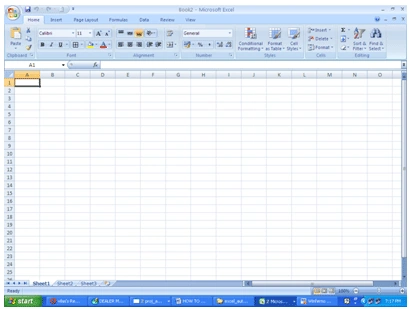
Data entry in Excel file… Click for Save…. Dialer Box will come there
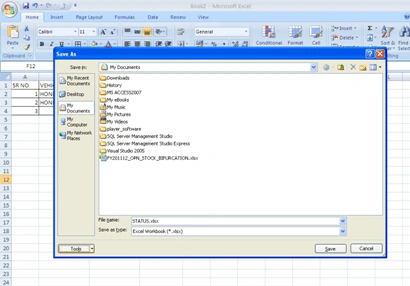
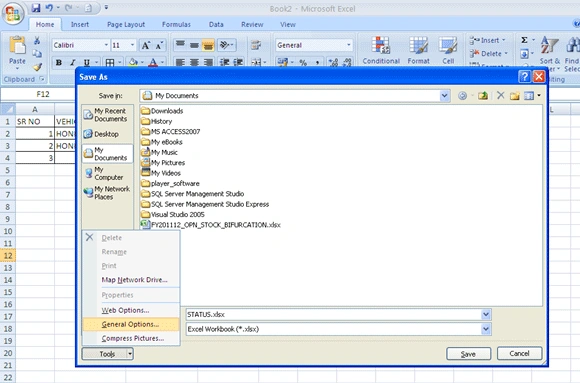
Typed File name as status.xlsx and click at Tools button then General Option
After Clicking on General Option…General Options Dialer Box will shown as...
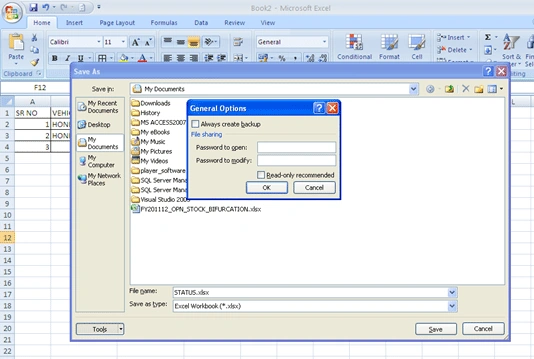
Now just check in box 'Always create backup'
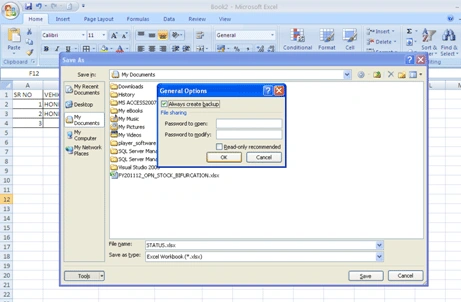
And finally Click on Save button.
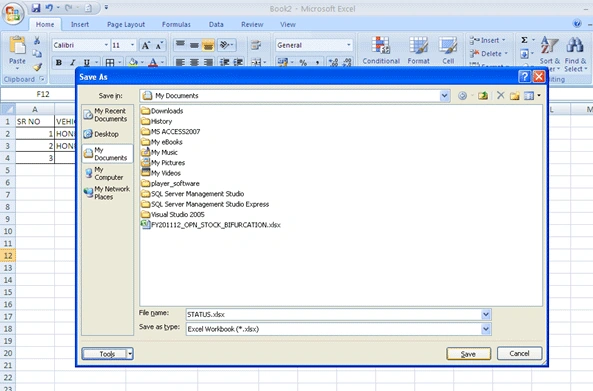
Now check at Desktop\ excel_autobackup_utility folder
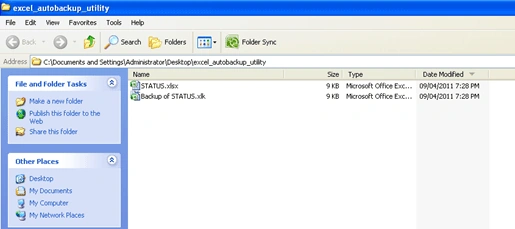
Backup of STATUS.xlsx file has been created which data will restore dynamically
of Status.xlsx file.
After deleting STATUS.xlsx file; 'Backup of STATUS.xlk' file help to you save
data.
How to Create Backup File Dynamically for MS Excel
Learn how to enable Excel's Always create backup option and restore data from the resulting XLK backup file.


SubashPosted Jul 29, 2016, 4:09 AM EDT
Sorry it not work