
When working with Power Pages, you may need to populate a dropdown from a Dataverse Choice (Option Set) column. While many articles suggest using the Dataverse Metadata API, there's a much simpler approach using the stringmaps table.
In this article, we'll learn how to retrieve Choice values using the Power Pages Web API and populate a dropdown dynamically.
Prerequisites
Before you begin, make sure:
Web API is enabled in your Power Pages site.
You have configured Table Permissions if required.
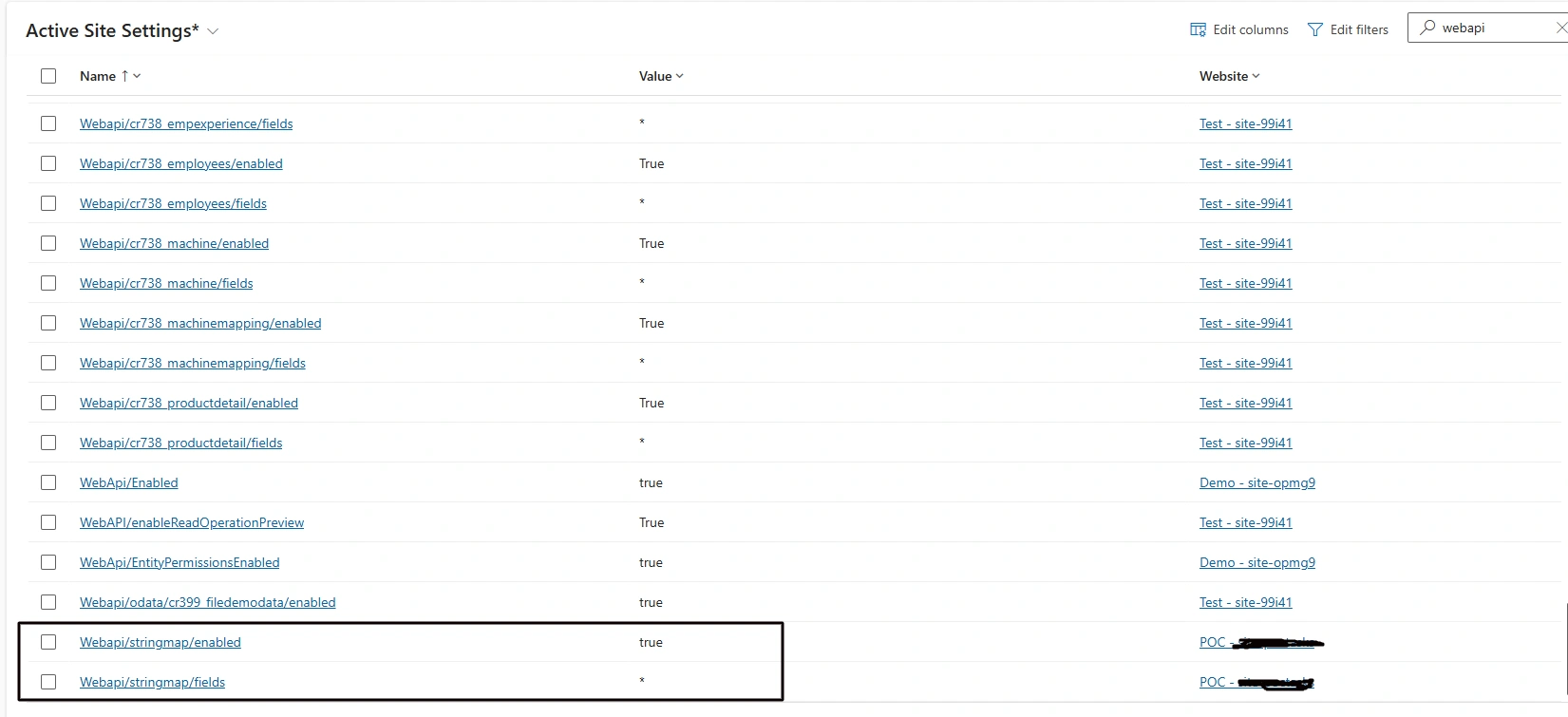
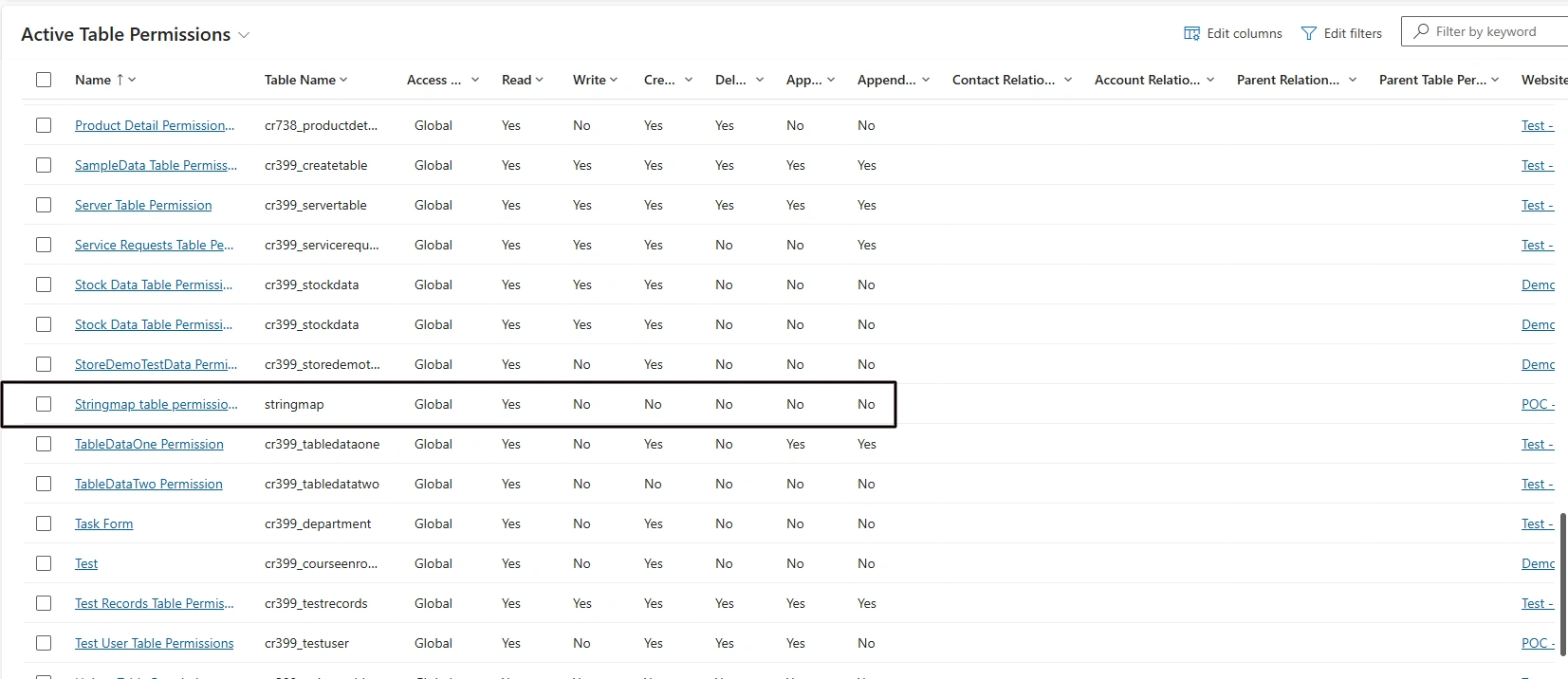
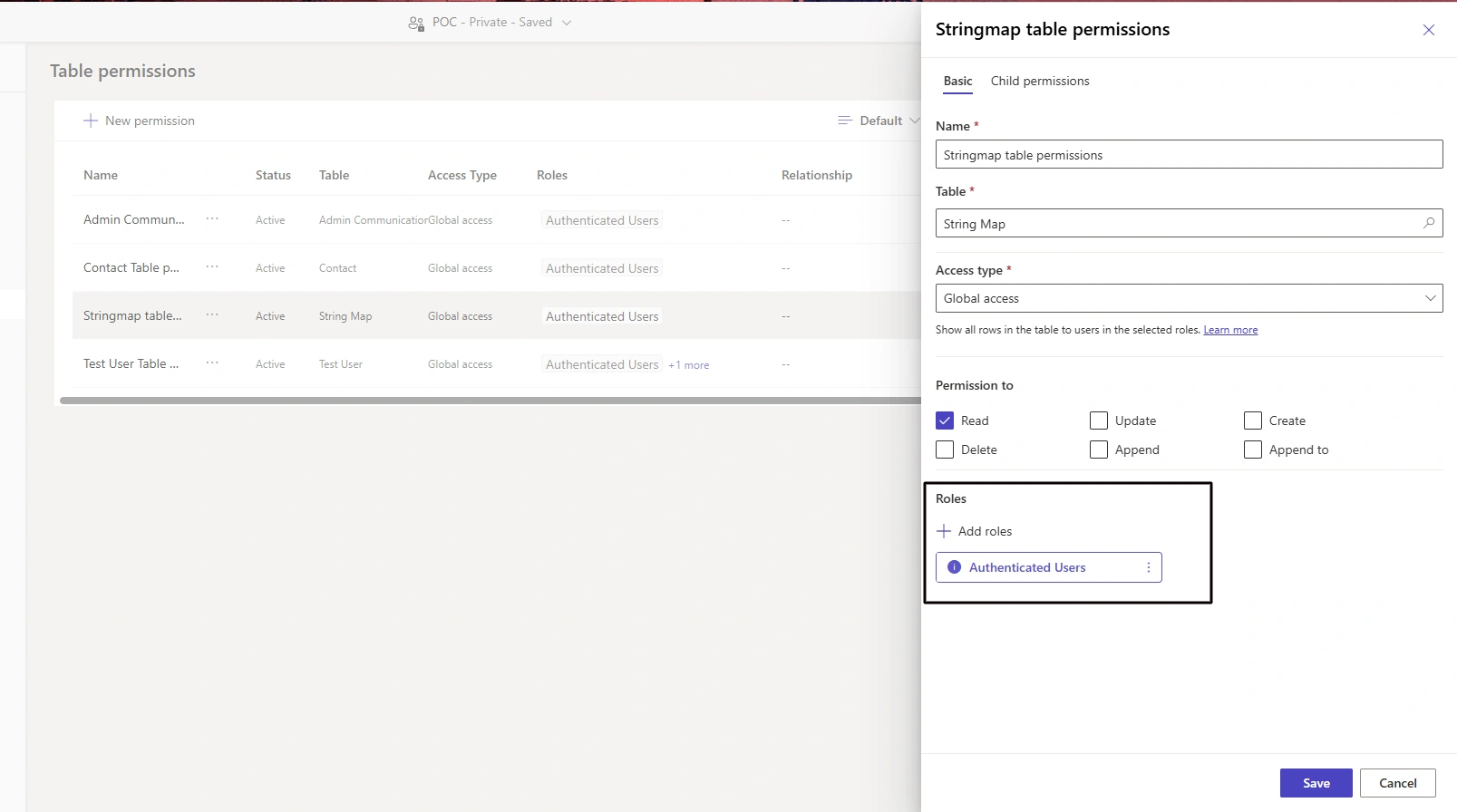
Note: First you have to publish table then implement below steps
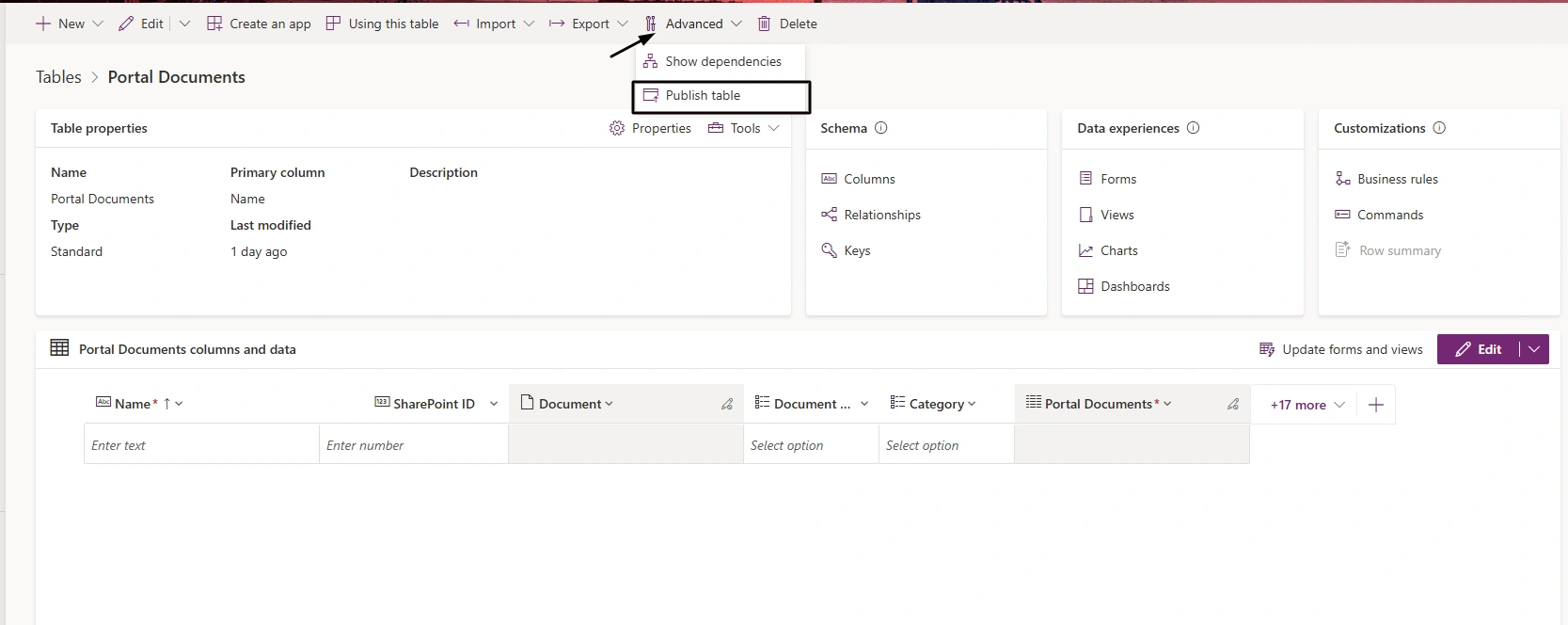
Stepwise Implementation
1 - Create new page in Power Pages studio
2 - Add this below code in JS file
(function (webapi, $) {
    function safeAjax(ajaxOptions) {
        var deferredAjax = $.Deferred();

        shell.getTokenDeferred().done(function (token) {
            ajaxOptions.headers = ajaxOptions.headers || {};
            ajaxOptions.headers["__RequestVerificationToken"] = token;

            $.ajax(ajaxOptions)
                .done(function (data, textStatus, jqXHR) {
                    validateLoginSession(data, textStatus, jqXHR, deferredAjax.resolve);
                })
                .fail(deferredAjax.reject);
        }).fail(function () {
            deferredAjax.rejectWith(this, arguments);
        });

        return deferredAjax.promise();
    }

    webapi.safeAjax = safeAjax;
})(window.webapi = window.webapi || {}, jQuery);
Power Pages requires a Request Verification Token (also called an anti-forgery token) for Web API requests. The safeAjax function is a reusable wrapper around jQuery's $.ajax() that automatically retrieves this token using shell.getTokenDeferred(), adds it to the request headers (__RequestVerificationToken), and then sends the API request. It also validates the user's login session before resolving the request, making it the recommended way to call the Power Pages Web API securely.
document.addEventListener("DOMContentLoaded", () => {
    getChoiceValues()
})

function getChoiceValues() {
    webapi.safeAjax({
        type: "GET",
        url: "/_api/stringmaps?$filter=objecttypecode eq 'cr399_portaldocuments' and attributename eq 'cr399_documentstatus'",
        contentType: "application/json",
        success: function(res){
            console.log(res)
        }
    })
}
Understanding the Query
/_api/stringmapsIt retrieves records from the StringMap table. (set name)
objecttypecode eq 'cr399_portaldocuments'It filters records for the specified Dataverse table. (logical name)
attributename eq 'cr399_documentstatus'It returns values only for the specified Choice column. (logical name)
Sample response
{
    "@odata.etag": "W/\"9683172\"",
    "[email protected]": "1",
    "displayorder": 1,
    "attributename": "cr399_documentstatus",
    "organizationid": "d70b590b-afcc-ef11-b8e4-6045bd056903",
    "[email protected]": "Portal Documents",
    "objecttypecode": "cr399_portaldocuments",
    "value": "Active",
    "[email protected]": "9,683,172",
    "versionnumber": 9683172,
    "[email protected]": "1,033",
    "langid": 1033,
    "[email protected]": "992,270,000",
    "attributevalue": 992270000,
    "stringmapid": "36d6768e-8c90-f111-8077-7ced8d7128ed"
}
where value is label of choice column and attributevalue is numeric value of choice column.
Conclusion
This approach makes the solution more maintainable, especially when Choice options are updated in Dataverse, as the Power Pages component automatically reflects the latest values.

Join the conversation! Your thoughts help the community grow.