
Background
There is always a requirement to use a map in a web application, so by considering the preceding requirement I decided to write this article. So let us learn step-by-step how to integrate Google Maps with an ASP.Net web application.
Key points for integrating Google Maps:
- Google provides the free API to integrate Google Maps in our application.
- You can customize Google Maps depending on your requirements.
Let us demonstrate the preceding points with an example by creating a web application as in the following:
- "Start" - "All Programs" - "Microsoft Visual Studio 2010".
- "File" - "New WebSite" - "C#" - "ASP.NET Empty Web Application" (to avoid adding a master page).
- Provide the web site a name such as "GoogleMAPIntegration" or another as you wish and specify the location.
- Then right-click on Solution Explorer - "Add New Item" then Default.aspx page.
Now the Default.aspx source code will look as in the following:
- <html xmlns="http://www.w3.org/1999/xhtml">
- <head runat="server">
- <title></title>
- </head>
- <body>
- <form id="form1" runat="server">
- <div>
- </div>
- </form>
- </body>
- </html>
Now drag and drop the one div tag from HTML controls and specify the ID as follows:
- <div id="canvasMap"> </div>
Now create a CSS class to provide some design to the form as in the following:
- <style type="text/css">
- html, body, #canvasMap {
- height: 100%;
- margin: 0px;
- padding: 0px
- }
- </style>
Now create the JavaScript function to load the Google Maps as in the following:
- <script type="text/javascript">
- var map;
- function LoadGoogleMAP() {
- var SetmapOptions = {
- zoom: 10,
- center: new google.maps.LatLng(-34.397, 150.644)
- };
- map = new google.maps.Map(document.getElementById('canvasMap'),
- SetmapOptions);
- }
- google.maps.event.addDomListener(window, 'load', LoadGoogleMAP);
- </script>
Now the entire source code of the Default.aspx page will look as in the following:
- <%@ Page Language="C#" AutoEventWireup="true" CodeFile="Default.aspx.cs" Inherits="_Default" %>
- <!DOCTYPE html PUBLIC "-//W3C//DTD XHTML 1.0 Transitional//EN" "http://www.w3.org/TR/xhtml1/DTD/xhtml1-transitional.dtd">
- <html>
- <head>
- <title></title>
- <meta name="viewport" content="initial-scale=1.0, user-scalable=no">
- <meta charset="utf-8">
- <style type="text/css">
- html, body, #canvasMap {
- height: 100%;
- margin: 0px;
- padding: 0px
- }
- </style>
- <script type="text/javascript" src="https://maps.googleapis.com/maps/api/js?v=3.exp"></script>
- <script type="text/javascript">
- var map;
- function LoadGoogleMAP() {
- var SetmapOptions = {
- zoom: 10,
- center: new google.maps.LatLng(-34.397, 150.644)
- };
- map = new google.maps.Map(document.getElementById('canvasMap'),
- SetmapOptions);
- }
- google.maps.event.addDomListener(window, 'load', LoadGoogleMAP);
- </script>
- </head>
- <body>
- <div id="canvasMap"> </div>
- </body>
- </html>
Now run the application, the map will look as in the following:
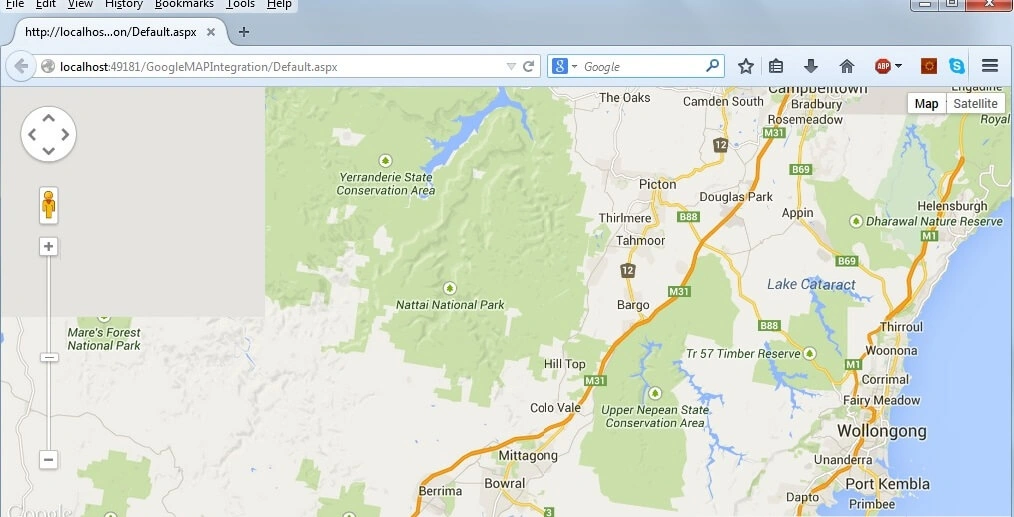
The preceding is the simple Google Maps having functionality to zoom the map in and out. To zoom in and out the following slider is used:
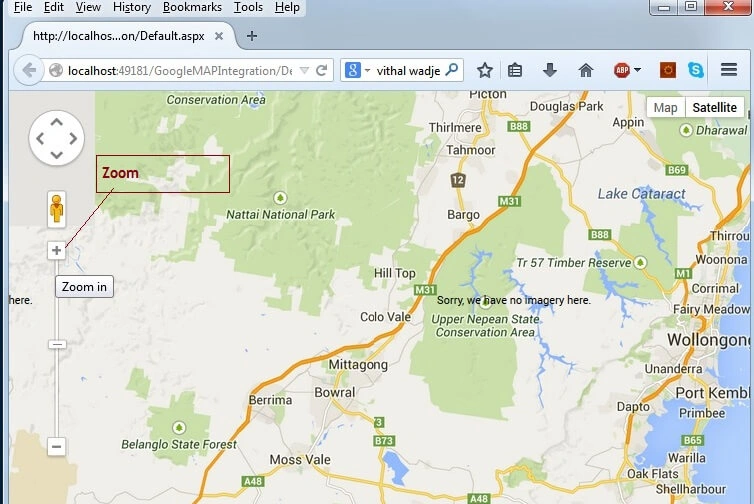
The preceding slider is used to zoom the map in and out. You can also view the satellite view by choosing the following options:
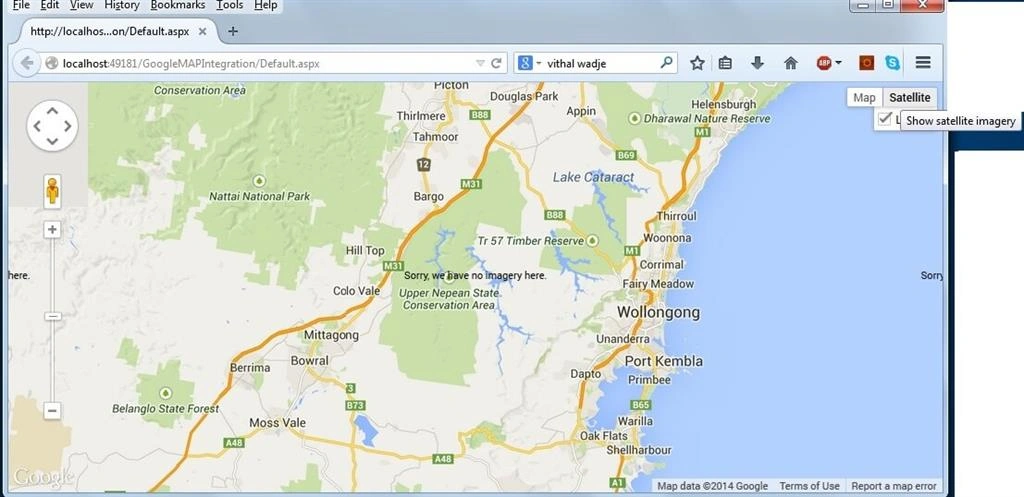
You can also view the street map as in the following:
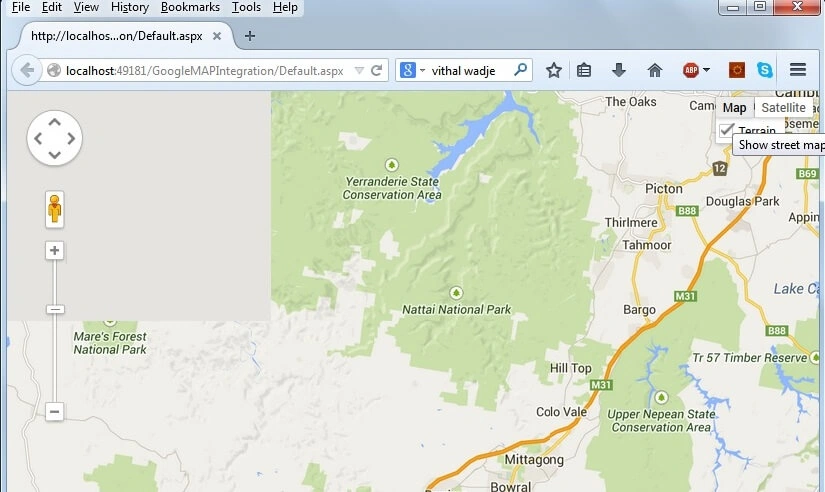
From all the preceding examples, we have learned how to integrate Google Maps into an ASP.Net web application.
Notes
- Download the source code of the application for a detailed understanding.
- You need an active internet connection to view the Google Maps.
Summary
I hope this article is useful for all readers. If you have any suggestion then please contact me including beginners also.


Abdul Amin KhanPosted Jan 18, 2018, 8:46 PM EST
Code Link is Fake please correct it
Peter BPosted Apr 18, 2017, 11:19 AM EDT
To the Google API frustrations; one needs their own API Key from Google in order to use their APIs. You can activate your own key with an extended version of this url (I've removed personal information) https://console.developers.google.com/apis/. From there you may obtain your own key which you can plug into your own url. You may also want to restrict your key so that you don't have any quota theft. Hope this helps.
Pinar KamitPosted Mar 6, 2017, 12:44 AM EST
If you re getting the key error, write to src="https://maps.googleapis.com/maps/api/js?key=KEY" (generate a key for the KEY from google map api)
Patrick MolloyPosted Nov 25, 2016, 6:22 AM EST
I did and its because I'm struggling with it that I found this website. I cannot run the code from ms web developer because of the missing key, and when I put the key in, it breaks. Telling me to go read it elsewhere really doesn't help as it is your code that won't run. Never mind, I'm sure I'll find a solution elsewhere.
Patrick MolloyPosted Nov 25, 2016, 2:22 AM EST
I'm not seeing anything in the article above relating to an API key, not is there anythimh in the html code aboe.
Patrick MolloyPosted Nov 23, 2016, 3:15 AM EST
How do I add the api key?
Vithal WadjeTOP 100Posted Jun 20, 2016, 10:48 PM EDT
thanks
Lalit RaghavPosted Jun 8, 2016, 11:24 PM EDT
Nice One
Vithal WadjeTOP 100Posted Feb 25, 2016, 8:15 AM EST
Thanks Atul Rawat sir
Vithal WadjeTOP 100Posted Feb 25, 2016, 8:15 AM EST
Thanks Sumit Jolly sir
Atul RawatPosted Feb 24, 2016, 8:06 PM EST
nice article sir
Guest UserPosted Dec 10, 2014, 10:12 PM EST
great!
Vithal WadjeTOP 100Posted Dec 10, 2014, 3:44 PM EST
Yes for location search MAP their is different API I will to it
Guest UserPosted Dec 10, 2014, 2:03 PM EST
i'm sure the api may have provision to accept location & return LongLat data points
Guest UserPosted Dec 10, 2014, 2:02 PM EST
good one! would be also nice, if we can enhance the code by adding location search?