

What is Office Scripts?
Office Scripts is a feature in Excel for the web that allows users to automate tasks by writing and running scripts. These scripts are written in JavaScript and leverage the Excel JavaScript API to interact with workbook data, perform calculations, and modify the structure of spreadsheets.
Features
- Automation: Automate repetitive tasks such as formatting cells, updating data, or generating reports. For instance, you can create a script to automatically format new data entries or clean up old data.
- Customization: Whether you need to automate complex data manipulations or just perform routine maintenance, Office Scripts gives you the flexibility to customize the automation.
- Integration: Office Scripts can be integrated with Power Automate (formerly Microsoft Flow), allowing you to trigger scripts based on various events or conditions, such as receiving an email or updating a SharePoint list.
- Record and Edit: Office Scripts provides a built-in recorder that can generate code based on actions you perform in Excel. This is particularly useful for beginners who want to automate tasks without diving deep into coding.
- Share and Reuse: Scripts can be saved and shared within your organization. You can create libraries of scripts that others can reuse, which promotes consistency and efficiency across teams.
Steps to Create Office Script
Step 1. Open Excel for the web.
Go to the "Automate" tab in the ribbon.
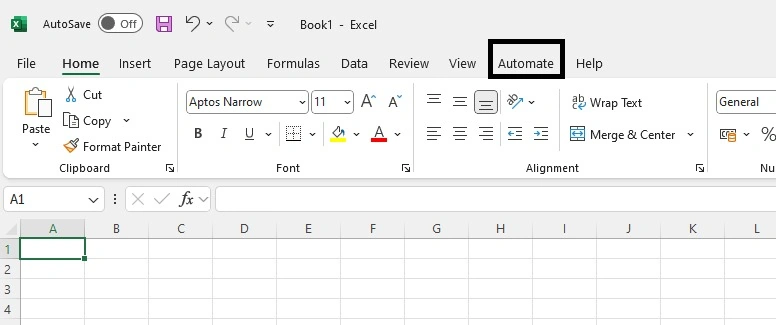
Step 2. Office Scripts uses TypeScript (a superset of JavaScript), which provides a strongly typed syntax to avoid common mistakes.
Click on the "New Script".
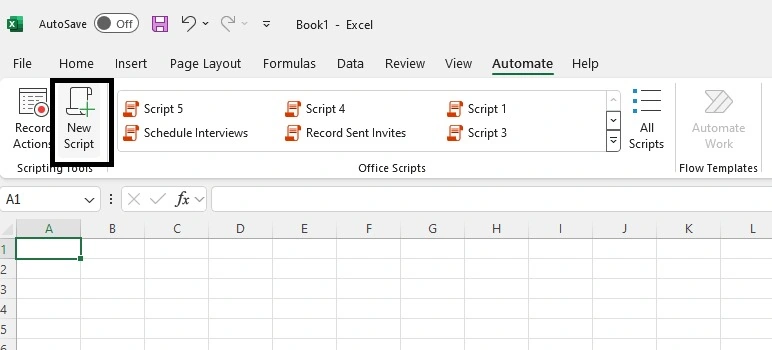
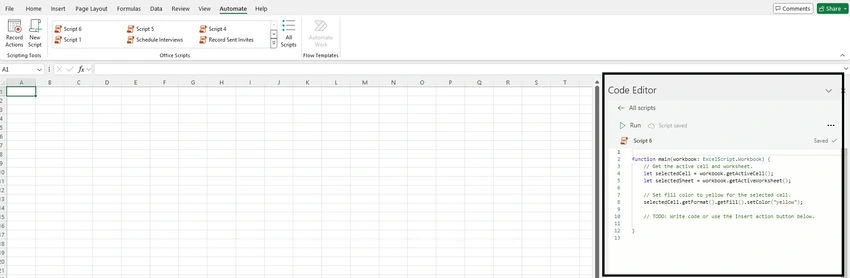
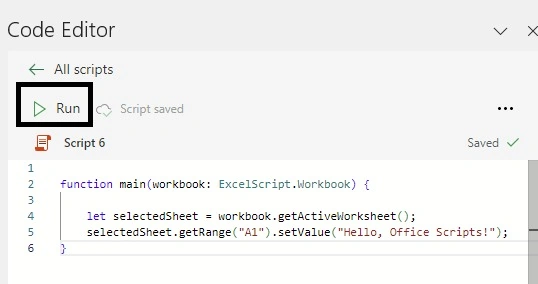
Step 3. Add the following script to the right-side script panel.
function main(workbook: ExcelScript.Workbook) {

    let selectedSheet = workbook.getActiveWorksheet();

    selectedSheet.getRange("A1").setValue("Hello, Office Scripts!"); // sets the text in cell A1

    let selectedCell = workbook.getActiveCell(); // gets the active cell

    selectedSheet = workbook.getActiveWorksheet(); // gets active worksheet

    selectedCell.getFormat().getFill().setColor("yellow"); // sets fill color to yellow for the selected cell

    selectedSheet.getRange("A1").getFormat().setColumnWidth(100); // sets the column width to 100

}
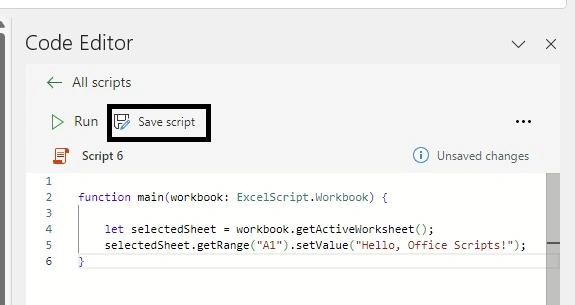
Step 4. Save the script by clicking "Save Script" .
After writing your script, Save it, and you can run it directly from the Code Editor or assign it to a button in your worksheet for easier access.
Step 5. Click on the "Run" to run the script and see the output in the workbook.
You can see the output like this.
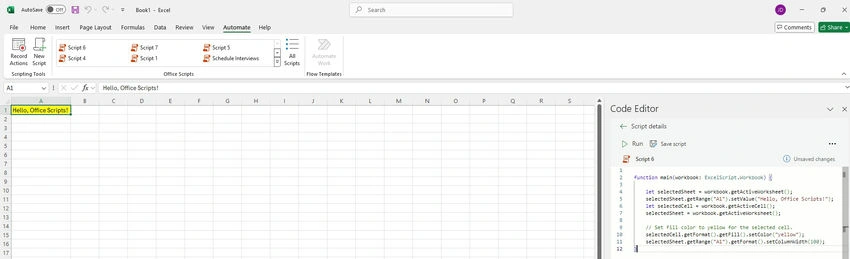
- We have added the text in the cell
- We have changed the size of the cell to match the text length.
- We have filled the yellow color in the cell.
How office script is useful?
- Data Cleanup: Automatically remove duplicates, correct formatting, or standardize data entries.
- Report Generation: Generate monthly reports by aggregating data and formatting them according to predefined templates.
- Data Integration: Pull data from multiple sheets or external sources and consolidate it into a single view.
- Custom Calculations: Perform complex calculations or data transformations that are not natively supported in Excel functions.
Join the conversation! Your thoughts help the community grow.