Active Directory
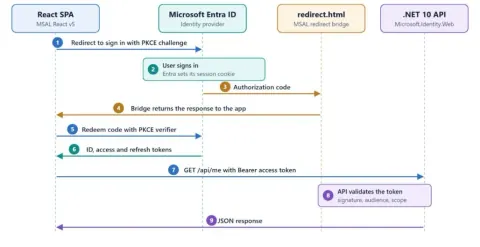
Single Sign-On with Microsoft Entra ID in .NET 10 and React Using MSAL v5
Configure single sign-on with Microsoft Entra ID for a React SPA and .NET 10 Minimal API using MSAL v5, PKCE, protected scopes, and role-based authorization.
Learn it from developers who built it.
Tutorials, how-tos and deep dives on AI, .NET, C#, cloud and developer tools, written by the community.
Configure single sign-on with Microsoft Entra ID for a React SPA and .NET 10 Minimal API using MSAL v5, PKCE, protected scopes, and role-based authorization.

Troubleshoot Microsoft Entra hybrid join failures when domain-joined PCs do not sync as devices. Learn how AD connectivity and the userCertificate attribute affect Entra Connect device sync.
Learn what the Microsoft Entra ID tenant object quota includes, how to check usage, resolve quota limits, and prevent directory object growth.
Step-by-step guide on creating self-signed certificates with Azure Functions and Azure AD App Registration. Learn how to securely generate, manage, and use certificates for authentication and app integration in Microsoft Azure.
Resolve the DeletingCloudOnlyObjectsNotAllowed error in Microsoft Entra ID after moving disabled Active Directory accounts to an unsynced OU and restoring them from the cloud recycle bin.
Implement SAML SSO in .NET 10 MVC using Microsoft Entra ID. This tutorial provides a step-by-step guide, covering application setup, Entra configuration, and SAML integration for secure authentication.
Streamline access & boost security! Learn how to implement Single Sign-On (SSO) across multiple apps. Simplify logins, reduce password fatigue, and enhance control.
Understand the gaps in LDAP signing, the role of Channel Binding Tokens (CBTs), enforcement options, auditing, and best practices to secure your LDAP connections.
Scale authorization with a Role & Claims Governance Architecture. Centralize roles, standardize claims, and unify policy for secure, auditable, and scalable access control.
This allows users to send emails directly from their alias addresses (e.g., [email protected]) without needing shared mailboxes. Simplify communication, manage team identities, and consolidate multiple addresses under a single mailbox. We'll guide you through enabling the feature via PowerShell and configuring it in Outlook Web App, Outlook Desktop, and mobile apps.
Frustrated that your Exchange Management Shell (EMS) connects to the wrong server? This article explains why EMS redirects and how to fix it. Learn about the crucial role of SSL certificates in securing PowerShell remoting and ensuring proper redirection. Discover the simple steps to bind a valid SSL certificate to the Exchange Back End site in IIS, resolving authentication errors and guaranteeing secure, predictable Exchange administration. Stop unwanted server redirection now!
Unlock the power of delegated permissions! This guide explains how apps act on behalf of users with limited access, balancing convenience and security. Learn through practical examples using Microsoft Graph and Google APIs. Understand the difference between delegated and application permissions, avoid common pitfalls, and build trustworthy apps that respect user control. Discover how OAuth 2.0 integrations work and empower users with secure access.
Learn how to run JavaScript directly in Power Automate Desktop using the “Run JavaScript” action. Build objects, return JSON via WScript.Echo(), and integrate JS logic seamlessly into your PAD flows.
Learn why enabling SMB signing is critical for security and how to implement it to safeguard your environment.
Learn how to configure domain controllers, update policy settings, modify registry keys, and test your setup to ensure stronger, modern encryption for secure authentication.
Ensuring LDAP communication is secure has become a key concern in cybersecurity, particularly in light of how easily unprotected LDAP sessions can be intercepted and manipulated. There’s been plenty of discussion around LDAP signing, but also a fair amount of confusion.
When it comes to securing your Active Directory environment, disabling NTLMv1 and enforcing NTLMv2 should be a top priority. While NTLMv2 has been available since the days of Windows NT 4.0 SP4, many environments still fall back on the older, less secure NTLMv1 protocol.
In this article, we're diving into a critical security practice: removing SMBv1 from domain controllers. While there’s already a wealth of material explaining why SMBv1 is bad, my goal here is to focus on how to take action in a production environment.
This guide demonstrates how to automate SharePoint site creation using Azure Function Apps with custom Azure Active Directory (AD) authentication. It covers prerequisites, creating an Azure Function App, configuring authentication, setting up permissions, and testing the function.
This blog post is a combination of old and new features of Azure AD Connect Sync and Azure AD Cloud Sync tools. AAD Connect Sync feature was there already and what’s new is the Sync Client’s feature of preventing accidental deletion.
Active Directory migration from Windows 2008 to Windows 2016
Lately, there has been a lot happened/ changed/ introduced in the Microsoft Entra ID Governance space and this is one of my favorite topics to write and explain as well.
Learn how to set up Azure Active Directory: Create a directory, configure a tenant, and register an app. Follow clear steps via Azure Portal to establish these essential components.
Discover how to integrate a custom domain into Azure Active Directory and establish it as the primary AD. Enhance user authentication and streamline business operations using tailored domains in Microsoft Azure.
Managing user accounts in Active Directory becomes seamless with PowerShell, a robust command-line tool. Learn how to add, modify, and delete users, streamlining administrative tasks for enhanced efficiency and automation.
Learn to authenticate users with Azure AD in C# using Microsoft.Identity.Client (MSAL), including application setup, interactive sign-in, and access token retrieval.
This article outlines connecting to AD from .Net using ADO and System.DirectoryServices and also forming a unique ID from AD, moving entries from AD to a database and forming AD queries (also date formatting for AD).
Learn how to configure passwordless phone sign-in for an Azure AD account using the Microsoft Authenticator app.
Everything on Active Directory, not only its articles: the Active Directory page →
Write an article and earn +1,000 SHARP when it is approved.
Write an article