Microsoft Fabric
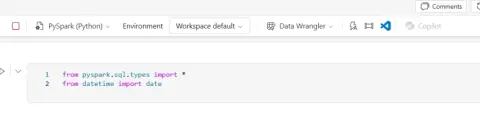
From Raw Data to a Delta Table in Microsoft Fabric: A Practical PySpark Walkthrough
Learn how to define a PySpark schema, create a sales DataFrame, and write it as a Delta table in a Microsoft Fabric Lakehouse.
Learn it from developers who built it.
Tutorials, how-tos and deep dives on AI, .NET, C#, cloud and developer tools, written by the community.
Learn how to define a PySpark schema, create a sales DataFrame, and write it as a Delta table in a Microsoft Fabric Lakehouse.

Learn how to upload local files to a Microsoft Fabric Lakehouse, store them in OneLake, and load CSV data into Delta tables for analysis.
Learn how Microsoft Fabric Materialized Lake Views materialize Lakehouse transformations, optimize refreshes, enforce data quality, and support medallion architecture pipelines.
Learn how to share a Microsoft Fabric Lakehouse, assign read, SQL, and Spark permissions, and manage user access without granting workspace access.
Learn how to create a Microsoft Fabric capacity from the Manage Capacities page in the Monitor hub, including configuration options, permissions, and provisioning steps.
Learn how to use Microsoft Fabric Capacity Monitoring to review capacity health, CU utilisation, throttling, SKUs, regions, and capacity management options.
In this article, I walk through the exact steps I used to integrate a JSON sales file into a Microsoft Fabric Lakehouse using Dataflow Gen2 — from connecting to the JSON source and expanding its nested structure, to fixing data types, mapping the output to a Lakehouse table, and publishing the dataflow for a clean, queryable result.
In this article, we explored how to create Sales and Marketing schemas in a Microsoft Fabric Lakehouse and use a Fabric Notebook to create and write tables into their respective schemas. The demonstration used PySpark to create sample data and save it as Delta tables.
Learn how to use the Azure AI Search OneLake indexer to build RAG pipelines from Microsoft Fabric data, including indexing and retrieval architecture.
Learn how to reassign an existing Power BI Pro workspace to a Fabric Capacity directly from the Microsoft Fabric Admin Portal
A practical introduction to the Microsoft Fabric Admin Portal, covering tenant settings, capacity management, domains, monitoring, governance, security, and the difference between tenant-level and workspace administration.
In my latest article, I demonstrate how to connect multiple Lakehouses to a Fabric Notebook and switch between them when needed, using Sales and Marketing Lakehouses as an example. A simple but useful feature for Fabric data engineers and developers.
Understand the difference between Microsoft Fabric OneLake and Lakehouse, including how they work together for unified storage, data engineering, Delta tables, Spark, SQL, and analytics.
Build tenant-aware AI knowledge layers with Microsoft Foundry IQ while enforcing tenant isolation, access controls, source filtering, permissions, and secure enterprise knowledge retrieval.
Benchmark AI retrieval latency across Microsoft Fabric IQ and traditional vector stores by comparing response times, retrieval accuracy, indexing performance, scalability, and enterprise workload behavior.
Learn how to run multiple SELECT statements in a Microsoft Fabric Warehouse and easily switch between their individual result sets. Using practical examples with Region, Product, and Orders tables, this article shows how multiple queries can simplify data exploration, validation, troubleshooting, and everyday SQL development in Fabric.
Learn to calculate shipping days in Fabric Dataflow Gen2 using Power Query. Handle date types, missing values, and invalid dates for robust data transformation.
Unlock enterprise AI insights with Microsoft Fabric & Power BI. Monitor adoption, optimize costs, and enhance governance for AI usage analytics.
Unlock modern data engineering with zero-copy access between Microsoft Fabric OneLake & Azure Databricks. Reduce costs, simplify architecture, and ensure data consistency.
Unlock Microsoft Fabric's power! Understand its unified platform, OneLake, Delta Tables, Lakehouse, and Direct Lake for data engineers.
Build robust enterprise AI audit trails with Microsoft Fabric. Ensure compliance, track lineage, and gain real-time insights into AI operations.
Automate Microsoft Fabric Lakehouse creation using Python notebooks and notebookutils. Streamline deployments, provision environments, and integrate with CI/CD.
Reasons for choosing the lakehouse and warehouse in end to end fabric pipline
In this article, you'll learn hoe to master SQL Server's SHOWPLAN_ALL for query optimization. Understand execution plans, avoid pitfalls, and tune for peak performance.
Unlock real-time intelligence with Microsoft Fabric's Eventstream. Ingest, transform, and route streaming data instantly for immediate insights and action.
In this article, you will learn how to load files to Fabric Lakehouse tables using existing table append behaviour of the graphical user interface
This article is about the new feature in Microsoft Fabric that allows you to adjust column width
In this article, I demonstrated how to use the COPY INTO Command to Load Data from Microsoft Fabric Lakehouse to Fabric Warehouse
Learn how to extract ZIP files directly within Microsoft Fabric Lakehouse using a Fabric Notebook, Python, and PySpark. Automate data ingestion and streamline ETL pipelines.
Learn how to seamlessly integrate Salesforce data into Microsoft Fabric using Dataflow Gen2. Unlock insights with a low-code approach for analytics & reporting.
Everything on Microsoft Fabric, not only its articles: the Microsoft Fabric page →
Write an article and earn +1,000 SHARP when it is approved.
Write an article