Loading
Articles by Abhimanyu K Vatsa

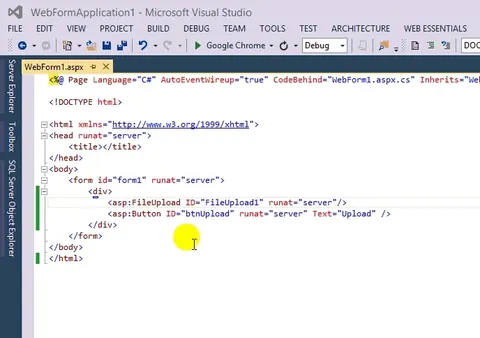
Single File Upload to Multiple File Upload ASP.Net Web Forms
With the ASP.NET File upload control we can only upload one file at a time whereas HTML5 can upload multiple files at a time. Look at the animated image given below, that was the actual framework before HTML5 and equivalent with the ASP.NET 4.5 Framework.

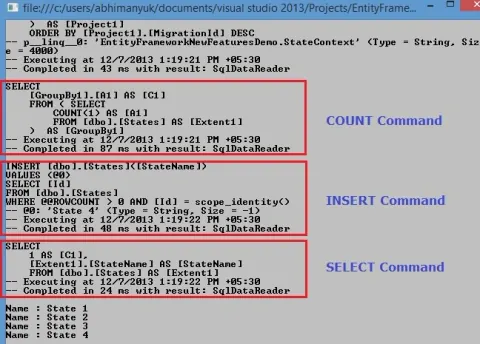
Logging Database Operations in Entity Framework
Discover Entity Framework 6's new feature: logging database operations. Easily debug and troubleshoot performance issues by logging SQL commands, parameters, timestamps, and more. Customize logging output for better insights into your application's behavior.
What Are Default Model Binding and Explicit Model Binding in MVC?
Model Binding is a great feature we use today with Web Forms and MVC. In this post you will learn what are Default Model Binding and Explicit Model Binding in MVC. I will use few code snippets in this post so that you can understand it quickly.
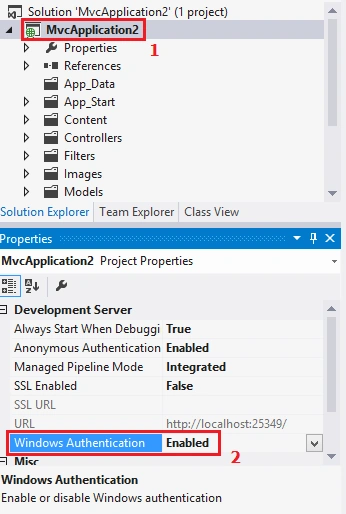
Windows Authentication in MVC4 With IIS Express
MVC4 has gone through some major changes in Windows Authentication functionality with IIS Express. In this article you will learn how to enable Windows Authentication in MVC4 Web Application on IIS Express.
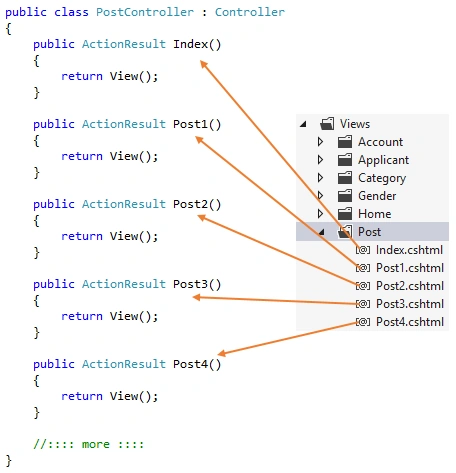
View Without Controller Action in MVC
In this quick article you will learn how a view can be rendered without its native Controller Action method.
What is Model and ViewModel in MVC Pattern?
Model and ViewModel are two things we always hear about in MVC. In this article I will show you the differences between them.
What is Eager Loading and What is Lazy Loading and What is N+1 Problem in Entity Framework?
In this article, you will learn what Eager Loading and Lazy Loading are and how they work in an application and how you can take advantage of them.
Getting Started With Mustache.js in MVC
In this article, you will learn how to use the Mustache.js JavaScript library in MVC for client-side templating.
Enabling Client Side Validation on Custom Data Annotations With IClientValidatable in MVC
This article is a continuation of the article How to Create Custom Data Annotations, This article explains how to create or enable client-side validation for custom data annotations.
Working With Azure BLOB Storage in MVC
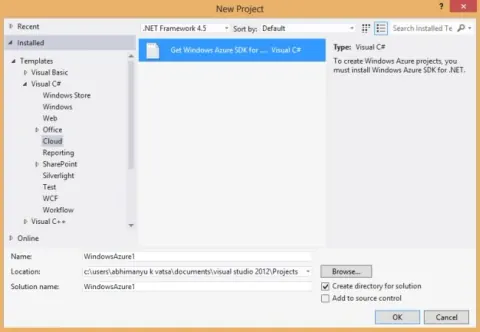
This article intoduces BLOB Storage and explains the installation of the Azure SDK for .NET, creating a MVC Application (Web Role) to upload BLOBs (for example, images) and delete BLOBs, and publishing to Windows Azure (Storage and Web Role).
Custom Data Annotations or Custom Validation Attributes in MVC
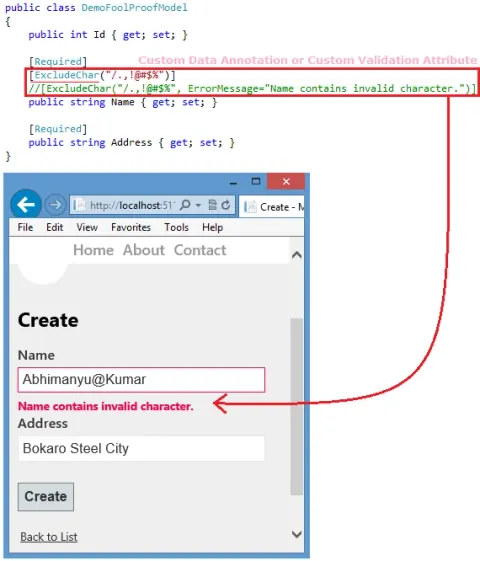
In this post you will learn how to create custom data annotation in MVC. MVC framework has great extensibility feature and because of this we can create our own customized data annotation attributes.
Globalization and Localization of Model Validation Messages in MVC
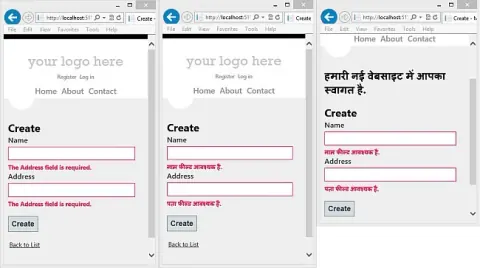
In this quick post you will learn how to globalize and localize the model validation messages in MVC Applications. At the end of this article, you will also learn how to display the localized message (greeting) on the page.
Nested Collection Models in MVC to Add Multiple Phone Numbers - Part 1
This article explains how to create an MVC application using the Nested Model concept, allowing users to add or remove multiple phone numbers for an employee. It covers database setup, model creation, prepopulating input fields, and dynamic form handling using Entity Framework and View templates.
Retrieve Views From Different Folders in MVC
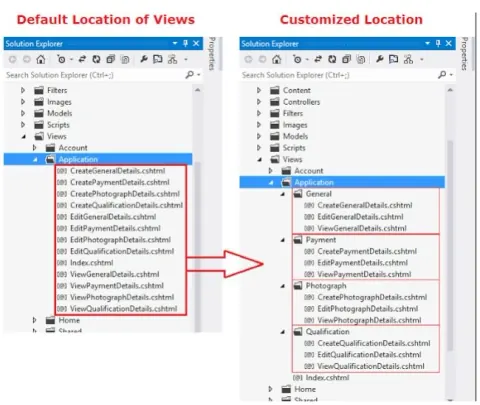
In this post, you will learn how to retrieve the views which is inside another folder. For example a view which is inside folder Views|Application|General|Index.cshtml. How will you map it or use it from controller? Is this possible?
Removing or Customizing View Engines in MVC
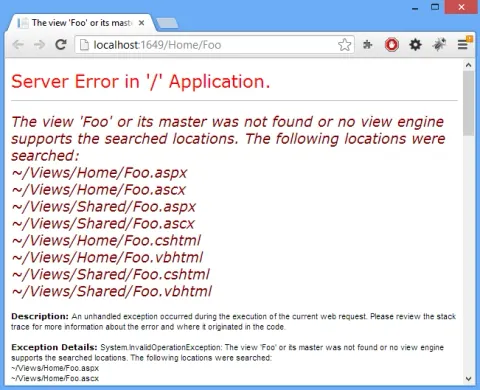
In this article, you will learn how to remove or customize View Engines not being used by an application.
Best Way to Prevent Cross Site Request Forgery Attacks in MVC 4
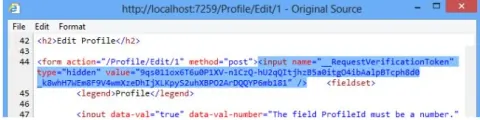
In this article you will learn what Cross Site Request Forgery (CSRF) is and is the best way to prevent such attacks. After a quick introduction about CSRF I will show you an example where the attacker will change the profile information with one click.
Logging Errors With Error Logging Modules And Handlers (ELMAH) in ASP.NET MVC 4
Error Logging Modules and Handlers (ELMAH) is an alternative to Health Monitoring System (HMS) for logging errors and is free and available under an open-source license created and managed by Atif Aziz.
Avoiding Cross-Site Scripting (XSS) Attacks With AntiXSS in MVC 4
In this article, you will learn, with examples, how to avoid XSS attacks in MVC Applications with Microsoft's AntiXSS library.
Client Side Username Availability Checking in MVC
It is often required live ‘username’ checking on user registration page in web applications. Today I developed this for my one of the web application and would like to share that with you.
Area in MVC - Giving a Nice Physical Structure & Dealing With Template Bug
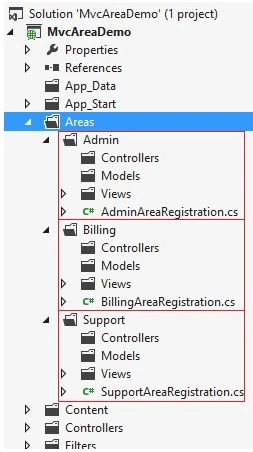
In my last blog post I talked about ‘retrieving views from different folders in MVC’ and it works cool when we want view pages always inside Views folder (which is on the project root) but our requirement not ends here.
Optimizing ASP.NET MVC Applications with Output Caching
In this article you will learn everything about Output Caching in MVC. Output Caching enables us to cache the content returned by any controller method so that the same content does not need to be generated each time the same controller method is invoked.
Ajax.ActionLink and Html.ActionLink in MVC
In this article you will learn the use of the Ajax.ActionLink helper and Html.ActionLink. I will compare both to show you how they differ.
jQuery UI Autocomplete With JSON in MVC 4
In the last post jQuery Ajax GET and POST calls to Controller's Method in MVC we saw an example on ‘GET call with parameter to Controller’s Method which will return JSON data’ (in case you missed, go and read that before continuing here), let me put the screenshot here.
GET and POST Calls to Controller's Method in MVC
Learn how to use jQuery Ajax GET and POST requests with ASP.NET MVC controller methods, including parameters, JSON responses, and model binding.
DropDownList Helper Data Binding in MVC
In this post, you will learn how to bind the data to DropDownList helper in MVC. We will try binding data to DropDownList from List<SelectListItem>, List<Model> and also from database.