Loading
Arun Potti's contributions
- Article · Power Apps
Export and Unpack Dataverse Solutions Using Power Platform CLI
Learn how to use Power Platform CLI to export an unmanaged Dataverse solution and unpack its components into local files for source control.
- Article · Dynamics CRM
How to Manage Dataverse Authentication Profiles Using Microsoft Power Platform CLI
Learn how to create, list, select, rename, delete, and clear PAC CLI authentication profiles for multiple Microsoft Dataverse environments.
- Article · Dynamics CRM
How to Connect to Microsoft Dataverse Using Power Platform CLI
Most PAC CLI operations that interact with Power Platform resources require authentication. PAC CLI uses authentication profiles, and Microsoft supports keeping multiple profiles on the same machine, which is particularly useful when working with different tenants or environments. Prerequisites: Bef
- Article · Power Apps
What is Microsoft Power Platform CLI?
Learn what Microsoft Power Platform CLI (PAC CLI) is, how to install it with Visual Studio Code, and how to verify the installation and access command help.
- Article · Dynamics CRM
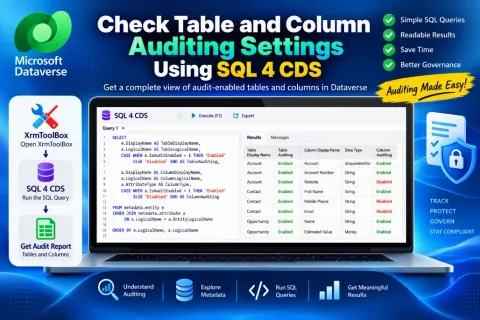
How to Check Table and Column Auditing Settings in Microsoft Dataverse Using SQL 4 CDS
Learn how to use XrmToolBox and SQL 4 CDS to query Microsoft Dataverse metadata and review auditing settings for tables and columns.
- Article · Dynamics CRM
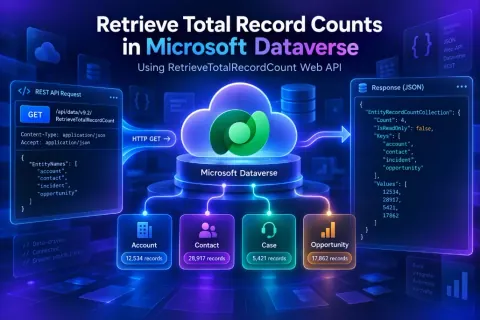
How to Retrieve Total Record Count for Multiple Tables in Microsoft Dataverse
Learn how to use Dataverse RetrieveTotalRecordCount to get approximate row totals for multiple tables through the Web API or C# SDK, beyond OData $count limits.
- Article · Dynamics CRM
How to Retrieve Environment Variable Values Using SQL 4 CDS in XrmToolBox?
Retrieve Dataverse environment variable schema names, types, default values, and current values using SQL 4 CDS in XrmToolBox.
- Article · Dynamics CRM
Step-by-Step Guide to Create Your First Dataverse Custom API
Learn how to create your first Dataverse Custom API step by step. This hands-on tutorial covers Custom API creation, request and response parameters, plug-in development, assembly registration, testing with Dataverse Accelerator.
- Article · Power Automate
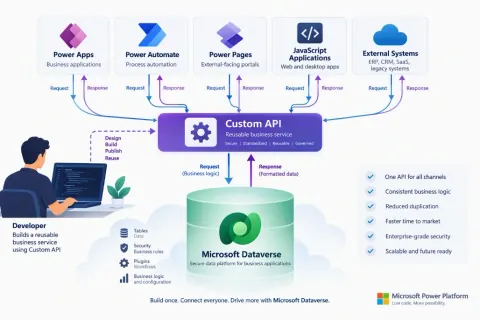
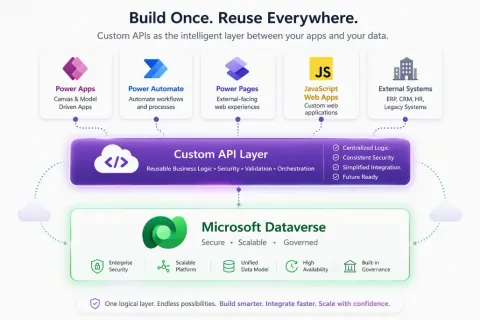
What is Dataverse Custom API and Why Should Power Platform Developers Use It?
Learn how Dataverse Custom APIs expose reusable business logic through secure, maintainable operations for Power Automate, apps, and external systems.
- Article · Dynamics CRM
How to Get Monthly Record Counts from Dataverse Using SQL 4 CDS in XrmToolBox?
Discover how to use SQL 4 CDS in XrmToolBox to get monthly and yearly record counts from Dataverse tables. A simple, reusable query for reporting, migration validation, and trend analysis.
- Blog · Dynamics CRM
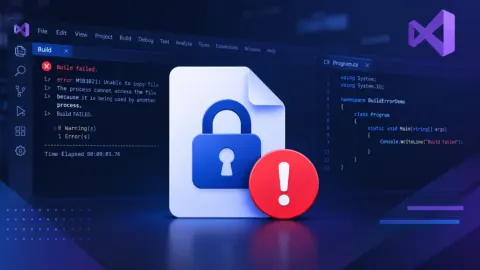
Fixing “Exceeded Retry Count of 10” Build Error in Visual Studio for D365 CE Projects
Learn how to fix the Visual Studio build error caused by a locked Dataverse console application executable by identifying and ending the running process in Task Manager.
- Blog · How do I
Fixing Postman Connection Issues: A Step-by-Step Guide
Fix Postman connection errors with this step-by-step guide! Learn how to resolve 'Unable to load data' and websocket connection issues by updating Postman. Get your API workflow back on track!
- Article · Dynamics CRM
My first XRMToolBox Plugin: Dataverse Users, Security roles, Teams and Teams security roles (Overview, Installation & Usage)
Explore Dataverse security with this XrmToolBox plugin! Analyze users, roles, teams, and access. Export data for audits, compliance, and cleanup. Easy install!
- Article · Dynamics CRM
How to Configure a "DoNotReply" Email Using a Shared Mailbox in Dynamics 365 CE
In this article, we will learn Step-by-step details to configure the donotreply share mailboxes and send emails in Dynamics 365 CE
- Blog · Power Pages
Edit in Visual Studio Code for the Web in Power Apps Portals
Explore the new Power Apps Portals feature that lets you open and edit portal components directly in Visual Studio Code online, enabling real-time changes, instant saving, and a seamless development experience.
- Blog · Azure
Microsoft Azure: You’re Not Eligible for an Azure Free Account
If you see the message "You’re not eligible for an Azure free account," it means your account does not meet Microsoft Azure’s free tier criteria.
- Blog · Power Pages
Power Pages: Update Your Portal Auth Key Before Expiry
Learn how to renew the authentication key for your Microsoft Power Pages site to avoid downtime. Follow a step-by-step guide via Power Platform Admin Center to ensure uninterrupted access to Dynamics 365.
- Blog · Power Automate
OpenApiConnection Error: inputs.parameters Invalid
I encountered a Power Automate error due to a name parameter exceeding the field length. Resolved it by updating the column size, reloading parameters, and saving the flow. A potential bug; the workaround worked seamlessly after adjustments.
- Blog · Power Automate
Use FilteringAttributes with Update Event in Triggers
Encountered an error in Power Automate Flow while creating an Order Product. The trigger failed with error code 0x80040203 due to incorrect Change type and Select columns. Solution: Update Change type and remove Select columns.
- Blog · Dynamics CRM
Dynamics 365 CE Solution Import Failed in Azure DevOps Pipelines
This article, covers common errors, troubleshooting steps, and best practices for ensuring successful solution deployment in DevOps, helping streamline your CI/CD processes and avoid common pitfalls.
- Blog · Power Automate
Power Automate Error: Cannot Write more Bytes to the Buffer
Learn how to resolve the 'Power Automate Error: Cannot write more bytes to the buffer.' This error typically occurs when the buffer size exceeds its capacity during data processing.
- Article · Power Apps
Add and Use Copilot Answer Control in Microsoft Power Apps Preview
In this guide, you'll learn how to add and use the Copilot answer control (Preview) in Microsoft Power Apps. We walk you through the steps to integrate this AI-driven feature, enhancing user interactions with automated responses.
- Article · .NET
How to Download and Install the .NET Developer Framework?
Microsoft .NET Framework is a Windows-only version of .NET used to build client and server applications. To install it, visit the .NET downloads page, choose the required version, download the executable file, agree to the license terms, and install. Restart your PC to use the framework in Visual Studio.
- Article · Power Automate
Get First Row from Dataverse Table in Power Automate
Learn how to retrieve the first row from a Dataverse table using Power Automate. This guide walks you through creating a flow, filtering contacts with emails, and using expressions to extract the first row's contact ID, full name, and email.
- Blog · Power Apps
Recipient of type ‘Contact’ with ID is marked as non-emailable
Encountered an error in Power Automate: "Recipient of type ‘Contact’ is marked as non-emailable." The issue stemmed from the email preference being set to "Do Not Allow" in the contact’s preferences. After updating to "Allow," the flow successfully sent the email.