Loading
Articles by Dinesh Beniwal
Hello VB.NET
This short article is based on the classic Hello, World” sample program familiarizes you with the language syntax and introduces the command line compiler. It illustrates how to write a VB program and compile it from the command line by exploring some of the basics of VB programming and compiler options. After completing this article, you will know how to write a simple program in VB using a text editor and compile it from the command line.
Shaped Windows in WPF
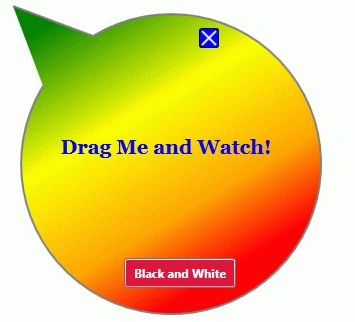
Every user interface in WPF is represented by a Window. In this article, you will learn how to create non-rectangular shaped Windows in WPF using C#.

WPF Shaped Windows in VB.NET
Every user interface in WPF is represented by a Window. In this article, you will learn how to create non-rectangular shaped Windows in WPF using VB.NET.
Managing Cookies in a WPF Application
This article discusses how use cookies in WPF Applications using VB.NET.
Managing Cookies in a WPF Application
This article discusses how use cookies in WPF Applications using C#.

WPF DataGrid using C# and XAML
This article is a part 1 of my WPF DataGrid series. In this part, you will learn how to create a DataGrid using XAML and C# and set its properties. The article will also show you how to apply data binding on a collection.
Building Transparent Controls in WPF
This article demonstrates how to build transparent and semi-transparent controls in WPF.
Find Controls by Name in WPF
FindName method of FrameworkElement class is used to find elements or controls by their Name properties. This article shows how to find controls on a Window by name.
Transferring data from one ListBox to another in WPF
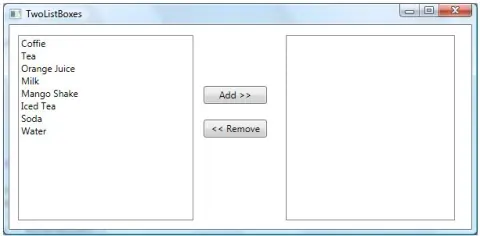
This article discusses how we can transfer items from one ListBox to another in WPF.
Get Installed Speech Voices in WPF
This code snippet shows how to get all installed speech synthesis voices on a computer using Speech API in WPF and C#.
WPF Media Player in VB.NET
This tutorial shows you how to play and control media files in WPF and XAML using WPF Media controls.
WPF ComboBox in VB.NET
This tutorial demonstrates how to create and work with a ComboBox control in WPF using XAML and C#.
WPF Image Viewer in VB.NET
The attached project with this article is a simple Image Viewer that allows users to browse an image and display it in WPF and XAML.
Show multiple Windows at startup in WPF
There are often times when you need to show multiple Windows when a WPF application starts.
WPF Data Binding in VB.NET
In this article, I discuss how we can use ADO.NET DataSet to get data from a database and bind to a WPF ListBox control using data binding process in WPF.
Animated Banners in XAML
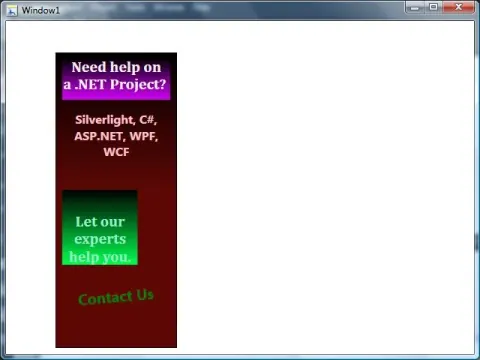
This article shows how to use animation related controls in XAML to create an animated banner with animations such as gradient colors, text rotation, and resize the banner text.
WPF User Control in VB.NET
This article discusses how to create a User Control in XAML and WPF using Visual Studio 2008 and how to use it in a WPF application.
HScrollBar and VScrollBar Controls in VB.NET
Windows Forms ScrollBar controls are used to provide easy navigation through a long list of items or a large amount of information by scrolling either horizontally or vertically within an application or control.
HelpProvider Component in VB.NET
The Windows Forms HelpProvider component is used to associate an HTML Help 1.x Help file (either a .chm file, produced with the HTML Help Workshop, or an .htm file) with your Windows application.

How to: Animate a BorderThickness Value in WPF
This Article shows how to animate changes to the thickness of a border by using the ThicknessAnimation class.
How to: Change Border Properties in WPF
This article shows how to change the Background color of a Border element.
ErrorProvider component in VB.NET
The Windows Forms ErrorProvider component allows you to show the user in a non-intrusive way that something is wrong.