Loading
Articles by Dinesh Beniwal

WPF WrapPanel in VB.NET
A WrapPanel control is used to arrange child controls to arrange vertically or horizontally. This article demonstrates how to create and use a WrapPanel control in WPF using XAML and VB.NET.
WrapPanel in WPF
A WrapPanel control is used to arrange child controls to arrange vertically or horizontally. This article demonstrates how to create and use a WrapPanel control in WPF using XAML and C#.
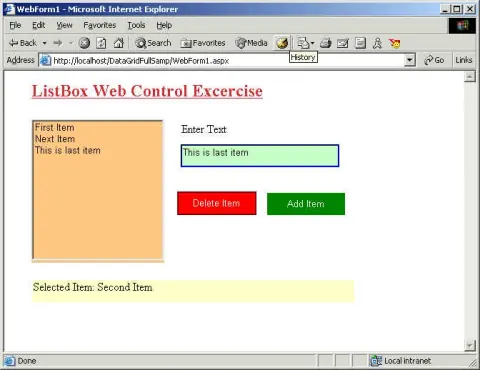
Using ListBox Web Control
This article explains the ListBox Web Forms control properties and methods and how to use it.
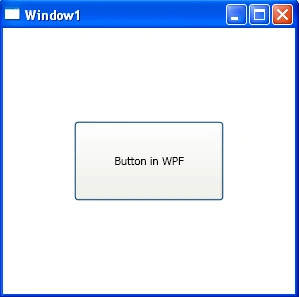
Button Control in WPF
This tutorial demonstrates how to create and use a Button control in WPF using XAML and C#.

Button Control In WPF
The Button class and XAML Button element represent a WPF Button control that is used to execute code on the button click event. Code examples in this article covers how to use Button, add a button click event handler, and format a WPF button in C# and XAML.
Implementing Opacity Masks in WPF
Opacity masks allow us to make portions of an object transparent or semi transparent. This article demonstrates how to implement opacity masks feature in WPF objects such as a Rectangle and an Image.
Implementing Opacity Masks in WPF
Opacity masks allow us to make portions of an object transparent or semi transparent. This article demonstrates how to implement opacity masks feature in WPF objects such as a Rectangle and an Image.
Implementing Opacity Masks in WPF
Opacity masks allow us to make portions of an object transparent or semi transparent. This article demonstrates how to implement opacity masks feature in WPF objects such as a Rectangle and an Image.

Implementing Opacity Masks in Silverlight
In this article you will learn how to use Implementing Opacity Masks in Silverlight.
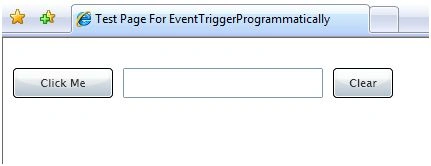
Programmatically Trigger Events of a Control in Silverlight
This article shows you how to fire the click event of a Button control programmatically in Silverlight 2.0.
Application State and Global Variables in ASP.NET
This article explains the basics of application state and how to manage application state in ASP.NET.
Building Custom Controls in Silverlight 2.0
This tutorial discusses how to create and use custom controls in Silverlight 2.0 and Visual Studio 2008. The first part of the tutorial creates an ImageViewer user control and second part shows how to use this control in a Silverlight Web application.

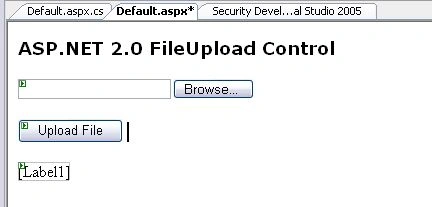
ASP.NET 2.0 FileUpload Control
ASP.NET 2.0 FileUpLoad control is used to browse and upload a file from a web page. This tutorial shows how to use ASP.NET 2.0 FileUpload control.
.NET Beta 2 and Navigation in XML Documents
.NET Beta 2 was released yesterday at tech-ed, 2001, Atlanta. Many things have been changed in Beta 2 since Beta 1. In this article, I'll cover changes in XmlNavigator class replaced with XPathNavigator.
ASP.NET 2.0 Xml Control <asp:Xml>
The Xml control of ASP.NET 2.0 is used to display an XML document and apply XML transformations to transform the data. This article shows how to use Xml control.
WPF TextBlock
In this article, I discussed how we can create and format a TextBlock control in WPF and VB.NET.
WPF TextBox in VB.NET
This article demonstrates how to create and use a TextBox control in WPF using XAML and VB.NET.
ListBox in Silverlight
A ListBox control is an items control that works as a ListBox control but only one item from the collection is visible at a time and clicking on the ListBox makes the collection visible and allows users to pick an item from the collection. This article demonstrates how to use a ListBox control in Silverlight.
TextBlock in Silverlight
A TextBlock control in .NET 3.5 provides a lightweight control for displaying small amounts of flow contents. This tutorial demonstrates how to create and use a TextBlock control in Silverlight using XAML and C#.
ListBox in WPF
This tutorial shows you how to create and use a ListBox control in WPF and XAML. The tutorial also covers styling and formatting, add images, checkboxes, and data binding in a ListBox contrtol.
TextBox in Silverlight
This article demonstrates how to create and use a TextBox control in Silverlight using XAML and C#.