Loading
Articles by Manish Tewatia
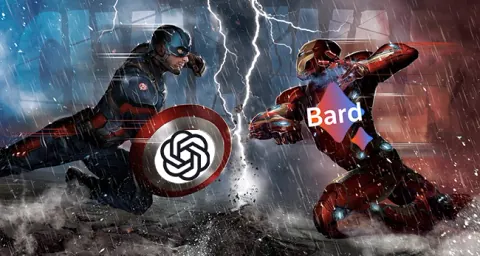
Google Bard A Potential Game-Changer Set to Dethrone ChatGPT
Google Bard, the revolutionary language model chatbot, is now available in India and aims to outperform ChatGPT.

What is New in Visual Studio 2015
Explore the new features and improvements in Visual Studio 2015 Preview, including cross-platform development tools, .NET 4.6, debugging, Git, and ASP.NET support.
C# Corner Delhi Developer's Day 13 September, 2014: Official Recap
Today the C# Corner Delhi Chapter organized its monthly event at C# Corner, Noida Office. It is the 101th Chapter Meet by C# Corner.

Learn HTML5 - Part 4: WebSocket API
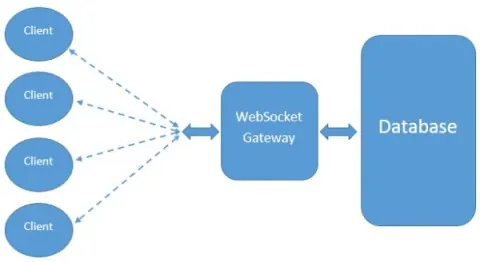
This part will drive you to basics of WebSocket APIs of HTML5 and how to implement them on the client side.
Learn HTML5 - Part 3: Server-sent Events APIs
In this part of the Learn HTML5 series you will learn about the Server-sent Events APIs.
Getting Started With Knockout.js
This article is an introduction to Knockout.js and how things work with Knockout.js.
Learn HTML5 - Part 2: Web Workers
In this part of the Learn HTML5 series you will learn about the Web Workers API, what is it all about and how to use it with an example.
Learn HTML5 - Part 1: Introducing HTML5 APIs
This is the first article in a series of HTML5, here I will give a basic introduction to HTML5 APIs.

Goal Seek Feature in Microsoft Excel
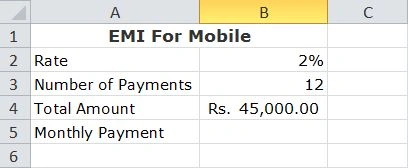
This article explains one (Goal Seek) of tons of great features of Microsoft Excel.

Introduction To Enterprise Library 6.0 And Unity 3.0
Explore Enterprise Library 6.0 and Unity 3.0, essential tools in Microsoft's .NET ecosystem. Learn how to leverage Enterprise Library for robust application development and Unity 3.0 for effective dependency injection, enhancing scalability and maintainability in enterprise-level software projects.
Bitmap and Nine-Patch Drawable Resources in Android
Here I am sharing my experience of working with Drawable Resources in Android, Through this article you will learn to use Bitmap and Nine-Patch Drawable Resources which is the first two of ten Resources available in Android.
Windows Phone 8 App Localization
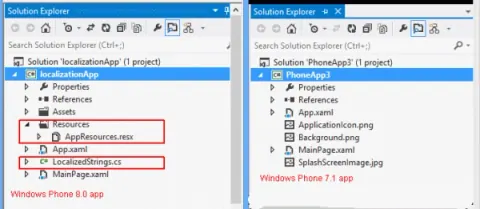
Here you will learn about the new built-in support for localization, introduced in Windows Phone 8.
New Countenance of Windows Phone SDK 8.0
This article introduces the most significant changes and new features of Windows Phone SDK 8.0.
Slight Exertion With Objective-C For IPhone Development
This tutorial teaches you the companion and basics of Objective-C programming language.
Working with Tab Layout in Mono For Android
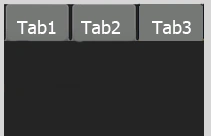
Tab Layout is used to wrap multiple views in a single window and navigate thought them with a Tab Container. Let's learn in this article how to create and work with the Tab Layout in Mono for Android.
Working with 3rd party Layout Manager in BlackBerry
The GridFieldManager provides an easy way to manage a table or list layout on the screen, with the help of this article I will explain the GridFieldManager with an example.
Working with Layout Managers - User Interface in BlackBerry
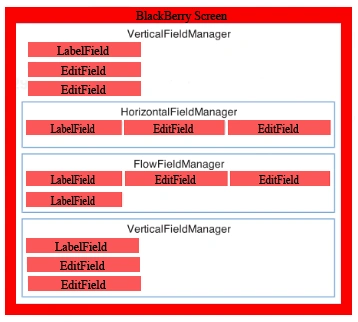
RIM’s layout managers are akin to Swing layout managers, and allow you to arrange lots of fields on the screen, it is responsible for determining where a UI element will be positioned on the display.
Start developing BlackBerry Application
Lets learn how you could design applications for BlackBerry devices through my this very first article on BlackBerry development.
Simple Calculator Using Mono for Android
In this article you will learn how to create simple calculator using Mono for Android.
AutoComplete And MultiComplete TextView in Mono For Android
This article is about the AutoComplete and MultiComplete TextViews which can show a suggestions based list of data in Android.
Working With Text Controls in Mono for Android
By using text controls in your Android application, we can configure, style, and manipulate the controls in a variety of ways.
Working With Android ScrollView in VS2010
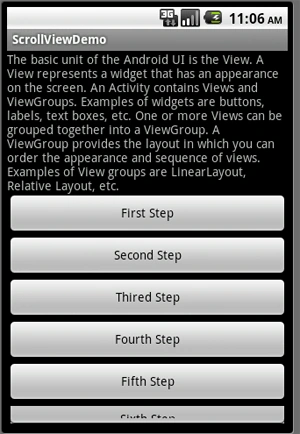
Learn how to use Android ScrollView and HorizontalScrollView layouts to display content that extends beyond the screen.
Display images inside a GridView in Android using VS 2010
The GridView view mode displays a list of data items by binding data fields to columns and by displaying a column header to identify the field. The column cells and the column header of a GridViewColumn have the same width.
RelativeLayout in Android Using Visual Studio 2010
The RelativeLayout organizes layout components in relation to each other. This provides more flexibility of component positioning than LinearLayouts. The position of a view can be specified relative to sibling elements or in positions relative to the RelativeLayout area.