Loading
Articles by Praveen Kumar
- Silverlight
Creating nice tab feature in Silverlight
This article uses cool animation in silverlight to create a tab bar like look.
- Learn .NET
Passing Values between forms in Silverlight
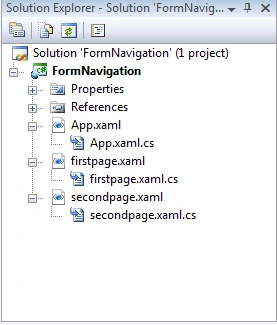
Here in this article, I am going to show how to navigate between pages in an application and to pass values between them.
- LINQ
Select Items with Where in LINQ and C#
This article shows how to select exact match and in between items from a collection using LINQ and C#.
- WPF
WPF TreeView Tutorial
This tutorial shows you how to create and use a TreeView control available in Windows Presentation Foundation (WPF) and XAML.
- WPF
WPF Menu Control
This tutorial shows you how to create and use a Menu control available in Windows Presentation Foundation (WPF).
- WPF
WPF Calculator
The attached source code with this article is a calculator application developed using XAML and WPF.
- WPF
WPF ProgressBar
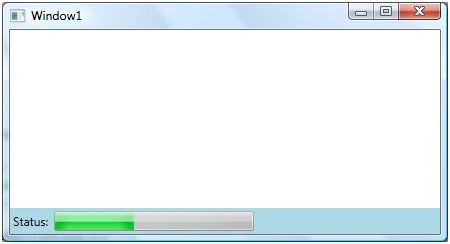
This tutorial shows you how to create and use a ProgressBar control available in Windows Presentation Foundation (WPF) and XAML.
- WPF
Image Viewer in WPF
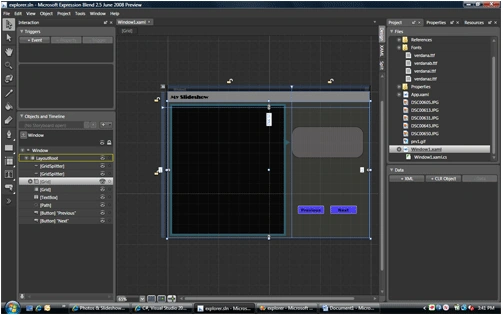
The attached project with this article is a simple Image Viewer that allows users to browse an image and display it in WPF and XAML.
- WPF
Data Binding in WPF Controls
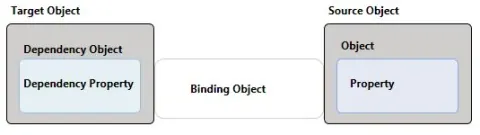
This article shows how to add data binding support among controls in WPF.
- WPF
Data Binding in WPF
In this article, I discuss how we can use ADO.NET DataSet to get data from a database and bind to a WPF ListBox control using data binding process in WPF.
- WPF
Build Video Enabled Application in Windows Presentation Foundation (WPF)
If you have built any video enabled application prior to WPF, you must be familiar with the Windows Media Player ActiveX control. The WPF library provides the MediaElement control that encapsulates Windows Media Player functionality.
- WPF
WPF Media Player
This tutorial shows you how to play and control media files in WPF and XAML using WPF Media controls.
- WPF
Creating Fancy Tooltips in WPF
Each control in WPF has a Tooltip property that can be accessed through XAML or code behind. This article shows how to create a fancy tooltip in XAML and WPF.
- WPF
Transferring data from one ListBox to another in WPF
This article discusses how we can transfer items from one ListBox to another in WPF.
- WPF
Animated Banners in XAML
This article shows how to use animation related controls in XAML to create an animated banner with animations such as gradient colors, text rotation, and resize the banner text.
- Silverlight
Building and using a Class Library in Silverlight 2.0
This step by step tutorial shows how to build a class library (DLL) for Silverlight 2.0 using Visual Studio 2008 and C# and how to use it in a client application. First part of this tutorial creates a class library and second part creates a Silverlight Web application that consumes the class library.
- Silverlight
Programmatically Trigger Events of a Control in Silverlight
This article shows you how to fire the click event of a Button control programmatically in Silverlight 2.0.
- Silverlight
Class Library in Silverlight 2.0
This step by step tutorial shows how to build a class library (DLL) for Silverlight 2.0 using Visual Studio 2008 and C# and how to use it in a client application. First part of this tutorial creates a class library and second part creates a Silverlight Web application that consumes the class library.
- Silverlight
Working with Silverlight Tab Control
This article discusses how to create and use the TabControl available in Silverlight 2.0.
- WPF
Chapter I: Introducing WPF
This chapter provides you a brief knowledge about the Windows Presentation Foundation (WPF)