Loading
Shivprasad's contributions

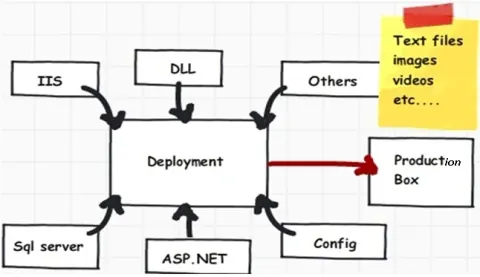
VS 2010 Deployment (Package, One click deploy and Web.config transformation)
In this article we will discuss about 3 important features provided by VS 2010 to ease our deployment task on production and other environment. We will first start with understanding problems with deployment and then move ahead by creating packages , one click deploy and web.config transformation.

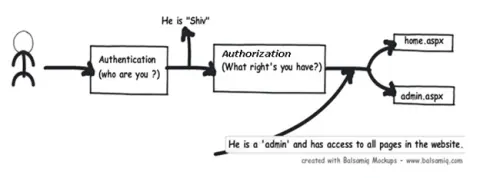
ASP.NET Authentication and Authorization
This article will discuss how to implement ASP.NET authentication and authorization.

WCF Concurrency (Single, Multiple and Reentrant) and Throttling
In this article, we will concentrate on WCF concurrency and throttling. We will first try to understand what are WCF concurrency and the 3 important types of WCF concurrency. We will then see a small sample of WCF concurrency with single and multiple. We will then go through 9 combinations of WCF concurrency and instancing. Finally we will try to understand how to configure throttling using WCF ‘web.config’ file.
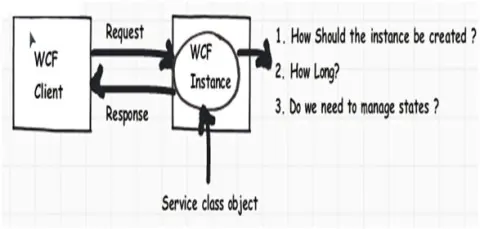
3 Ways to Do WCF instance Management (Per call, Per session and Single)
Many times we would like to control the way WCF service objects are instantiated on WCF server. You would like to control how long the WCF instances should be residing on the server.

6 important uses of Delegates and Events
In this article we will first try to understand what problem delegate solves, we will then create a simple delegate and try to solve the problem. Next we will try to understand the concept of multicast delegates and how events help to encapsulate delegates. Finally we understand the difference between events and delegates and also understand how to do invoke delegates asynchronously.
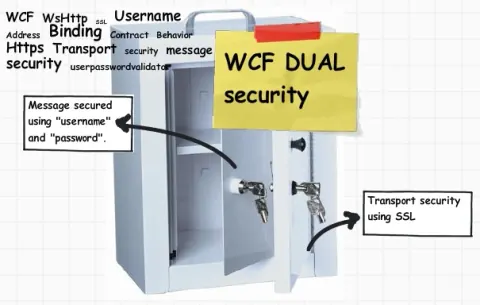
6 Steps to Implement DUAL Security on WCF Using User Name + SSL
In the article we will try to apply DUAL security using transport plus message on WCF services. So we will first try to understand the basic concepts of WCF security i.e. transport and message. Once we understand the concept we will move step by step to how to implement SSL and user name security on WCF services.

6 Important .NET Concepts
This article will explain 6 important concepts, Stack, heap, value, ref, boxing, and unboxing. Explore the essence of .NET through six pivotal concepts.
ASP.NET application and page life cycle
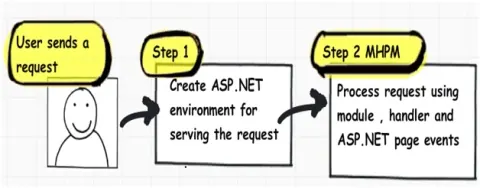
In this article we will try to understand what are the different events which takes place right from the time the user sends a request, until the time request is rendered on the browser.
Comparison of Architecture presentation patterns
This article will compare four important architecture presentation patterns i.e. MVP(SC),MVP(PV),PM,MVVM and MVC.
4 Steps to Enable Instrumentation in WCF
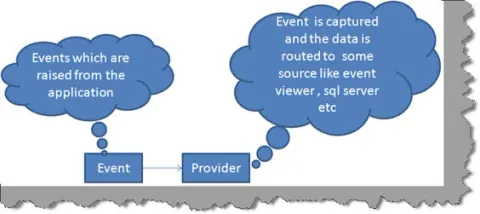
Many times we would like to monitor events of WCF application in production environment. We would like to monitor events like errors, security audits, performance etc. This can be achieved by extending the ASP.NET health monitoring system in WCF. The health monitoring system is also termed as instrumentation.
4 steps to consume web services using Ajax (Includes Video tutorial)
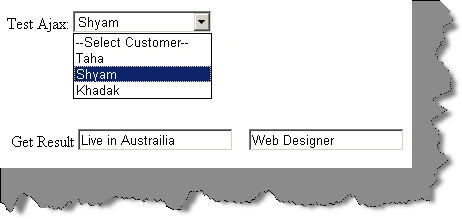
In this article we will try to understand the 4 important steps to consume web service directly in Ajax.

7 simple steps to run your first Azure Queue program
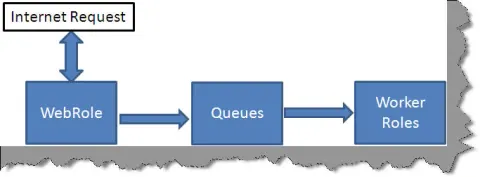
Azure queues help to communicate data between web role and worker role. Web roles are nothing but web application which can be accessed by the end browser.

SQL Query Optimization FAQ Part 1 (With video explanation)
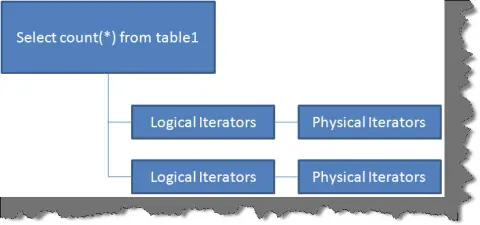
In this article we will first try to understand what is a SQL plan, how is it created and then we will move towards understanding how to read the SQL plan. As we read the SQL plan we will try to understand different operators like table scan, index seek scan, clustered scan, RID lookup etc. We will also look in to the best practices associated with clustered and non-clustered indexes and how they function internally. We will practically see how indexed views increase performance and in what scenarios we should use the same.
Simple 7 steps to run your first Azure Blob Program
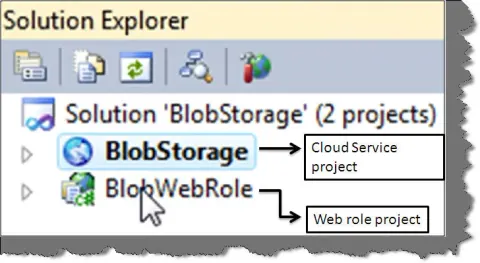
In this section we will create our first program using Azure blobs. This article creates a simple web page where we upload image files which are stored in azure blobs. We have also created a simple search text box which will help us to search the image blobs with the image file name.
9 simple steps to run your first Azure Table Program
Azure has provided 4 kinds of data storages blobs, tables, queues and SQL azure. In this section we will see how to insert a simple customer record with code and name property in Azure tables.
Simple 6 steps to run your first Azure Worker Role Program
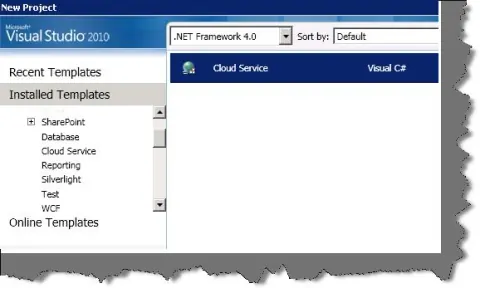
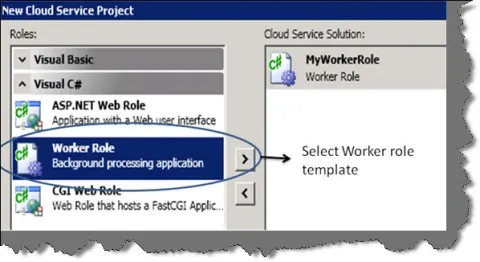
In this article we will try to understand 6 basic steps to create worker role project and as we run through the article we will try to understand the various fundamental methods which are executed in worker role projects.
Simple 5 steps to run your first Azure program
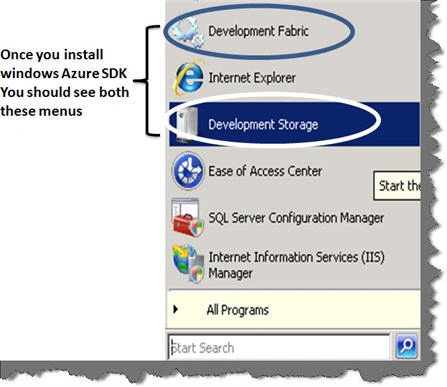
Learn how to install the Windows Azure SDK and tools, create an Azure Web Role project in Visual Studio, and run it locally with multiple instances.
12 Important FAQ on VSTS Testing
Answers 12 VSTS testing FAQs covering unit tests with NUnit and Visual Studio Test, data-driven testing, load testing, code coverage, database testing, and ordered tests.
5 simple steps to execute unit testing using NUNIT
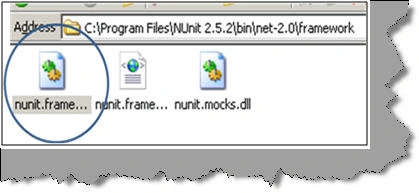
Unit testing is validation and verification methodology where the developers test the individual units of source code. In this tutorial we will try to understand how we can do unit testing using NUNIT framework. This tutorial we will try to understand the 5 important steps to do unit testing using NUNIT.
.NET 4.0 FAQ: Part I - The DLR
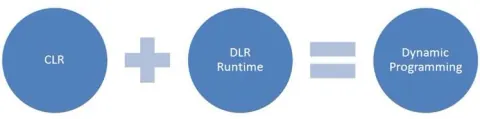
In this section we will look in to new features provided by .NET 4.0 framework. We have a glance on some important features, DLR, subsystems of DLR, dynamic object and expand objects.
Best Practices No 5: Detecting .NET application memory leaks
Learn how to detect .NET application memory leaks with PerfMon performance counters and distinguish managed leaks from unmanaged memory growth.

Best Practice No 4:- Improve bandwidth performance of ASP.NET sites using IIS compression
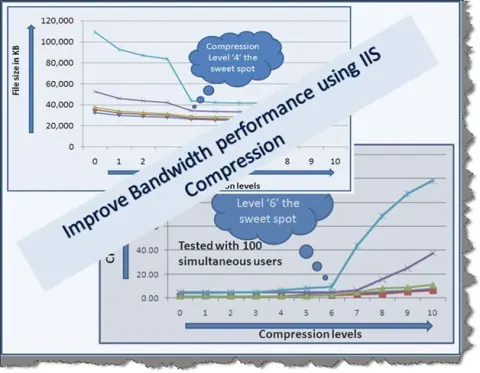
Bandwidth performance is one of the critical requirements for every website. In today's time major cost of the website is not hard disk space but its bandwidth. So transferring maximum amount of data over the available bandwidth becomes very critical. In this article we will see how we can use IIS compression to increase bandwidth performance.
4 steps to increase bandwidth performance for ASPX pages on IIS 6.0
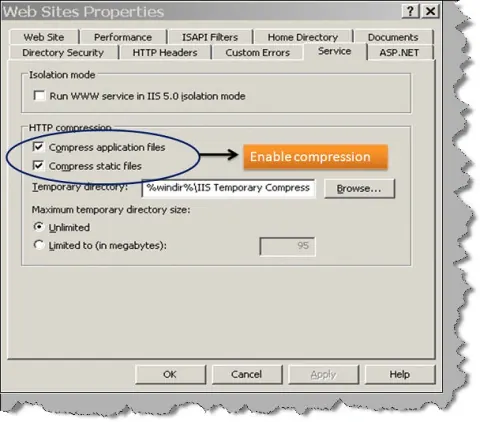
In this article we will try to understand how to enable compression on IIS 6.0. Once we have enabled compression we will use fiddler to see how bandwidth performance increases due to the same.
.NET Best Practice No: 3:- Using performance counters to gather performance data
This article discusses how we can use performance counter to gather data from an application. So we will first understand the fundamentals and then we will see a simple example from which we will collect some performance data.
.NET Best Practice No: 2:- Improve garbage collector performance using finalize/dispose pattern
In this article we will first understand the concept of generations and then we will see the finalize dispose pattern. I am sure this article will change your thought process regarding destructor, dispose and finalize.