Loading
CPU Looks Idle but the Server Is Slow: A Linux VDS Troubleshooting Runbook
Learn how to troubleshoot Linux VPS performance when CPU appears idle using load, I/O, steal time, memory pressure, PSI, and latency evidence.
Building a Secure SFTP Server with Chroot Jail on Linux for Enterprise File Transfers
By combining OpenSSH's built-in internal-sftp subsystem with a properly permissioned ChrootDirectory, you have established a robust, secure, and isolated file transfer environment. This setup ensures that external partners or internal applications can move files safely without ever exposing your core operating system shell.
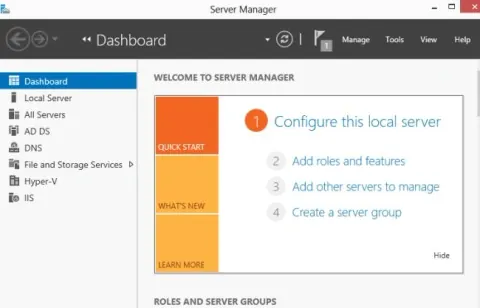
How to Install IIS Web Server on VM (Windows Server)
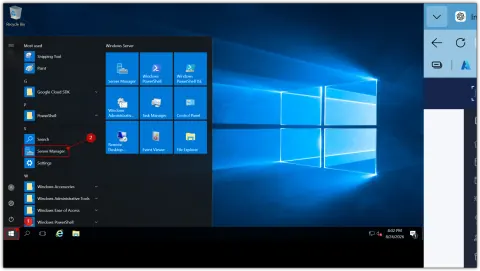
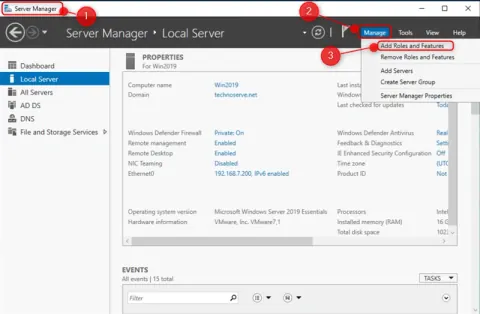
Learn how to install IIS Web Server on a Windows Server VM using Server Manager. Follow this step-by-step guide to add the IIS role, verify the installation, and open IIS Manager.
Installing and Using Windows Admin Center on Windows Server
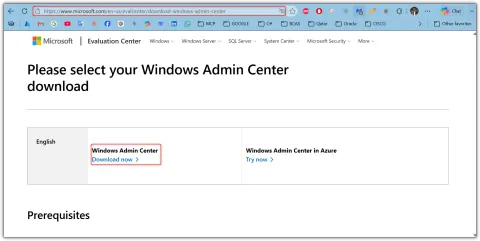
Master Windows Server management with Windows Admin Center. Install, configure, and use this free tool for efficient server monitoring and administration.
Caddy vs Nginx: Choosing the Right Web Server for Modern Applications
Compare Caddy and Nginx web servers, including performance, HTTPS management, security, configuration, and deployment considerations for modern applications.
KubeVirt Tutorial: Running Virtual Machines Inside Kubernetes
Run VMs in Kubernetes with KubeVirt! Manage legacy apps, hybrid workloads, and modernize gradually on a unified platform.
Automating IIS Maintenance A Step-by-Step Guide to 5-Hour Restarts
Learn how to use a PowerShell script and Windows Task Scheduler to recycle IIS application pools and restart IIS every five hours.
Why Does Server Response Time Increase After Long Uptime?
Uncover why server response time degrades after extended uptime. Learn about memory leaks, resource exhaustion, and practical solutions for stable performance.
How to Prevent Application Downtime During Server Maintenance
Eliminate application downtime during server maintenance! Learn strategies like load balancing, rolling updates, and blue-green deployments for seamless user experience.
Why Does Server CPU Usage Spike at the Same Time Every Day?
Troubleshoot daily CPU spikes! Discover common causes like cron jobs, backups, and database maintenance. Optimize schedules for stable server performance.
Proxy Infrastructure for Secure and Scalable Access
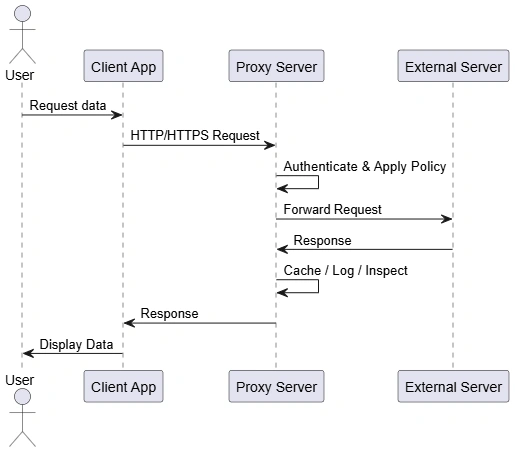
Secure your network with proxy servers! Learn how they enforce policies, optimize performance, and provide crucial security, control, and visibility for enterprises.
How to Create Taskpad in Windows Server
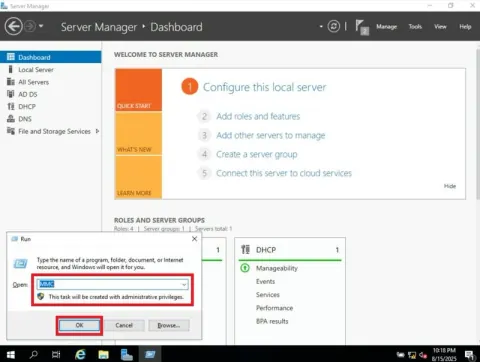
In Windows Server, a taskpad within a Microsoft Management Console (MMC) is a user interface element that provides a focused way to access and perform specific tasks related to a particular scope node.
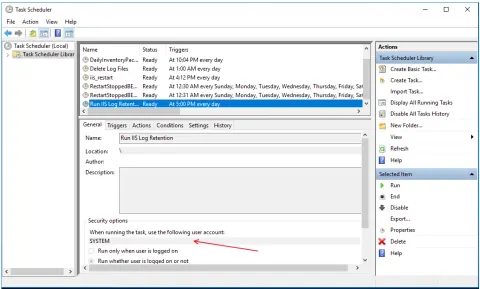
Remove IIS Log Files (2-1) --- Handle Group User Accounts
Configure local users and groups on Windows Server to assign accounts and permissions needed to run scheduled tasks for IIS log file cleanup.
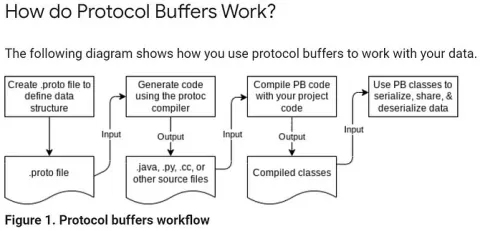
Learn Protocol Buffers in gRPC
This content explores how Protobuf enables efficient data serialization, improves API performance, and provides structured messaging, making it ideal for scalable microservices.
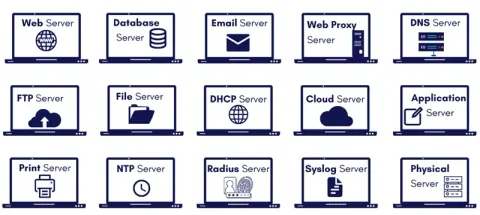
Understanding the Role of Servers in Modern Networking
Servers play a crucial role in modern networking by managing data storage, processing, and communications across networks. From web hosting and cloud computing to secure data transfer, servers enable seamless connectivity.
How to Install VMware Workstation on Windows 11
VMware Workstation is a powerful virtualization software that allows users to run multiple operating systems on a single computer simultaneously. Ideal for IT professionals and developers, it enables testing software, learning new systems, and application development within isolated environments.
How to Install FTP Server on Windows Server 2012
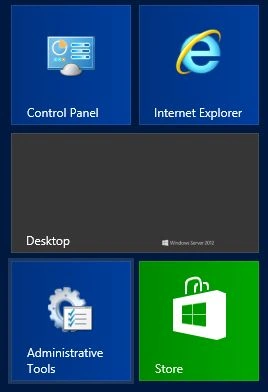
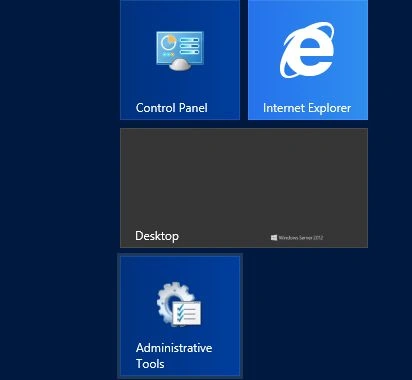
This guide covers step-by-step instructions, including setting up IIS (Internet Information Services), enabling the FTP service, creating FTP sites, and configuring security settings for efficient file transfer and management.
How to Configure Authentication for the Virtual Directory
This guide explains configuring authentication for a virtual directory in IIS. Start by opening IIS Manager from Administrative Tools. Expand your server's name, locate the desired site, and access its virtual directory. Use the Authentication feature to enable, disable, or edit authentication settings, including anonymous user identities.
How to Configure the FTP Directory Browsing Options
Learn how to configure FTP directory browsing options to enhance file management and accessibility. This guide covers setting up directory listings, adjusting visibility settings, and optimizing how users interact with directories on your FTP server.
Intalling Windows Server 2025 Preview on VMware ESXi
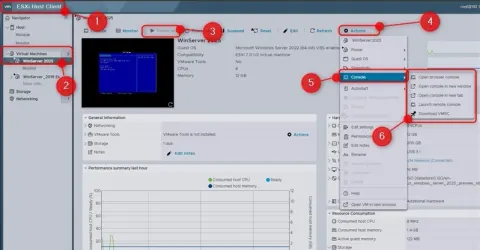
Learn how to set up a virtual machine, configure ESXi settings, and optimize your server for the latest Windows Server version. Ideal for IT professionals and system administrators looking to explore new features.
Deploy Internet Information Services (IIS) on Windows Server
Internet Information Services (IIS) is a Microsoft web server on Windows Server, used to host and manage websites and web applications. It supports various web technologies like HTML, ASP.NET, and PHP, offering features for security, performance, and scalability.
Install Windows Server Backup Feature In Windows Server 2016
Install the Windows Server Backup feature on Windows Server 2016 using PowerShell or Server Manager, and verify that the feature was installed successfully.
How to Configure the Access-Denied Assistance For Users
In this article, we will learn how to configure Access-Denied Assistance for users, a feature that helps resolve file and folder access issues in Windows environments.
Starting & Stopping Specific Application Under Website Root Node
Learn how to assign an IIS web application to its own application pool so it can be started and stopped independently of other applications on the same website.
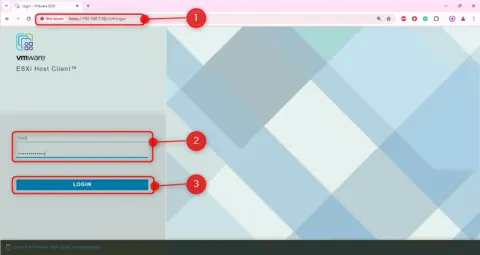
Creating a Virtual Machine on ESXi Host with VMware Web Client
By following these steps, you can successfully create a virtual machine on your target ESXi host using the VMware web Host Client.