artboard
4 posts1 contributor
Articles about artboard
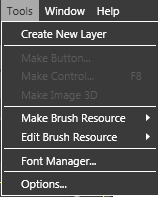
How to use Tool Menu in Microsoft Expression Blend
Tool Menu in Microsoft Expression Blend has the option for Creating Layer, Make Button, Make Control, Make Image 3D, Make Brush Resource, Edit Brush Resource, Font Manager, Options.
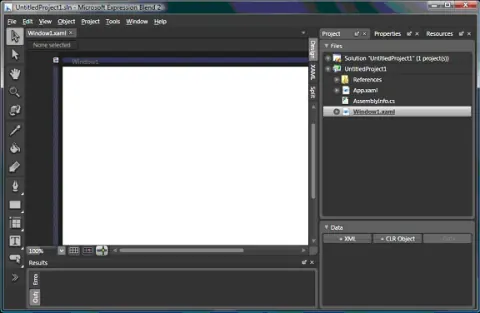
Using Tools and Windows in Expression Blend 2.0
This article is a basic introduction of Expression Blend 2 and how to use various tools in Expression Blend. I am using Expression Blend version 2.0.
How to use Tool Menu in Microsoft Expression Blend
Tool Menu in Microsoft Expression Blend has the option for Creating Layer, Make Button, Make Control, Make Image 3D, Make Brush Resource, Edit Brush Resource, Font Manager, Options.
Using Tools and Windows in Expression Blend 2.0
This article is a basic introduction of Expression Blend 2 and how to use various tools in Expression Blend. I am using Expression Blend version 2.0. The Toolbox contains all the objects and shapes available you to use. To add drawing objects to the Artboard, you simply select an object, for example, a rectangle, and drop that on the Artboard to add that object to your Artboard. You can also change the objects on the Artboard by using handles, or you can modify their properties in the Properties panel.