Azure Container
8 posts6 contributors
Articles about Azure Container

Docker-in-Docker: Setup, Use Cases, and Benefits with Azure Container Instances
Running Docker-in-Docker (DinD) on Azure enables isolated, scalable environments for testing, building, and deploying containerized applications using Azure Container Instances.
Let's Look At Azure Container🧜♂️
In this article we have learned the overview of Microsoft Azure Container and its services
Working With Azure Container Instances
Azure Container Instances simply allow you to run containers in Azure. The advantage is you can run it for a particular amount of time and then stop the container. You will just be billed for the time your container runs.
Creating Azure Container Instance - Step By Step Demo
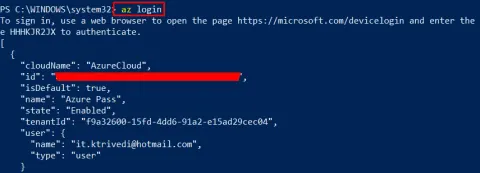
In this article, I am showing a step by step demo of how to create Azure Container Instances by using Microsoft Azure Command Line Interface.
Azure Container Instances - Features And When To Use Them
In this article, I am going to explain when to use the Azure Container Instances and what are its features.
Create Azure Storage Account And Container Using PowerShell
Azure Storage enforce you to keep the name of storage account in a lower font as well as for container. Rather than jumping into ARM portal you can easily create Azure Storage Account with few commands.
Fix For 404 ResourceNotFound Error After Uploading To Azure Container
Here, in this post, we will see how we can resolve 404 ResourceNotFound Error after uploading to Azure CDN . It is obvious that you may feel very sad, if you are unable to see the image you recently uploaded to Azure container.
Upload Content To Azure Container, CDN In WordPress Folder Format
Here, in this article we are going to a see how we upload contents to our Azure container in our CDN storage in a WordPress folder format. You may be thinking what is so special in WrdPress folder format, what makes the difference in other formats? When I say WordPress folder format, I mean one folder in an another folder. In WordPress we usually have the structure as wwwroot/wp-content/uploads/2017/05/. The real problem is, we can not create a container inside a container. Yeah, you heard it right. But, you don’t need to worry about it, there are always few ways we can achieve this need, in this post I am going to show you that. I hope you will like this. Now let’s begin.