Loading
Topic
Cloud Flows
9 posts about Cloud Flows by 8 contributors.
Know Cloud Flows? Share what you know with developers who are learning it.
+ Follow Cloud FlowsBe the first to follow this
- Articles
- 9
- Contributors
- 8
Articles about Cloud Flows
- Article · Power Automate
How to Handle Power Automate Limits When Building Large-Scale Business Workflows
Introduction Microsoft Power Automate is a powerful platform for automating business processes, integrating applications, and reducing manual work. We can create simple approval flows, notifications, data migration processes, and complex enterprise-level automation. However, while developing cloud f
- Article · Power Apps
How to add Power Automate flow in Power Apps Code Apps
Learn how to add a solution-aware Power Automate flow to a Power Apps code app using the CLI and call the generated service from a React and TypeScript app.
- Article · Power Automate
How to build Power Automate flow using MCP Server with Github Copilot
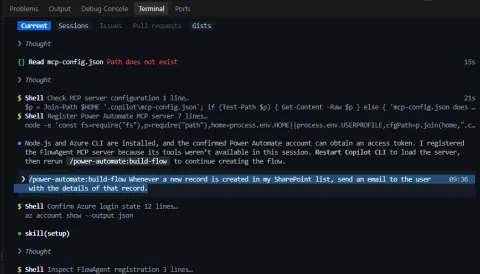
Learn how to connect GitHub Copilot CLI to Power Automate through an MCP server and create a SharePoint-triggered cloud flow from a natural-language prompt.
- Article · Power Automate
How to Find Which Power Automate Flow Sent an Email
Learn how to identify which Power Automate flow sent an email using Microsoft 365 Message Trace, Microsoft Defender Explorer, and email headers. This step-by-step guide shows how to find the Workflow ID, Run ID, Environment ID, and trace the email back to the exact Power Automate flow.
- Article · Power Automate
Power Automate Cloud Flows vs Desktop Flows – Understanding the Right Tool
Confused about Power Automate Cloud vs. Desktop Flows? This guide clarifies their differences, ideal use cases, and how they complement each other for optimal automation.
- Article · Power Automate
Automate Your Workflows using Power Automate
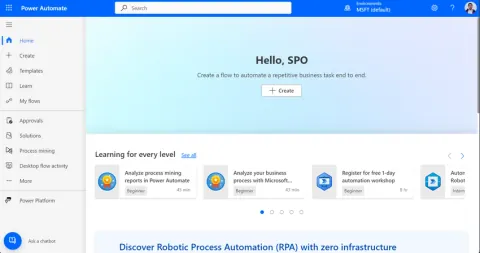
This article provides a comprehensive overview of Microsoft Power Automate, detailing its features, advantages, and disadvantages. It also explains the various sections of the Power Automate home page, helping users navigate and utilize the platform effectively.
- Article · Power Automate
Version History, Run History & Limitations in Power Automate Flow
Power Automate now offers versioning and drafting tools for cloud flows, enabling users to save incomplete drafts and publish them later. The new version history feature, stored in Dataverse, allows viewing and restoring previous versions.
- Article · Power Automate
Exploring Microsoft Power Automate for Automation Power
Explore the transformative capabilities of Microsoft Power Automate in our comprehensive analysis. Discover how automation streamlines workflows, enhances productivity, and integrates seamlessly with existing systems.
- Article · Power Automate
Change Ownership of Cloud Flows
This article describes ways to Change ownership of a cloud flow manually, using powershell script and Azure Pipelines. We will discuss ways to change ownership or assignment of cloud flow so that all actions are performed concerning a particular user.