Loading
Topic
Code-Behind
9 posts about Code-Behind by 6 contributors.
Know Code-Behind? Share what you know with developers who are learning it.
+ Follow Code-BehindBe the first to follow this
- Articles
- 9
- Contributors
- 6
Everything about Code-Behind
- Article · .NET
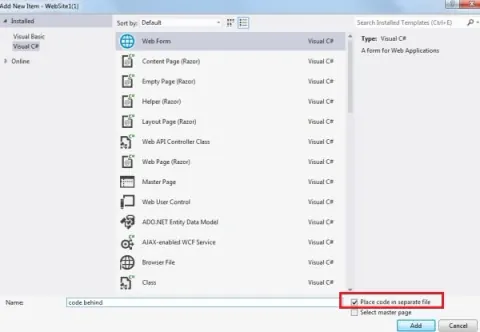
Code Behind and Inline Code in ASP.NET
In this article, we will learn how Code Behind promotes separation of concerns by keeping server-side logic separate from HTML, while Inline Code integrates both in a single file, impacting maintainability and design flexibility.
- Article · .NET MAUI
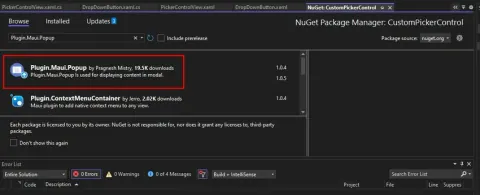
Using Plugin.Maui.Popup to Create Eye-Catching Popups in Apps
Learn how to utilize Plugin.Maui.Popup to incorporate popup functionality into your Xamarin.Forms application. Follow step-by-step instructions to install the package, create custom popup pages, and call popups from the code behind.
- Article · ASP.NET Core
Improving Code Readability in View Section Using Return Templates
The return template is a one of the new features added in the latest version of the CodeBehind framework. Using this feature completely separates the server-side codes from the view section.
- Article · ASP.NET Core
CodeBehind Library in ASP.NET Core
CodeBehind framework is a system development model based on the MVC pattern. CodeBehind brings aspx files back to ASP.NET Core and inherits the benefits of ASP.NET Core. Projects built under CodeBehind will all be modular and each project can support web parts, while the project itself is a web part.
- Article · ASP.NET Core
How to Use ASPX Files in .NET Core?
Code Behind library for support aspx files in .NET Core
- Article · Web Development
Globalization Using ASP.NET
In this article we see how to cater different contents based on the culture using Globalization in ASP.NET.
- Article · Web Development
Web Forms Code Model
ASP.NET introduces a new programming model for Web Forms to separate the code and visual elements in different files.
- Article · ASP.NET
Coding style models in ASP.NET
In the article I will explain about different coding style in ASP.NET.
- Article · ASP.NET 2.0
Coding Model and Compilation in ASP.NET 2.0
This article explains about differences between different coding models and the compilation techniques of ASP.NET pages.